
 WhatsApp: +86 16626708626
 Email:
  Phone: +86 16626708626
Description
Key Technical Specifications
| Parameter | Value |
|---|---|
| Manufacturer | B&R Industrial Automation |
| Full Part Number | 3CP260.60-1 |
| Controller Designation | CP260 |
| Product Type | System 2005 PLC CPU controller |
| Series | B&R System 2005 |
| DRAM | 4 MB |
| SRAM | 850 kB |
| Remanent Data Protection | Battery-backed memory, subject to installed battery condition |
| Memory Card Interface | PCMCIA slot |
| Communication Interface | RS-232 |
| Programming Environment | B&R Automation Studio; legacy systems commonly use Generation 3 / SG3 tooling |
| Application Storage | Flash memory, subject to project configuration |
| Replacement Rule | Use the same CPU type: CP260 / 3CP260.60-1 |
| Hardware Revision Compatibility | Different CP260 hardware revisions may be compatible, but verify project, firmware, and machine documentation |
| Typical Installed Use | Legacy modular machine automation and OEM equipment control |
The B&R 3CP260.60-1 is identified as a System 2005 CPU module with 4 MB DRAM, 850 kB SRAM, PCMCIA support, and RS-232 communication. B&R community guidance advises maintaining the same CP260 CPU type for replacement and notes that legacy System 2003/2005 installations were commonly programmed using Generation 3 / SG3 software.
Product Introduction
The B&R CP260, order number 3CP260.60-1, is a System 2005 PLC CPU controller for legacy modular machine-control systems. It executes the OEM application, manages System 2005 I/O, communicates through its RS-232 interface, and supports PCMCIA-based data or program handling where configured.
The correct replacement approach is a like-for-like CP260 unit. Moving to another CP-series CPU is not a spare-parts swap because the Automation Studio hardware configuration, compiled target, firmware compatibility, and machine application may require engineering changes. The program is commonly stored in Flash, while the battery supports retentive RAM data.
Installation & Configuration Guide
Stage 1: Pre-Installation Preparation — 10 minutes
- ⚠️ Safety first: Notify operations, stop the machine in a safe state, apply lockout/tagout, and isolate the System 2005 rack power supply. Wait at least 5 minutes before touching the rack.
- Confirm the existing CPU label is B&R 3CP260.60-1 or an approved -compatible hardware revision. Do not substitute a CPxxx CPU of a different type without a project review.
- Prepare:
- Grounded ESD wrist strap and ESD mat
- PH1 screwdriver
- Fluke 115 or equivalent multimeter
- Wire labels
- Smartphone for photographs
- Approved Automation Studio project archive
- Correct B&R RS-232 programming cable
- Known-good replacement battery, if required by the maintenance plan
- Back up the current project before removal. Record:
- Automation Studio version
- Runtime or firmware version
- CPU hardware revision
- System 2005 rack configuration
- PCMCIA card type and contents
- Serial-port protocol, baud rate, parity, node settings, and cable pinout
- Photograph module order, rack slot positions, power wiring, fieldbus wiring, PCMCIA orientation, and all external serial connections.
- If the CPU is still running, check and record battery condition, controller diagnostics, and any existing I/O or communication errors.
⚠️ Critical: Do not assume the original project is stored on the PCMCIA card. The program-storage method depends on how the OEM configured the system. Preserve the old CPU and memory card until the replacement runs the correct machine application.
Stage 2: Removing the Old Module — 5 minutes
- Verify that all rack power supplies are de-energized using a multimeter.
- Remove the front cover or cabinet guard as required.
- Label and disconnect the RS-232 cable, any network cable, and any removable memory card or accessory.
- If a PCMCIA card is fitted, remove it only after photographing its orientation and confirming the system is de-energized. Store it in an antistatic bag.
- Release the System 2005 module locking tabs or screws.
- Pull the straight out from the rack. Do not rock the module side-to-side; that can damage the rack connector.
- Inspect the rack connector, backplane contacts, module guides, and surrounding I/O modules for bent contacts, dust, corrosion, or signs of overheating.
⚠️ Note: Keep the removed CPU, PCMCIA card, and battery together in an antistatic bag until the replacement has completed a full machine test.
Stage 3: Installing the New Module — 10 minutes
- Put on the grounded ESD strap and inspect the replacement label. Verify 3CP260.60-1 and identification.
- Compare the replacement’s hardware revision, connector layout, and PCMCIA slot with the original unit.
- Install the PCMCIA card only if it belongs to the machine and has been confirmed as part of the approved backup or runtime arrangement.
- If the preventive-maintenance procedure requires battery replacement, install the exact approved battery type with power isolated. B&R guidance notes that battery change may be possible with power on or off, but the recommended method is with power switched off because site safety rules may prohibit energized maintenance.
- Align the CPU with the rack guides and insert it straight until it seats fully.
- Engage all locking tabs or fasteners.
- Reconnect the RS-232 and other communications cables exactly as photographed.
- Confirm that the rack module order and all adjacent I/O modules remain fully seated.
Self-checklist:
- CPU type is
- Part number is 3CP260.60-1 or approved equivalent revision
- PCMCIA card orientation matches the original
- Battery type and polarity are correct
- CPU is fully seated and locked
- RS-232 cable is connected to the original port
- Rack power wiring is secure
Stage 4: Power-On and Testing — 15 to 30 minutes
- Before energizing, measure the rack power-supply output and verify there is no short circuit on the supply rail.
- Energize the rack only. Keep machine actuators disabled or in a controlled safe state.
- Observe the status indicators and record any fault pattern before attempting a download.
- Connect the programming computer through the approved RS-232 interface.
- Confirm communication with the CPU using the same Automation Studio generation used for the original project. Legacy System 2003/2005 installations commonly use SG3 tooling; verify the exact project requirement before connecting.
- Check whether the expected application starts from internal Flash or the approved memory-card arrangement.
- If the application does not start, restore the archived project using the validated Automation Studio version and target configuration.
- Confirm:
- CPU transitions to RUN
- Rack I/O modules initialize correctly
- Safety and interlock diagnostics are normal
- HMI and serial devices communicate
- Retentive values and machine parameters are correct
- Perform a controlled dry-run test before enabling normal production.
⚠️ Troubleshooting note: If the CPU communicates with Automation Studio but will not enter RUN, suspect a project-to-hardware mismatch, an incompatible runtime version, missing machine application, invalid PCMCIA contents, or an unresolved I/O configuration error. If there is no RS-232 communication, check the cable wiring, COM-port selection, serial parameters, CPU supply, and the exact Automation Studio generation before assuming the CPU is defective.
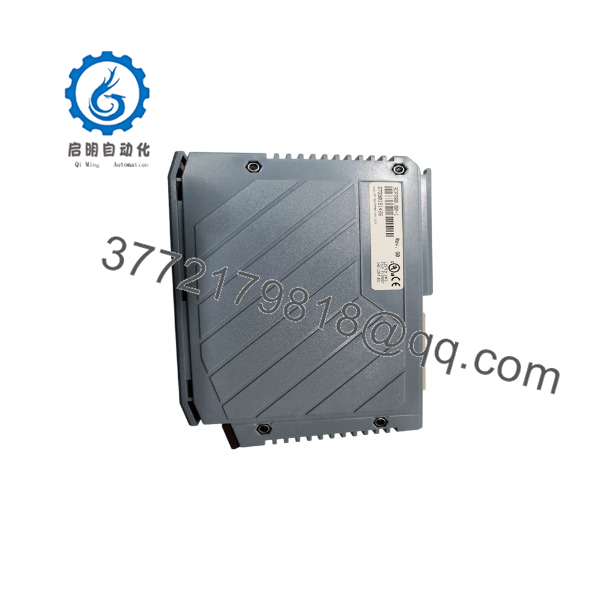
3CP260.60-1
Frequently Asked Questions
Is 3CP260.60-1 the same as ?
Yes. is the controller designation, while 3CP260.60-1 is the B&R order number used to identify the specific System 2005 CPU module. Confirm both markings on the physical label before ordering.
Can I replace a with another B&R CP-series CPU?
Not as a direct replacement. B&R community guidance is clear: retain the same CPU type, , for a straightforward hardware replacement. A different CPxxx model requires changing the project hardware configuration, compiling it for the new target, and downloading the revised application. That is an engineering change with downtime risk, not a spare-parts substitution.
Will I lose the PLC program when I replace the CPU?
Possibly. The application may be stored in internal Flash, but that depends on the OEM project configuration. The PCMCIA card may contain relevant data or runtime files, but do not assume it contains a complete restorable application. Retentive variables stored in SRAM can be lost if battery support is absent or fails. Archive the running project before removal whenever possible.
Which software do I need to program or restore a ?
Use the exact B&R Automation Studio generation and version used to create the original project. B&R support discussions state that System 2003 and System 2005 hardware was commonly programmed using Generation 3, also called SG3, while current systems use later generations. Opening a legacy project in a newer tool without a controlled migration plan can create compatibility problems.
Can I change the CPU battery with power applied?
The design may permit battery replacement with the PLC powered on or off. However, B&R recommends changing it with power switched off because local safety regulations may prohibit energized work. For a production machine, the conservative field procedure is to schedule a controlled shutdown, back up the project and retentive data, isolate power, then replace the battery.
Is 3CP260.60-1 obsolete, and can I still buy a new unit?
It is a legacy System 2005 CPU, so availability is generally limited to New Surplus, refurbished-and-tested, or used inventory. New stock claims should be verified with actual label photographs, packaging condition, serial-number visibility, storage history, and a defined warranty. Refurbished units should include a functional test statement and warranty terms.
Why does the replacement power up but the machine does not run?
A powered CPU is not proof of a successful replacement. Check the loaded application, runtime version, rack configuration, I/O diagnostics, PCMCIA card, RS-232 devices, HMI communication, and safety chain. I have seen replacement CPUs appear healthy while the machine remains stopped because the project was missing, the wrong runtime was loaded, or the original retentive setup data was never backed up.
Keep these checks in mind and you will save yourself most of the typical rework time: match the exact type, preserve the old CPU and PCMCIA card, use the correct Automation Studio generation, and validate the application before returning the machine to service.



