
 WhatsApp: +86 16626708626
 Email:
  Phone: +86 16626708626
Description
Key Technical Specifications
| Parameter | Value |
|---|---|
| Manufacturer | B&R Automation |
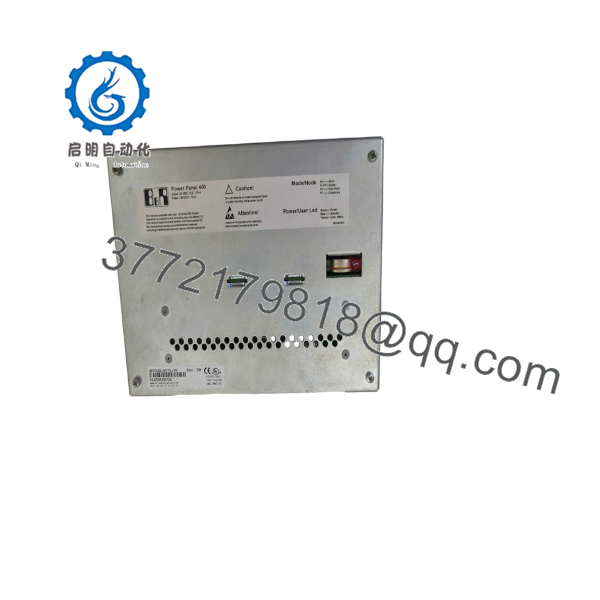
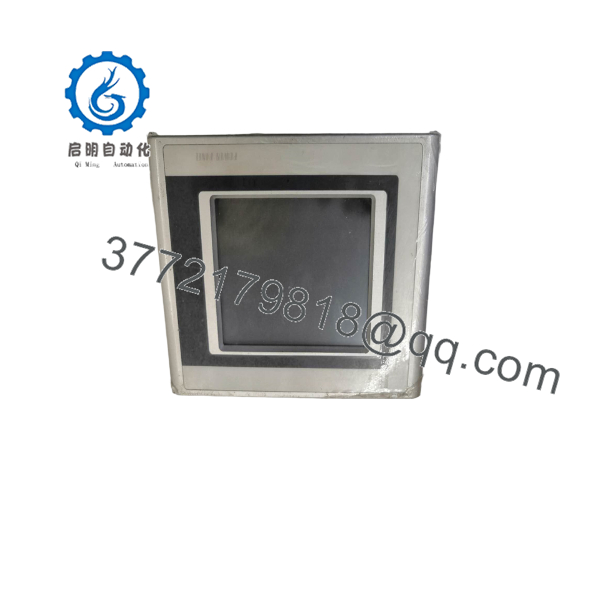
| Material number | 4PP420.0571-45 |
| Product family | Power Panel 400 |
| Panel model | PP420 Embedded |
| Display type | Monochrome LCD |
| Display size | 5.7 in (144 mm) |
| Display resolution | QVGA, 320 × 240 pixels |
| Display colors | 8 shades of gray |
| Touchscreen | Analog resistive, AMT technology |
| Touch controller | Elo, serial, 12-bit |
| Processor | AMD Geode LX800, 500 MHz |
| Main memory | 128 MB SDRAM |
| SRAM | 512 kB, battery-backed |
| Firmware flash | 2 MB |
| Operating system/runtime | B&R Automation Runtime bootloader |
| Ethernet | 1 × 10/100 Mbit/s, Intel 82551ER controller |
| Serial interface | 1 × RS232, 9-pin male D-sub, non-isolated |
| USB | 2 × Type A, USB 1.1/2.0, maximum 500 mA per port |
| CompactFlash | 1 × Type I slot |
| Expansion | 1 × aPCI slot |
| Nominal supply | 24 VDC |
| Supply range | 18–30 VDC |
| Nominal current | 0.5 A |
| Typical power consumption | 12 W |
| Maximum inrush current | 1.2 A |
| Front protection | IP65 / NEMA 250 Type 4X indoor |
| Rear protection | IP20 under specified installation conditions |
| Operating temperature | 0 to 50 °C |
| Storage and transport temperature | −20 to 70 °C |
| Dimensions | 212 × 156 × 76 mm |
| Weight | 1,700 g |
| Required terminal block | 0TB103.9 screw clamp or 0TB103.91 cage clamp |
| Battery | 3 V, 950 mAh lithium button cell; externally accessible |
| B&R ID code | 0x23B9 |
B&R’s official product page identifies the 4PP420.0571-45 as a PP420 Power Panel with a 5.7-inch QVGA monochrome resistive touchscreen, 128 MB SDRAM, 512 kB SRAM, Ethernet, RS232, two USB ports, CompactFlash, and one aPCI slot. The same page specifies the 18–30 VDC supply range, 0.5 A nominal current, 12 W typical consumption, IP65 front protection, 0–50 °C operation, and 212 × 156 × 76 mm dimensions.
Product Introduction
The B&R 4PP420.0571-45 is a Power Panel 400 PP420 embedded HMI for machine visualization and local operator control. It combines a 5.7-inch monochrome QVGA resistive touchscreen with an AMD Geode LX800 controller, 128 MB SDRAM, Ethernet, RS232, USB, CompactFlash, and one aPCI expansion slot.
Its exact monochrome display variant matters. Do not substitute the color 4PP420.0571-75 without checking the application image, panel configuration, and engineering project. Verify the terminal block, battery condition, Automation Runtime version, and aPCI hardware before installation.
4PP420.0571-45
4PP420.0571-45
Troubleshooting Quick Reference
| Symptom | Possible Cause | Relevance to This Part | Quick Check Method | Recommendation |
|---|---|---|---|---|
| Panel remains completely dark | Missing 24 VDC, reversed polarity, blown fuse, failed terminal block, or internal power fault | ✅ High | Measure 18–30 VDC directly at the panel power terminals and verify polarity | Check supply and fuse before replacing the Power Panel |
| Power LED is on but display is blank | Backlight, display cable, LCD, boot failure, or damaged graphics subsystem | ✅ High | Observe startup LEDs and connect through the service interface if supported | Inspect display connections and boot diagnostics; replace only after isolating the display fault |
| Touchscreen does not respond | Damaged resistive touch layer, incorrect calibration, contamination, or touch-controller fault | ✅ High | Run the HMI touch-calibration routine and test several points across the screen | Recalibrate first; replace the touch assembly or panel if response remains localized or absent |
| Touch points are offset | Lost calibration, changed display configuration, or damaged touch layer | ✅ Medium | Execute the panel’s touch calibration and compare cursor position at screen corners | Recalibrate and verify the application resolution is 320 × 240 |
| Automation Runtime does not boot | Corrupt firmware, CompactFlash issue, battery-backed data problem, or hardware fault | ✅ High | Record boot messages and test with approved media or firmware | Back up data before firmware work; use the B&R hardware upgrade for this exact variant |
| Ethernet communication fails | Wrong IP settings, cable/switch fault, runtime configuration, or Ethernet hardware fault | ✅ Medium | Check link LEDs, cable continuity, switch port status, and configured IP address | Troubleshoot network configuration before replacing the panel |
| RS232 device does not communicate | Wrong pinout, baud/parity mismatch, non-isolated interface limitations, or cable fault | ✅ Medium | Verify 9-pin D-sub wiring and measure communication settings in the application | Confirm the RS232 cable and parameters; the interface is not galvanically isolated |
| USB device is not detected | Unsupported device, excessive current, damaged port, or runtime driver issue | ✅ Low to medium | Test a known-good USB device and keep load below 500 mA per port | Check the device and runtime support before replacing the HMI |
| CompactFlash data is missing | Corrupt card, incompatible Type I card, file-system issue, or slot fault | ✅ Medium | Test with an approved known-good Type I CompactFlash card | Back up application data and avoid removing the card while active |
| aPCI module is not recognized | Incorrect module, missing terminal block, firmware incompatibility, or poor seating | ✅ High | Power down, reseat the module, and compare the aPCI type with the project hardware configuration | Confirm Automation Studio hardware configuration and module compatibility |
| Panel resets during operation | Supply sag, excessive inrush, overheating, loose power wiring, or internal fault | ✅ Medium | Monitor voltage at the panel while the machine cycles and compare against the 18 VDC minimum | Correct the supply and wiring; leave adequate power-supply margin |
| Battery warning or lost RTC data | Depleted 3 V, 950 mAh battery | ✅ High | Check the battery status and replace using the specified part under controlled conditions | Replace the battery before losing retained SRAM or clock data |
| Front seal leaks or panel is loose | Damaged gasket, incorrect cutout, or mounting hardware issue | ✅ Medium | Inspect the gasket and verify the manufacturer’s panel cutout and clamp pressure | Replace the gasket or correct mounting; IP65 applies only with proper installation |
Support note: If the fault remains, contact technical support with photos of the nameplate, display startup, supply measurements, Automation Runtime version, diagnostic messages, project configuration, CompactFlash card, and aPCI module.
Frequently Asked Questions
What is the difference between 4PP420.0571-45 and 4PP420.0571-75?
The 4PP420.0571-45 uses a 5.7-inch QVGA monochrome LCD with eight shades of gray. The 4PP420.0571-75 is listed by B&R with a QVGA color TFT display. They may share the PP420 platform, but the application image, display settings, and replacement suitability must be checked.
What power supply does the 4PP420.0571-45 require?
B&R specifies 18–30 VDC, with 24 VDC nominal operation, 0.5 A nominal current, and 12 W typical power consumption. Use a regulated industrial supply and verify voltage at the panel terminals under machine load.
Is the terminal block included?
No. B&R identifies the 0TB103.9 screw-clamp terminal block or 0TB103.91 cage-clamp terminal block as mandatory accessories ordered separately. Confirm the listing contents before purchase.
Can I hot-swap this HMI?
Do not assume it is hot-swappable. Shut down the panel and isolate the 24 VDC supply before disconnecting the terminal block, CompactFlash media, or aPCI hardware. A live disconnect can corrupt data or damage the panel interface.
Will my Automation Studio project run on this unit?
Only if the project supports the exact PP420 hardware, Automation Runtime version, display variant, and installed aPCI module. B&R provides a specific hardware upgrade reference for 4PP420.0571-45, so use the correct device configuration rather than selecting a similar PP420 model.
How do I replace the battery?
The panel uses a removable 3 V, 950 mAh lithium battery with an approximately three-year service life listed by B&R. Back up retained data, follow the service procedure, and avoid shorting the battery contacts. Verify the correct battery part before installation.
Is the 4PP420.0571-45 obsolete?
It is a legacy Power Panel model and may be sourced through surplus, used, or refurbished channels. A current used listing identifies the exact 4PP420.0571-45 model as available, but listing condition does not establish OEM support or warranty. Request a display, touch, Ethernet, boot, battery, and power-supply test report before purchase.



