
 WhatsApp: +86 16626708626
 Email:
  Phone: +86 16626708626
Description
- Key Technical Specifications
| Parameter | Specification |
| Part Number | 5ACPCI.ETH3-01 |
| Manufacturer | B&R Industrial Automation |
| Compatible Systems | B&R Automation PC 620, APC810, Panel PC 700 Series |
| Bus Type | Standard 32-bit PCI Interface Slot |
| Ethernet Ports | 1 x RJ45 Port |
| Data Rates | 10 Mbit/s, 100 Mbit/s, 1000 Mbit/s (Gigabit) |
| Network Controller | Intel Industrial Grade Ethernet MAC/PHY Controller |
| Duplex Modes | Half-duplex and Full-duplex support |
| Status Indicators | LED indicators for Link and Activity state |
| Power Supply | Supplied directly via PCI bus (+3.3 V / +5 V DC) |
| Operating Temperature | 0°C to +55°C (32°F to 131°F) inside Industrial PC chassis |
| Form Factor | B&R System-Specific PCI Insert Card |
- Product Introduction & Supply Chain Strategy
This product is a Brand New Surplus unit. It is not used, not pulled from a decommissioned plant, and not refurbished. All modules undergo rigorous quality verification to ensure OEM-level reliability. The B&R Automation 5ACPCI.ETH3-01 Ethernet Interface Card provides high-speed fieldbus and network connectivity for B&R Industrial PCs and Panel PCs operating on factory floors and automated production lines.
From a supply chain standpoint, maintaining a factory-sealed 5ACPCI.ETH3-01 as safety stock prevents long lead times when an existing IPC network card fails. Re-using refurbished or pulled IPC expansion cards creates severe risks: heat-aged Ethernet controllers and worn PCI connector contacts lead to intermittent dropped packets and network dropouts. Installing New Surplus inventory guarantees long-term signal integrity and extended service life at a fraction of factory backorder waiting times.
- Installation & Configuration Guide
Stage 1: Pre-Installation (Prep & Safety)
- Shut down the Industrial PC properly via operating system controls and isolate main power using Lock-Out/Tag-Out (LOTO).
- Attach a grounded ESD wrist strap before handling the replacement PCI card.
- Loosen the housing screws and open the PCI expansion slot cover on the B&R Industrial PC.
Stage 2: Removal
- Unplug the RJ45 Ethernet cable from the defective card.
- Remove the retaining screw holding the card bracket to the chassis.
- Gently pull the old card straight out of the internal PCI slot without twisting the PCB.
Stage 3: Installation (Clone & Seat)
- Align the 5ACPCI.ETH3-01 card edge connector with the target PCI slot guide rails.
- Push the card down firmly until the gold edge fingers are fully seated into the socket.
- Secure the metal retaining bracket with the mounting screw.
Stage 4: Power-On & Testing
- Reattach housing covers, reconnect power, and boot up the Industrial PC.
- Verify hardware detection in the B&R Automation Studio or Windows Device Manager.
- Connect the network cable and verify that the RJ45 Link/Activity LEDs illuminate correctly.
- Firmware/Software Versions & Upgrade Notes
- Driver Compatibility: Supported natively by B&R Automation Runtime (AR000 / ARemb) and standard Windows Embedded / Windows 10 IoT driver sets.
- Network Settings: Network MAC address is unique to each card. Static IP addresses and node settings must be reassigned in the network configuration software after replacing the hardware.
- Driver Warning: Avoid installing generic consumer desktop LAN drivers; always use B&R-approved network driver packages to ensure real-time industrial protocol timing stability.
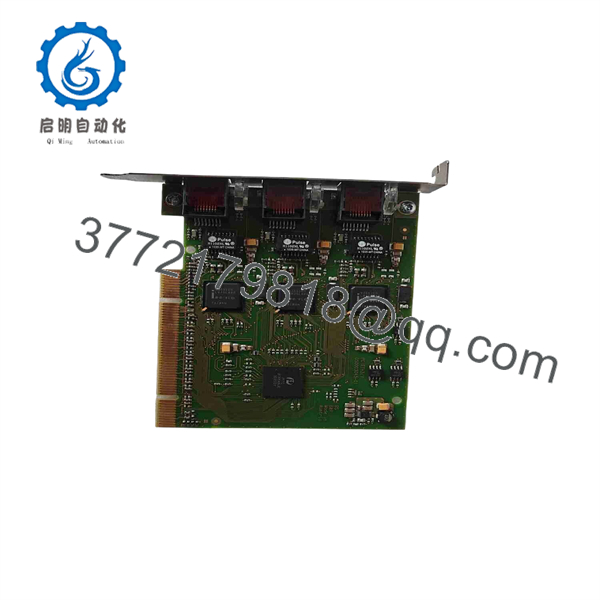
5ACPCI.ETH3-01
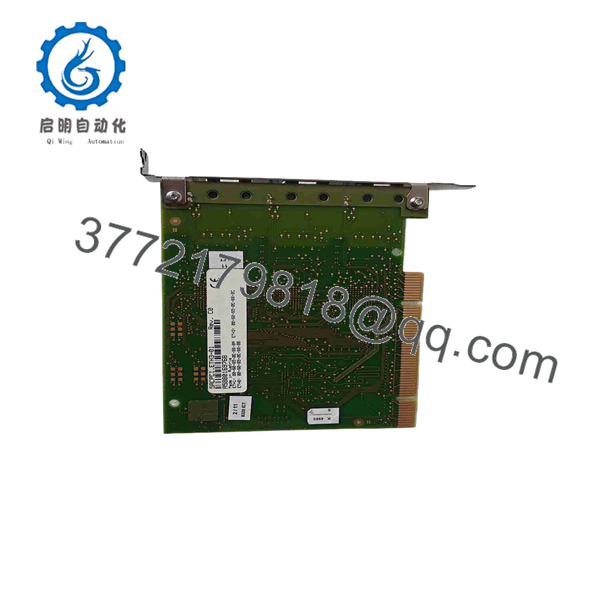
5ACPCI.ETH3-01
- Frequently Asked Questions (FAQ)
Why buy New Surplus instead of cheaper refurbished units on the market?
Industrial PCs operate under harsh thermal conditions inside control cabinets. Refurbished Ethernet cards frequently suffer from dried-out surface-mount capacitors and thermal stress that cause random connection loss. Our New Surplus units provide clean gold contacts, factory component life, and absolute operational reliability.
Is the 5ACPCI.ETH3-01 compatible with standard off-the-shelf desktop PCs?
While it utilizes a PCI architecture, the bracket profile and board dimensions are designed specifically for B&R Automation PC and Panel PC expansion slots.
Do I need to reprogram my PLC logic when replacing this network card?
No. Replacing the 5ACPCI.ETH3-01 requires only reconfiguring the network interface parameters (such as IP address or sub-node IDs) within the system environment; PLC application logic remains intact.
How is the unit protected against ESD during shipment?
Every card is individually sealed in an ESD shielding bag with moisture absorbents and shipped in heavy-duty, anti-static foam packaging.
What warranty comes with this B&R Ethernet module?
We back this New Surplus 5ACPCI. card with a complete 1-year functional replacement warranty and full QA physical verification.



