
 WhatsApp: +86 16626708626
 Email:
  Phone: +86 16626708626
Description
Key Technical Specifications
| Parameter | Specification |
| Manufacturer | B&R (Bernecker + Rainer) |
| Model Number | 7DM465.7 |
| Product Family | System 2005 |
| Module Type | Display Module / Operator Panel |
| Display Technology | Backlit LCD Display |
| Interface Port | System 2005 Backplane Bus / Serial Interface |
| Operating System Support | B&R Automation Runtime |
| Keyboard/Input | Function keys / Status keypad interface |
| Supply Voltage | 24 VDC (via System 2005 rack backplane) |
| Front Panel Rating | IP65 (when correctly mounted in cabinet cutout) |
| Operating Temperature | 0°C to +55°C |
Product Introduction & Supply Chain Strategy
The B&R 7DM465.7 is a dedicated display module designed for the System 2005 automation platform. It provides operators and maintenance personnel with direct, real-time diagnostic readouts, alarm notifications, and system parameter monitoring directly from the control rack.
As B&R has phased out the System 2005 product family, finding reliable replacements is critical for preventing extended machine downtime. Refurbished display modules often suffer from degraded CCFL backlights, worn membrane keys, and thermal discoloration. Securing a genuine New Surplus 7DM465.7 display module provides a zero-runtime, factory-fresh solution that restores clear machine visibility and ensures long-term operational continuity without requiring a costly panel redesign.
Installation & Configuration Guide
1.Stage 1: Pre-Installation (Prep & Safety):Power Isolation & Safety.
- Execute complete Electrical Lock-Out/Tag-Out (LOTO) on the System 2005 rack power supply.
- Wear a grounded ESD wrist strap before handling the replacement module.
- Photograph all existing cabling, DIP switches, and mounting bracket locations.
- Inspect the panel cutout gasket on the cabinet door to ensure IP65 sealing integrity.
2.Stage 2: Removal:Module Removal.
- Disconnect all communication and interface cables attached to the rear of the display card.
- Loosen the retaining screws or mounting clamps securing the module to the rack or cutout frame.
- Carefully remove the 7DM465.7 unit from the slot without applying pressure to the LCD screen assembly.
3.Stage 3: Installation (Clone & Seat):Hardware Matching & Mounting.
- Match any hardware jumpers or node address switches on the new surplus card to mirror the old module.
- Insert the new 7DM465.7 display module into the rack or front panel enclosure cutout.
- Tighten all mounting screws and securing clamps evenly to maintain an airtight front panel seal.
- Reconnect the backplane bus cables and interface wiring securely.
4.Stage 4: Power-On & Testing:Power-On & Verification.
- Re-energize the 24 VDC rack power supply and observe the display boot sequence.
- Verify that the backlight illuminates brightly and message text appears clear without missing pixels or lines.
- Test front-panel function keys to confirm proper input response in B&R Automation Studio runtime.
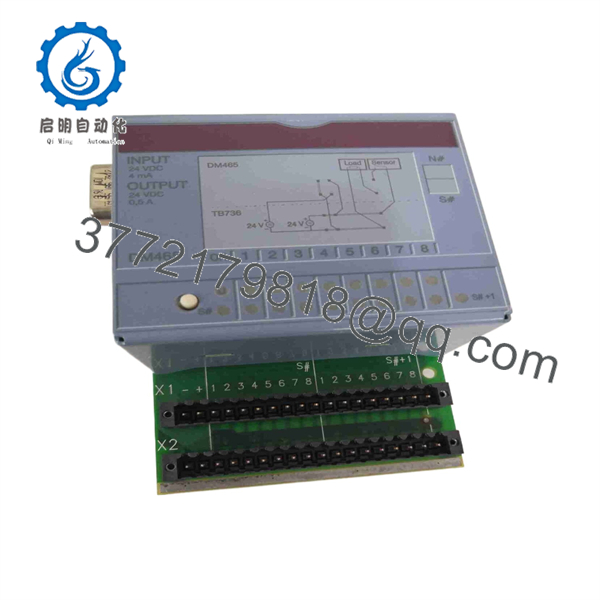
7DM465.7
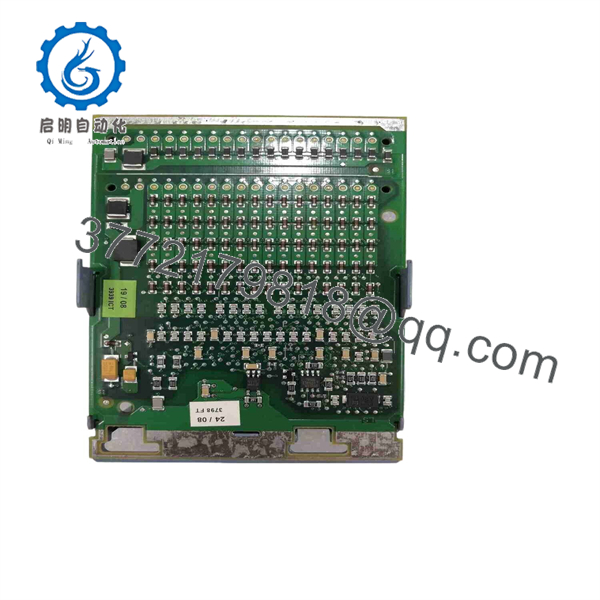
7DM465.7
Firmware/Software Versions & Upgrade Notes
- Automation Studio Compatibility: The 7DM465.7 display interface relies on project configurations created within B&R Automation Studio (Version 2.x or 3.x legacy environments).
- Display Driver Versioning: Ensure that the target System 2005 CPU firmware revision contains the corresponding display driver block. Replacing a display unit with a different revision code may require recompiling the HMI screen project.
- Backlight Lifetime Notes: Because LCD backlights degrade over time under continuous operation, store spare display modules in a temperature-controlled, dry environment to preserve backlight lifespan.
Frequently Asked Questions (FAQ)
Q: Why is a New Surplus 7DM465.7 unit superior to a refurbished display module?
A: Refurbished displays frequently feature thousands of hours of backlight burn-in, dim LCD panels, and fatigued key membranes. Our New Surplus 7DM465.7 inventory is 100% unused with zero runtime hours, delivering crisp visual clarity and maximum service life.
Q: Is this module guaranteed to be an authentic B&R component?
A: Yes. All stock is guaranteed authentic OEM manufacture by B&R (Bernecker + Rainer). Every unit undergoes physical inspection, screen surface verification, and electrical testing prior to shipment.
Q: Is the B&R System 2005 series still active?
A: No, the System 2005 product line has reached End-of-Life (EOL) status. Sourcing New Surplus replacement parts like the 7DM465.7 allows plant operators to keep legacy lines running without undergoing an expensive control system migration.
Q: Can I hot-swap this display module while the main rack is under power?
A: No. Removing or plugging in a System 2005 display module while the backplane bus is powered can cause electrical arcs or communication bus freezes across the entire controller rack. Always de-energize the system first.
Q: Does this display store screen graphics and program logic internally?
A: No. Screen layouts, text strings, and variable assignments are stored in the host System 2005 CPU or memory card. The 7DM465.7 acts as a visualization terminal for the central controller.
Q: What warranty coverage applies to this New Surplus item?
A: We back this 7DM465.7 unit with a full 1-Year Comprehensive Replacement Warranty. If any operational defect arises under normal working conditions within 12 months, we will replace the unit or issue a full refund.



