
 WhatsApp: +86 16626708626
 Email:
  Phone: +86 16626708626
Description
Key Technical Specifications关键技术规格
| Parameter参数 | Value价值 |
|---|---|
| Manufacturer制造商 | Delta Electronics台达电子 |
| Model模型 | D3000 |
| Product Type产品类型 | Programmable DC Power Supply可编程直流电源 |
| Rated Output Power额定输出功率 | 3 kW3 千瓦 |
| Input Voltage输入电压 | 170–265 VAC170–265 伏交流电 |
| Input Configuration输入配置 | Full-range input全范围输入 |
| Output Mode输出模式 | Constant Voltage / Constant Current恒压/恒流 |
| Power Factor Correction无功功率补偿 | Active PFC |
| Series Operation系列操作 | Up to 2 units最多2个单位 |
| Parallel Operation并行操作 | Up to 4 units with active current balance最多4个单元,带主动电流平衡 |
| Remote Interfaces远程接口 | RS-232 / RS-485 / GPIB |
| Display | Front LED panel |
| Output Monitoring | Voltage, current, operating status |
| Protection | Circuit and fan protection |
| Typical Applications | OBC, communications equipment, component testing, consumer electronics |
| Product Family | Delta D3000 Programmable DC Power Supply |
Delta’s published specifications confirm the 170–265 VAC input, CV/CC operation, series connection of two units, parallel operation of four units with active current balancing, and RS-232/RS-485/GPIB control capability.
Product Introduction
The Delta D3000 is a 3 kW programmable DC power supply designed for laboratory and production test systems. It accepts 170–265 VAC input and provides automatic constant-voltage/constant-current operation. The front LED panel displays output voltage, current, and operating status.
For automated test equipment, the D3000 provides remote control through RS-232, RS-485, or GPIB. Delta also specifies two-unit series operation and four-unit parallel operation with active current balancing, which can be useful when a single supply cannot meet the required output configuration.
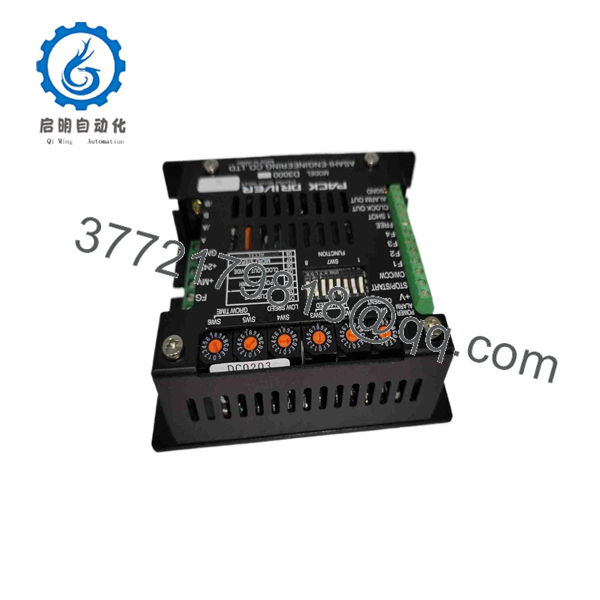
D3000
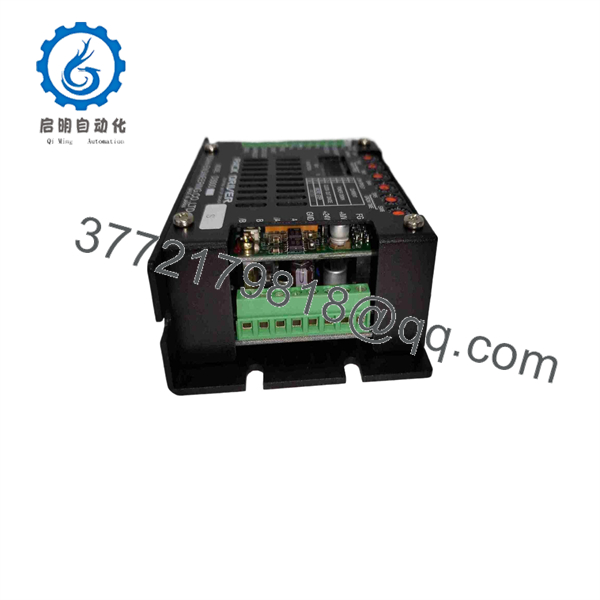
D3000
Installation & Configuration Guide
Stage 1: Pre-Installation Preparation — 10 minutes
⚠️ Safety First: The D3000 is a mains-powered 3 kW power supply. Shut down the connected test system, isolate the AC input, apply lockout/tagout where required, and verify that hazardous voltage is absent before opening or servicing the equipment.
Tools Required
- ESD wrist strap
- Appropriate insulated screwdriver
- Digital multimeter
- Wire labels
- Smartphone for configuration photographs
- Correct AC and DC cables
- RS-232, RS-485, or GPIB cable if remote control is required
Data Backup
- Record the exact D3000 model and rating label.
- Photograph AC input and DC output wiring.
- Record the existing output voltage/current settings.
- Photograph the rear-panel communication connections.
- Record the remote-control interface currently in use.
- Record the host computer’s communication parameters.
- If the unit is part of a series/parallel system, document every connected supply.
Stage 2: Removing the Old Unit — 5–10 minutes
- Turn the off and isolate the AC input.
- Confirm the absence of hazardous voltage with a suitable multimeter.
- Disconnect the DC output from the load.
- Disconnect the remote-control cable.
- Label each cable before removal.
- Remove the AC input connection according to the installation documentation.
- Remove the supply from its rack, bench, or mounting arrangement.
- Inspect connectors, terminals, and cables for overheating or mechanical damage.
⚠️ Keep the original unit available until the replacement has passed a complete output and communication test.
Stage 3: Installing the New — 10 minutes
- Verify the complete model and power rating.
- Confirm that the facility AC supply falls within the specified 170–265 VAC input range.
- Install the supply in the designated position with adequate ventilation.
- Connect the AC input wiring according to the applicable Delta documentation.
- Connect the DC output using correctly rated conductors.
- Reconnect RS-232, RS-485, or GPIB if remote control is required.
- For multi-unit systems, reproduce the documented series/parallel configuration exactly.
- Check all terminals for secure mechanical connections.
Self-Checklist
- model verified
- AC input verified
- DC output wiring checked
- Communication interface identified
- Series/parallel arrangement checked
- Ventilation path clear
- All terminals secured
Stage 4: Power-On & Testing — 10–15 minutes
- Energize the without connecting a sensitive load initially.
- Observe the front LED display.
- Confirm that the unit starts without an abnormal protection indication.
- Set a conservative output voltage and current limit.
- Measure the DC output with a calibrated multimeter.
- Verify constant-voltage operation.
- Apply an appropriate test load and verify constant-current behavior where required.
- Confirm voltage and current readings on the front panel.
- Establish communication through RS-232, RS-485, or GPIB.
- Verify remote commands and readback.
- If multiple supplies are used, test the complete series/parallel arrangement at controlled load levels.
- Return the supply to normal operating limits only after output regulation and communication have been verified.
⚠️ Troubleshooting Note: If remote control fails while the front panel operates normally, check the selected interface, cable, communication parameters, host configuration, and address/settings before replacing the power supply.
Frequently Asked Questions (FAQ)
1. What is the Delta ?
The is a 3 kW programmable DC power supply from Delta Electronics. It is intended for applications such as automated test equipment, component testing, communications equipment, and other systems requiring programmable DC power.
2. What input voltage does the require?
Delta specifies a 170–265 VAC full-range input. There is no manual voltage-range selector required within that published input range.
3. Can the be controlled remotely?
Yes. Delta specifies RS-232, RS-485, and GPIB interfaces for remote control and monitoring. The system can monitor output voltage, current, and operating status remotely.
4. Can two units be connected in series?
Yes. Delta specifies superimposed voltage using two units in series. The actual series configuration must follow the applicable wiring and operating restrictions in the documentation.
5. Can multiple units operate in parallel?
Yes. Delta specifies active current balancing with up to four units in parallel. Do not simply connect outputs in parallel without confirming that the complete system is configured for the manufacturer’s parallel-operation scheme.
6. Is a PLC or industrial I/O module?
No. The is a programmable DC power supply, not a PLC CPU, remote I/O station, or motion controller. Its RS-232/RS-485/GPIB interfaces are used for power-supply control and monitoring rather than PLC fieldbus I/O.
7. What should I verify before buying a replacement?
Confirm the complete model designation, 3 kW rating, input requirement, output requirements, and communication interface. If the existing system uses RS-232, RS-485, or GPIB, verify the replacement has the required interface and that the host-side communication configuration matches. For multi-unit systems, also document the existing series or parallel arrangement before replacement.



