
 WhatsApp: +86 16626708626
 Email:
  Phone: +86 16626708626
Description
Key Technical Specifications
| Parameter | Specification |
|---|---|
| Model | ACC-24E2 2CH |
| Manufacturer | Delta Tau Data Systems |
| Product Type | Axis expansion / servo interface board |
| Base Axis Count | 2 axes |
| Expanded Axis Count | Up to 4 with Option 1 |
| Servo Interface | PMAC2-style |
| Servo IC | DSPGATE1 / PMAC2-style Servo IC |
| Command Modes | Direct PWM; pulse-and-direction |
| Encoder Feedback | AB quadrature and index pulse input |
| Host Interface | UBUS |
| Host Systems | UMAC; Ultralite/MACRO Station |
| Rack Format | Industrial 3U UMAC rack |
| Independent CPU | None |
| Feedback / I/O | Encoder inputs, limit/home/user flags, servo command outputs |
| Expansion | ACC-24E2 Option 1 for channels 3 and 4 |
The standard ACC-24E2 uses one PMAC2-style Servo IC with four available servo channels, while the base board exposes two channels. The optional board provides the additional two channels. Each channel includes configurable command outputs, encoder feedback, input flags, and output flags.
For current Power PMAC systems, Omron documentation still lists ACC-24E2 as a PMAC2-style servo-card option using the DSPGATE1 Servo IC.
Product Introduction
The Delta Tau ACC-24E2 2CH is a two-axis digital direct-PWM axis-interface board for UMAC motion-control systems. It connects the PMAC controller to servo amplifiers through PMAC2-style PWM or pulse-and-direction commands while receiving encoder feedback for closed-loop motion control. The board communicates with the host controller through the UBUS expansion architecture.
This is an interface card rather than the power stage that drives a motor directly. For replacement work, verify the existing UMAC rack, ACC-24E2 revision, jumper/DIP-switch configuration, amplifier interface, and encoder wiring before installation.
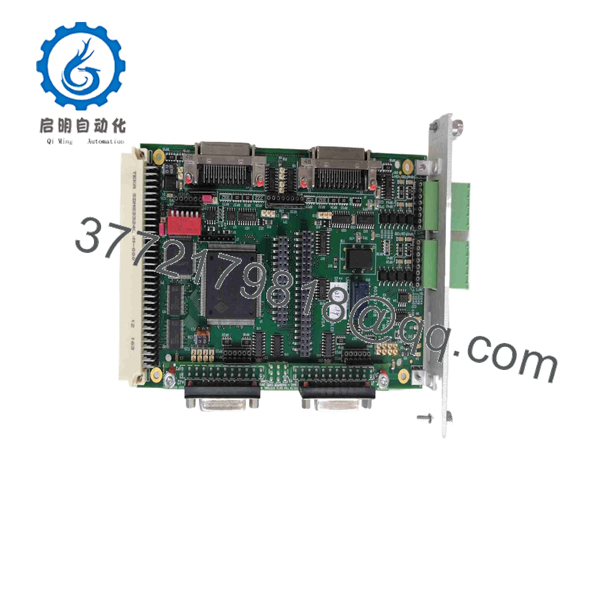
ACC-24E2 2CH
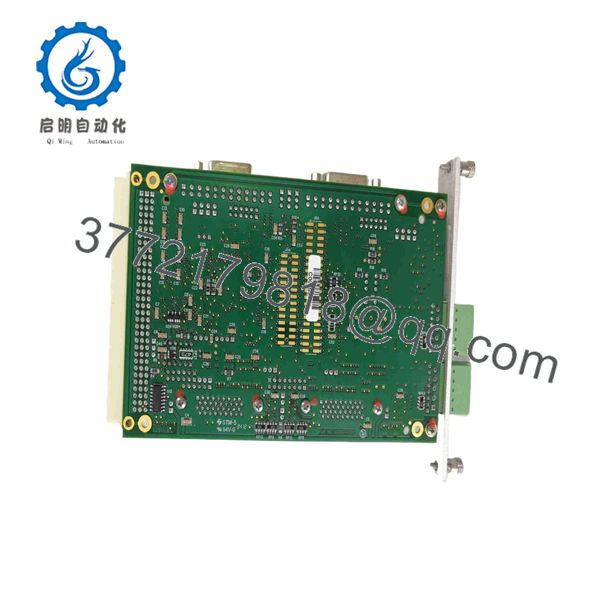
ACC-24E2 2CH
Installation & Configuration Guide
Stage 1 — Pre-Installation Preparation (~10 min)
- Confirm the exact part number: Verify that the existing board is an , not an ACC-24E2A or ACC-24E2S. These variants have different axis-interface functions.
- Record the UMAC rack position and the board’s address-switch settings.
- Back up the PMAC/UMAC configuration, including motor I-variables and axis-specific setup.
- Photograph or document encoder, command, limit, and auxiliary wiring.
- ⚠️ Remove system power and follow the machine manufacturer’s lockout/tagout procedure before removing the board.
Stage 2 — Removing the Existing Board (~5 min)
- Power down the UMAC system and verify that hazardous voltages have been removed.
- Label every connector before disconnecting it.
- Release the rack retention hardware and carefully remove the from the backplane.
- Inspect the backplane connector, board edge connector, terminals, and D-sub connectors for contamination or physical damage.
- Compare the replacement board’s revision and jumper configuration with the removed unit.
Stage 3 — Installing the Replacement (~5 min)
- ⚠️ Use appropriate ESD protection when handling the board.
- Confirm that the replacement is the correct configuration.
- Set the address/DIP switches to the required UMAC or MACRO Station configuration.
- Verify jumper positions, particularly those controlling PWM versus pulse-and-direction operation.
- Insert the board fully into the correct UBUS rack position and secure it.
- Reconnect encoder, command, limit, flag, and auxiliary wiring according to the system documentation.
- Do not assume that the configuration of an ACC-24E2A or ACC-24E2S can be copied directly to an .
Stage 4 — Power-On & Testing (~10–15 min)
- Restore control power and inspect the board and rack for abnormal indications.
- Verify that the UMAC recognizes the expected Servo IC/address.
- Check encoder feedback before commanding motor movement.
- Confirm that the configured PWM or pulse-and-direction mode matches the connected amplifier.
- Test positive/negative limits, home input, fault input, and emergency-stop behavior.
- Perform a low-speed dry run before returning the machine to production.
- If feedback counts, axis direction, or amplifier fault behavior is incorrect, stop testing and review the I-variable, jumper, address, and wiring configuration.
FAQ
Is the a servo drive?
No. The is an axis-interface board, not the motor power amplifier. It generates PMAC2-style servo command signals and receives feedback; the external amplifier supplies the motor power. Delta Tau’s product documentation separately identifies the as an axis-interface board and products such as the 3U081 as Direct PWM amplifiers.
How many axes does the 2CH support?
The base configuration exposes two axes. An Option 1 board can be added to provide channels 3 and 4, giving a four-axis configuration from the same Servo IC.
What command signals does it provide?
The supports Direct PWM servo commands and pulse-and-direction commands. The manual describes three PWM top-and-bottom signal pairs for Direct PWM operation and configurable pulse/direction outputs.
Can I replace an with an ACC-24E2A?
Not as a blind substitution. The is the digital Direct PWM interface, while the ACC-24E2A is an analog servo interface/breakout board. The two boards have different signal architectures.
Does the contain its own processor?
No. The documented board contains a -style Servo IC and interface circuitry rather than an independent motion-control CPU. Motion processing remains with the host UMAC/PMAC system.
What should I verify before purchasing a replacement?
At minimum, verify versus ACC-24E2A/ACC-24E2S, board revision, 2-channel versus expanded configuration, address-switch settings, jumper configuration, UMAC/MACRO compatibility, and the connected amplifier interface. For an exact replacement, a clear photo of the board label and connectors is useful because legacy Delta Tau hardware can have configuration-dependent variants.
Is the suitable for legacy UMAC systems?
Yes. The documentation specifically describes the as part of the UMAC expansion-card family and states that it interfaces to UMAC and Ultralite/MACRO Station controllers through UBUS.



