
 WhatsApp: +86 16626708626
 Email:
  Phone: +86 16626708626
Description
Key Technical Specifications
| Parameter | Value |
|---|---|
| Manufacturer | Delta Tau Data Systems; later Omron PMAC family |
| Model | ACC-72E |
| Board Family Reference | 3×0-603777-xUxx |
| Product Type | UMAC Fieldbus Gateway Motherboard |
| Controller Platform | UMAC Turbo / Turbo PMAC modular motion-control system |
| Rack Format | 3U × 4 HP UMAC-compatible Eurocard |
| Backplane Interface | Delta Tau UBUS 96-pin interface |
| Gateway Architecture | Motherboard with protocol-specific Hilscher COM-series daughter card |
| Data Exchange Method | Dual-port RAM mapped into PMAC X and Y memory through UBUS |
| PMAC Data Access | PMAC M-variables read and write gateway DPRAM locations |
| Supported Protocols | Profibus DP, DeviceNet, CANopen, ControlNet, and CC-Link, depending on installed option |
| Protocol Roles | Master or slave for Profibus, DeviceNet, and CANopen options; ControlNet supports adapter/slave mode only |
| Profibus Options | Option 1: Profibus master; Option 2: Profibus slave |
| DeviceNet Options | Option 3: DeviceNet master; Option 4: DeviceNet slave |
| CANopen Options | Option 5: CANopen master; Option 6: CANopen slave |
| ControlNet Option | Option 7: ControlNet adapter/slave |
| CC-Link Option | Option 11: CC-Link adapter/slave |
| Diagnostic Interface | RS-232 diagnostic port for SyCon software on Profibus, DeviceNet, CANopen, and ControlNet variants |
| CC-Link Diagnostic Interface | 10-pin IDC serial diagnostic interface for Compro software |
| Board Addressing | SW1 DIP switch selects the UBUS DPRAM base address |
| Default UBUS Address Range | Y/X:6C000\6C000 to 6CFFF\6CFFF |
| Address Conflict Warning | Do not use the default range if an ACC-54E occupies 6C000\6C000 to 6CFFF\6CFFF |
| Gateway DPRAM Size | 2 KB or 8 KB, depending on the installed fieldbus daughter card |
| Program Storage | Flash memory on the gateway module |
| Watchdog Timer | Included |
| Operating Temperature | 0 to +55 °C |
| Lifecycle Status | Legacy/obsolete fieldbus gateway; verify installed protocol option, revision, and daughter card before ordering |
The ACC-72E is not a universal protocol card that can be reassigned solely through software. Its installed Hilscher COM daughter card determines the fieldbus protocol and the master/slave role. The baseboard can accept another supported COM module, but the fieldbus connector may not match the replacement protocol.
Product Introduction
The Delta Tau ACC-72E is a UMAC Fieldbus Gateway Motherboard that connects Turbo UMAC and Turbo PMAC motion-control systems to external industrial fieldbus networks. It transfers process data between the PMAC controller and a protocol-specific gateway daughter card through dual-port RAM mapped into PMAC memory. PMAC programs use M-variables to exchange commands, status, I/O data, and diagnostics with the selected network.
The base ACC-72E must be identified by its full option and daughter-card configuration. Available options include Profibus DP, DeviceNet, CANopen, ControlNet, and CC-Link. A ControlNet option works only as an adapter/slave, while the Profibus, DeviceNet, and CANopen versions may be master or slave depending on the installed option. Check the board label, fieldbus connector, DIP-switch address, and installed COM module before purchase.
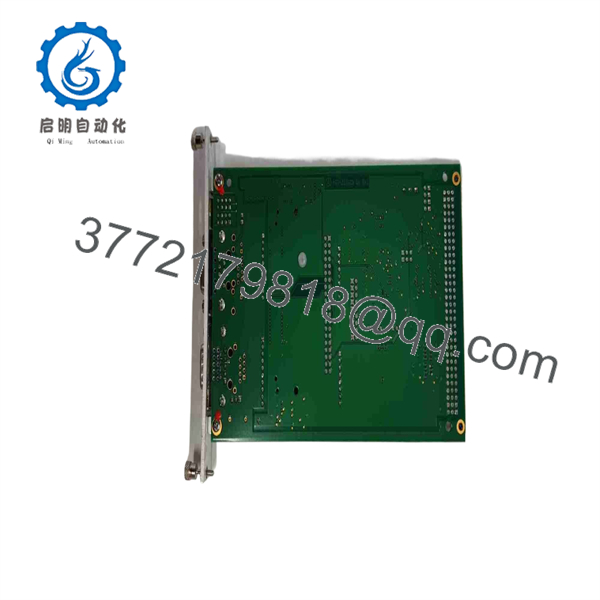
ACC-72E
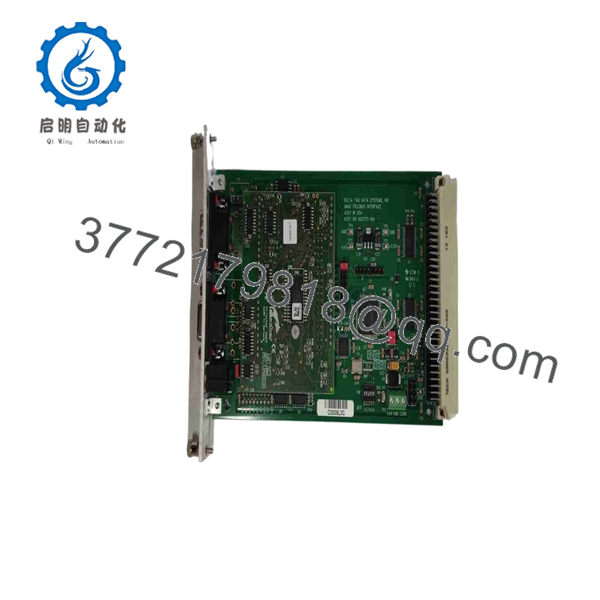
ACC-72E
Troubleshooting Quick Reference
| Symptom | Possible Cause | Relevance to this Part | Quick Check Method | Recommendation |
|---|---|---|---|---|
| ACC-72E is not detected by the UMAC controller | Missing +5 V DC UBUS power, unseated board, wrong SW1 address, failed UBUS interface | ⚠️ Medium | Power down, reseat the board, inspect the 96-pin UBUS connector, and verify the SW1 setting does not overlap another DPRAM board | Check the backplane and address first. An address conflict often looks exactly like a dead gateway |
| Gateway powers up but fieldbus LEDs remain inactive | Incorrect protocol configuration, disconnected network cable, wrong daughter-card option, fieldbus supply missing | ⚠️ Medium | Identify the installed option from the label and connector; inspect network wiring; use the diagnostic port and correct configuration utility | Confirm the installed fieldbus option before replacing the card. A Profibus configuration cannot operate a DeviceNet daughter card |
| Profibus communication stops or D1-B flashes | Baud-rate mismatch, GSD configuration mismatch, open RS-485 network, incorrect termination | ❌ Low | Check Profibus connector, A/B wiring, termination, configured baud rate, station address, and SyCon diagnostics | Correct network configuration and termination first. The board is rarely the root cause |
| DeviceNet module shows a critical link or connection timeout | Missing DeviceNet network power, broken CAN_H/CAN_L wiring, wrong MAC ID, duplicate node address | ❌ Low | Measure DeviceNet supply and inspect CAN_H, CAN_L, V+, and V−; verify MAC ID and scan the network | Check the 24 V DC DeviceNet supply and node address before replacing the gateway |
| DeviceNet version powers up but does not communicate | External 24 V DC fieldbus supply absent | ✅ High | Measure 24 V DC at the DeviceNet fieldbus connector and verify the power source common | DeviceNet Options 3 and 4 require external 24 V DC for the fieldbus interface; UBUS power alone is not sufficient |
| PMAC program writes data but no fieldbus output changes | Wrong M-variable mapping, incorrect DPRAM base address, failed process-data configuration, handshake conflict | ⚠️ Medium | Compare SW1-selected base address with PMAC M-variable definitions; monitor raw DPRAM bytes and fieldbus process image | Validate mapping first. The ACC-72E maps fieldbus data into PMAC memory; incorrect M-variable addresses will produce false hardware symptoms |
| Fieldbus input data appears shifted or corrupt | Incorrect input/output byte length, wrong module configuration, inconsistent multi-byte transfer handling | ⚠️ Medium | Compare configured byte counts in SyCon with PMAC M-variable offsets; test one byte at a time before using words or floating-point values | Correct the data map and byte order. Do not assume that a 16-bit or 32-bit value remains coherent without the proper transfer method |
| Gateway watchdog or system error LED flashes | Firmware error, daughter-card fault, failed configuration download, corrupted module initialization | ✅ High | Record LED pattern, connect through the diagnostic RS-232 port, read gateway status flags, and attempt a known-good saved configuration | If the fault persists with correct power and a verified configuration, replacement of the gateway or daughter card is justified |
| Replacement board fits but will not connect to the existing network | Wrong option number, wrong fieldbus connector, master/slave mismatch | ✅ High | Compare the removed unit’s part number, option label, connector type, and installed daughter card with the replacement | Do not buy “ only.” Order the exact protocol and role required by the existing system |
| ControlNet node appears offline | Incorrect ControlNet media connection, duplicate node number, incorrect scanner configuration, wrong module option | ⚠️ Medium | Inspect both ControlNet BNC channels, trunk tap, terminators, and scanner diagnostics; verify adapter address and configuration | Confirm that the unit is Option 7 ControlNet adapter/slave. It cannot replace a ControlNet master function |
| PMAC and gateway exchange data intermittently | Poor UBUS contact, invalid handshake mode, bus noise, overrun caused by incorrect timing assumptions | ⚠️ Medium | Reseat the module, inspect board retention hardware, review gateway flags, and test with the default uncontrolled transfer mode | Use advanced handshake modes only when the application requires guaranteed multi-byte consistency |
| Communication fails after adding a second DPRAM card | Overlapping UBUS memory address ranges | ✅ High | Compare the SW1 settings on all DPRAM-style accessories, including ACC-54E and other gateway cards | Assign unique address ranges. Do not leave an at the default 6C000\6C000 range when an ACC-54E occupies that range |
❗ Option warning: The base part number is incomplete for procurement. You must confirm whether the installed daughter card is Profibus master/slave, DeviceNet master/slave, CANopen master/slave, ControlNet adapter, or CC-Link adapter. The fieldbus protocol cannot be changed by loading different software alone.
❗ Address warning: Photograph SW1 before removal. The default gateway memory address is Y/X:6C000\6C000 to 6CFFF\6CFFF, which conflicts with an ACC-54E using its default configuration. An address collision can produce random-looking motion, I/O, or gateway communication faults.
❗ DPRAM warning: Do not treat the like a normal remote-I/O module. PMAC programs access fieldbus bytes through M-variables mapped to gateway dual-port RAM. If the PMAC address, byte offset, width, or signed/unsigned format is wrong, the network can be healthy while the application still reads bad data.
❗ Configuration warning: I have seen a replacement gateway show a “dead network” condition simply because the old board’s SyCon project was never saved. Document the fieldbus topology, node addresses, baud rate, process-data lengths, and PMAC M-variable map before pulling the original unit.
If you need support, provide photos of the complete label, daughter-card label, front connector, SW1 DIP-switch position, UMAC rack slot, diagnostic LEDs, network topology, and PMAC M-variable definitions. Include the fieldbus protocol, master/slave role, network address, baud rate, gateway configuration file, and controller firmware version.
Frequently Asked Questions
What does the Delta Tau do?
The links a UMAC Turbo motion-control system to an external fieldbus network. It uses a protocol-specific Hilscher COM daughter card to communicate over the selected fieldbus, then places fieldbus process data into dual-port RAM that PMAC programs access through M-variables.
Which fieldbus protocols can the support?
Depending on the installed option, it supports Profibus, DeviceNet, CANopen, ControlNet, or CC-Link. Profibus, DeviceNet, and CANopen variants are available as master or slave configurations. ControlNet is supported as an adapter/slave only. CC-Link is supported as an adapter/slave.
Can I use any as a direct replacement?
No. To be honest, this is where many replacement orders go wrong. The same baseboard can have different Hilscher daughter cards, protocol-specific connectors, memory capacities, firmware, and master/slave functions. Match the installed option, the daughter-card label, connector type, board revision, SW1 address, and the fieldbus role—not merely the motherboard name.
Can I change an from DeviceNet to Profibus with software?
No. The fieldbus protocol and master/slave role depend on the installed COM-series gateway daughter card. You can reconfigure network parameters for the installed protocol using the appropriate configuration software, but changing DeviceNet to Profibus requires the correct daughter card and may require the matching connector hardware.
Does the require external power?
The board normally receives power from the UBUS backplane. DeviceNet Options 3 and 4 also require an external 24 V DC fieldbus power source. Other options have different network wiring requirements, so verify the manual for the installed protocol before applying power.
Can I hot-swap the ?
No. Shut down the UMAC rack and follow your site’s lockout/tagout procedure before removing or inserting the module. This is a UBUS expansion card, not a hot-swappable remote-I/O slice. Removing it energized can disrupt motion-control communications, damage connectors, corrupt a fieldbus configuration, or expose the module to ESD.
What must I save before replacing an ?
Save the SyCon or Compro configuration, PMAC project, M-variable definitions, fieldbus node list, baud rate, master/slave role, network address, process-data sizes, DPRAM base address, SW1 setting, and any device-description files such as GSD or EDS files. Photograph all labels, connector wiring, and LED states. This documentation avoids the classic “new card, no communication” startup delay.
Why do I have correct fieldbus LEDs but wrong data in the PMAC program?
The fieldbus layer can be healthy while PMAC memory mapping is wrong. Check the SW1 base address, the M-variable address, offset, width, data format, and process-data byte allocation. Also verify whether the gateway uses 2 KB or 8 KB DPRAM, because offsets and available process-data space differ by protocol option.
Is the obsolete?
The belongs to the legacy Delta Tau UMAC Turbo accessory family, so stock and support should be considered limited. It remains valuable for maintaining installed PMAC systems, but modern replacement planning should consider the controller, network, HMI, drive interfaces, and application software—not just the gateway board. The correct fieldbus variant is often harder to source than the motherboard itself.
What condition should I request for a production-critical spare?
Request New Original / New Surplus with clear label and daughter-card photos, or Refurbished (tested) with a documented test report. A valid test should verify UBUS recognition, board addressing, diagnostic-port operation, DPRAM read/write behavior, protocol-specific network communication, process-data exchange, watchdog response, and sustained operation. Request the configuration backup, exact option confirmation, actual stock status, lead time, warranty, and return terms before purchasing.



