
 WhatsApp: +86 16626708626
 Email:
  Phone: +86 16626708626
Description
3. Key Technical Specifications
| Parameter | Value |
|---|---|
| Model Number | MSS5A3A1XDD |
| Product Type | AC Servo Driver |
| Manufacturer | DYNAX |
| Primary Function | Closed-loop control of AC servo motors |
| Typical Application | Precision motion control, positioning axes, industrial automation |
| Condition | New Surplus / Factory sealed available |
| Approximate Weight | 4 lbs (1.8 kg) |
| Packaging | Original manufacturer packaging |
| Compatibility | Matched DYNAX servo motors (verify exact motor-driver pairing) |
| Installation | Panel or cabinet mount |
Note: Detailed electrical ratings (voltage class, continuous/peak current, control interface) should be confirmed against the unit nameplate and original documentation, as public datasheets for this exact variant are limited.
4. Product Introduction & Supply Chain Strategy
The DYNAX MSS5A3A1XDD is an AC servo driver designed to provide precise closed-loop control of compatible servo motors in industrial automation systems. It handles position, speed, and torque regulation for applications requiring accurate and repeatable motion.
Acquiring this unit as New Surplus secures genuine unused inventory and mitigates the risk of extended lead times or last-time-buy situations common with specialized servo platforms. New Surplus drivers deliver full expected service life and avoid the hidden reliability issues of refurbished units, supporting lower total cost of ownership through reduced unplanned downtime.
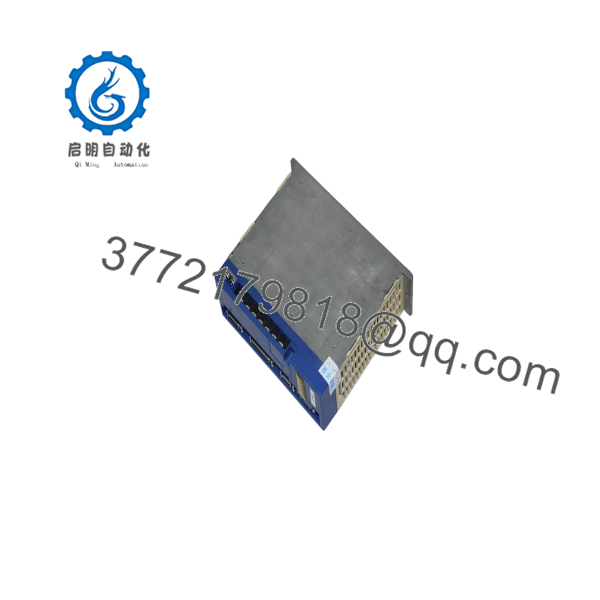
MSS5A3A1XDD
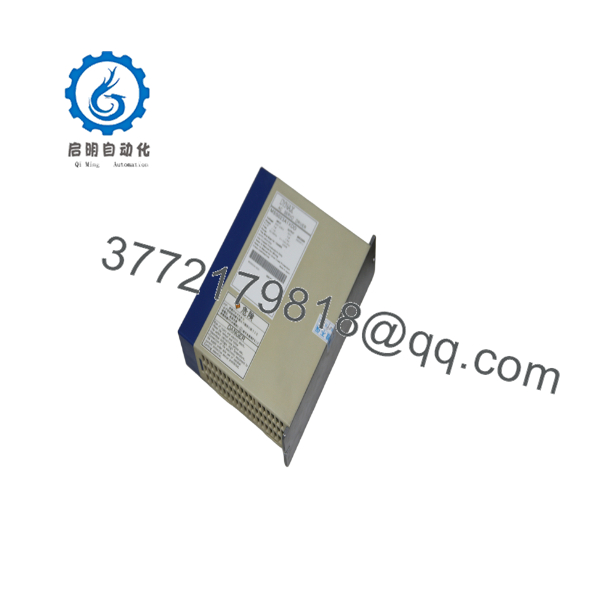
MSS5A3A1XDD
5. Installation & Configuration Guide
Stage 1: Pre-Installation (Prep & Safety)
Lock out and tag out all power sources to the drive cabinet. Wear a grounded ESD wrist strap. Photograph existing wiring, terminal labels, and parameter settings. Confirm the replacement unit matches the original model number exactly and verify motor compatibility.
Stage 2: Removal
Disconnect main power, control power, motor power cables, and feedback/encoder cables. Label every conductor. Unbolt the driver from the mounting panel and remove it carefully to avoid damaging adjacent components or wiring.
Stage 3: Installation (Clone & Seat)
Mount the new MSS5A3A1XDD in the same orientation and location. Reconnect power, motor, and feedback cables exactly as documented. Ensure proper grounding and shield termination. Verify that any DIP switches, rotary switches, or configuration jumpers match the original settings.
Stage 4: Power-On & Testing
Restore control power first, then main power. Check for correct LED status and absence of immediate alarms. Perform a low-speed jog in both directions while monitoring current, position feedback, and temperature. Validate full axis motion under load before returning the machine to production.
6. Firmware/Software Versions & Upgrade Notes
Firmware and parameter sets are specific to the MSS5A3A1XDD and its matched motor. Always back up the existing drive parameters before replacement. Loading an incompatible parameter file or firmware image can cause following errors, incorrect torque scaling, or communication faults.
Do not upgrade or downgrade firmware unless the exact revision is confirmed compatible with the motor encoder and the higher-level controller. After installation, verify encoder feedback, brake control (if used), and all protection thresholds against the original configuration.
7. Frequently Asked Questions (FAQ)
Is this a new or refurbished unit?
This is Brand New Surplus / Original New. It has not been installed or operated in a machine and is not a repaired or rebuilt product.
Why is the price different from current OEM list or used units?
New Surplus pricing reflects the cost of locating and verifying genuine unused stock. It is typically lower than full OEM list while remaining higher than used or refurbished drivers that carry unknown residual life and higher failure risk.
Can I use this driver with any servo motor?
No. Servo drivers must be matched to the correct motor series, encoder type, and power rating. Confirm compatibility with the original motor nameplate before installation.
Is hot-swapping supported?
No. Always de-energize the system and apply lock-out/tag-out procedures before removing or installing the driver.
Does the driver retain parameters after power loss?
Parameters stored in non-volatile memory are retained. However, always keep a verified backup of the parameter set for recovery purposes.
What warranty is provided on New Surplus units?
New Surplus units typically carry a 1–2 year warranty covering defects in materials and workmanship under normal industrial operating conditions.
What is the main risk of installing a used or refurbished driver?
Refurbished units may contain aged power components or previous thermal stress that is not visible externally. Failure after installation can result in extended downtime far exceeding any initial cost savings.



