
 WhatsApp: +86 16626708626
 Email:
  Phone: +86 16626708626
Description
3. Key Technical Specifications
- Manufacturer: Eaton
- Catalog Number: 148576
- Model Number: XV-152-D4-84TVRG-10
- Product Family: XV100 basic human machine interface
- Display Size: 8.4 in TFT, VGA
- Touch Type: Resistive
- Operating System: Microsoft Windows CE
- Interfaces: Ethernet, RS-232, RS-485, USB
- Operating Temperature: 0 to +50 C
- Dimensions: 275 mm L x 208 mm H x 52.5 mm W
- Weight: 6.34 lb
- Compliance: CE Marked, RoHS Compliant
- Certifications: UL Listed, cULus Listed
4. Product Introduction
Eaton 148576, model XV-152-D4-84TVRG-10, is an XV100 basic HMI for machine and panel control. It uses an 8.4 in resistive touchscreen and Windows CE, with Ethernet and serial communications for legacy and mixed-control systems.
Buyers usually pick this unit when they need a compact operator panel with serial and Ethernet connectivity. The main checks are power, cutout fit, and protocol match, because the panel is only useful if it drops into the existing cabinet and talks to the PLC cleanly.icdn.
5. Troubleshooting Quick Reference
| Symptom | Possible Cause | Relevance to this Part | Quick Check Method | Recommendation |
|---|---|---|---|---|
| Screen stays blank | No 24 V DC supply or blown input fuse | ✅ High | Measure input terminals for 24 V DC with a multimeter | Check supply and fuse before replacing the HMI |
| Touch responds poorly | Worn resistive overlay or calibration issue | ✅ High | Run touch calibration and test several screen points | Recalibrate first, replace only if touch is still unstable |
| PLC connection lost | Wrong serial settings or Ethernet config | ✅ High | Verify baud rate, IP address, and cable continuity | Match the old panel settings exactly |
| HMI boots but no graphics load | Missing project file or corrupted runtime config | ⚠️ Medium | Check SD card, internal storage, and startup project path | Reload the project before condemning the hardware |
| Random resets | Power dip, loose power connector, or cabinet noise | ✅ High | Monitor input voltage during startup and load changes | Verify power quality and grounding |
| One comms port works, the other does not | Damaged serial port or wiring error | ✅ High | Test each port separately with known-good cables | Confirm pinout before declaring the panel faulty |
If you are stuck, contact technical support with photos, cabling details, and the exact fault message from the HMI.
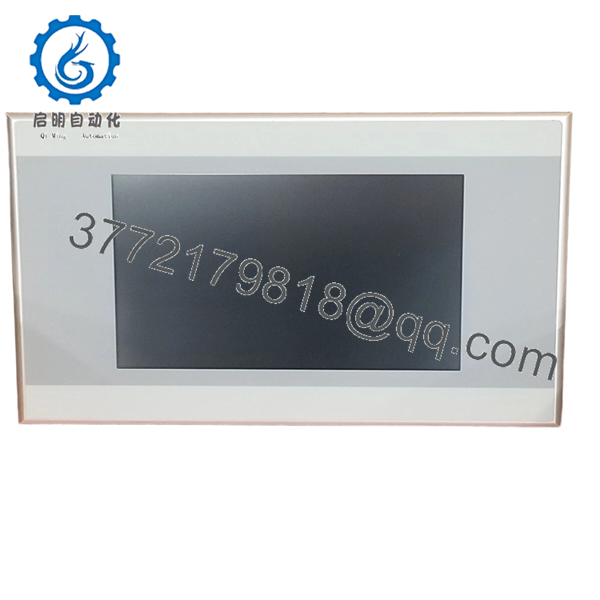
- 148576 XV-152-D4-84TVRG-10
6. Frequently Asked Questions
Q: Is this the exact Eaton XV-152-D4-84TVRG-10 panel?
A: Yes, that is the catalog model tied to part number 148576. Confirm the full suffix before ordering because Eaton uses similar variants across the XV100 line.
Q: What size is the screen?
A: It uses an 8.4 in TFT resistive display. That size is a common fit for older operator panels where cabinet space is limited.
Q: What communications does it have?
A: Eaton lists Ethernet plus serial connectivity, and the listing also shows RS-232 and RS-485 support. USB is included as well, which helps for service and project transfer.
Q: Is this panel obsolete?
A: The XV100 platform is older, but it is still sold in some channels as new surplus or remaining stock. Availability can vary, so confirm lead time before you build around it.
Q: Can I replace an older XV100 unit with this one directly?
A: Often yes, if the cutout, voltage, and communication options match. Do not assume that just because the front looks the same; verify the exact suffix and cabinet dimensions first.icdn.
Q: Why is this cheaper than ordering from the factory?
A: Because many of these panels are sold from surplus or distributor inventory, not fresh factory production. That usually lowers price, but it also means you should ask about condition and test status.
Q: What usually causes a false failure call on an HMI like this?
A: Power, wiring, and software project issues cause a lot of the trouble. I would check 24 V DC, cable pinout, and project files before blaming the panel itself.



