
 WhatsApp: +86 16626708626
 Email:
  Phone: +86 16626708626
Description
Key Technical Specifications
- Model code: XV-102-D4-70TWR-10
- Eaton order number: 150621
- Display size: 7 in
- Display type: TFT color display
- Resolution: 800 x 480
- Touch type: Resistive touch
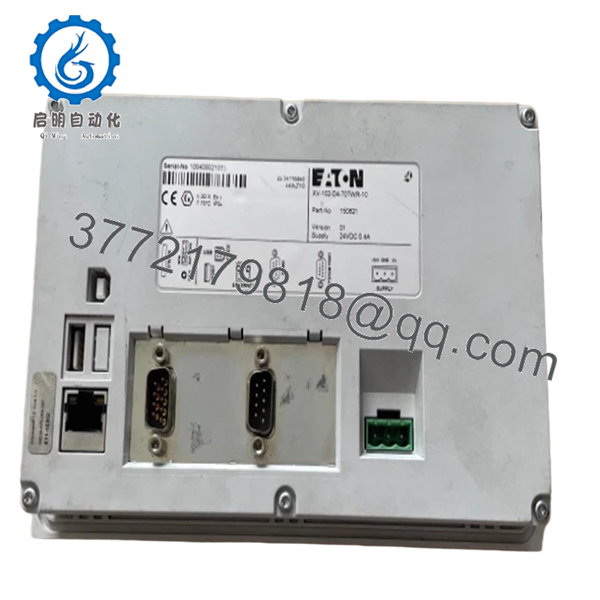
- Communication ports: Ethernet 10/100 Mbps, USB host, USB device, RS-232, RS-485
- Dimensions: 210 mm depth, 135 mm width, 38 mm height
- Weight: 0.64 kg
- Product family: XV-102 touch panel
- Certifications: EN 60950, cULus, EN 50178, IEC/EN listed standards
- Base unit features: CE Professional OS and Visual Designer runtime, retentive memory
Product Introduction
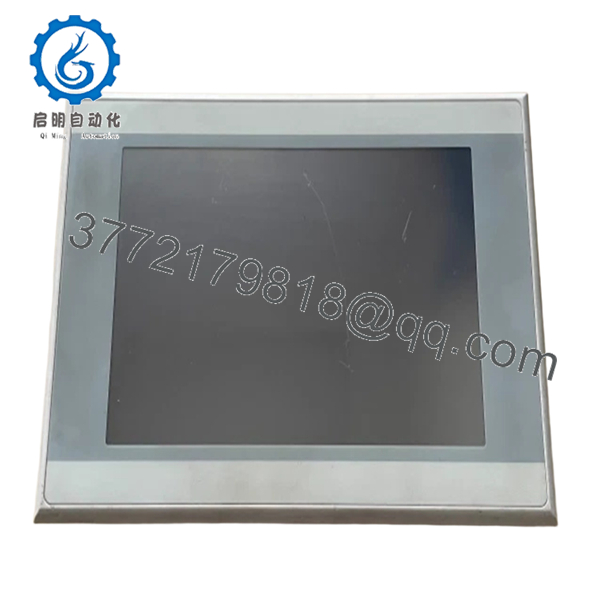
Eaton XV-102-D4-70TWR-10, order number 150621, is a 7 in industrial HMI touch panel used for machine control, status display, and operator input. It fits applications where a compact front-end interface needs Ethernet and serial connectivity.
This unit pairs a 800 x 480 TFT screen with resistive touch, so it works well in gloves and typical plant-floor use. The XV100 basic platform is a common replacement path when a legacy operator terminal needs a direct Eaton-branded spare with known mounting and communication options.
Troubleshooting Quick Reference
| Symptom | Possible Cause | Relevance to this Part | Quick Check Method | Recommendation |
|---|---|---|---|---|
| No backlight or blank screen | No 24 V supply, bad fuse, reversed polarity | ❌ Low | Measure input voltage at the panel terminals with a multimeter | Check field power, fuse, and wiring before replacing the HMI |
| Screen powers up but does not communicate | Wrong IP address, bad Ethernet cable, protocol mismatch | ✅ High | Ping the IP, check link LEDs, verify port settings in the PLC | Confirm network settings and cable integrity before declaring failure |
| Touch works poorly or not at all | Dirty overlay, calibration issue, damaged touch layer | ✅ High | Clean the faceplate and test touch calibration in service mode | Recalibrate first; replace only if the touch layer is unstable |
| Display shows backlight but no graphics | Runtime corrupt, project missing, incompatible firmware | ✅ High | Load the stored project, check runtime status, review boot messages | Verify project and firmware match before swapping hardware |
| Random resets during operation | Undervoltage, unstable 24 V supply, overheating | ❌ Low | Log supply voltage under load and check enclosure temperature | Fix power quality and cooling before replacing the panel |
| Ethernet link drops intermittently | Damaged connector, shielding issue, noisy cabinet wiring | ✅ Medium | Inspect RJ45, swap patch cable, check switch port errors | Correct grounding and cabling before ordering a replacement |
If you are stuck, send technical support clear photos of the rear label, wiring, cable ends, and any fault messages, plus the diagnostic log from the connected controller.

- XV-102-D4-70TWR-10 150621
Frequently Asked Questions (FAQ)
Q: Is the XV-102-D4-70TWR-10 a direct replacement for my old Eaton panel?
A: Usually, yes, if your existing unit matches the XV-102 family and the cutout, supply, and communication setup are the same. The catch is connector layout, project runtime, and network settings. Verify the label, mounting dimensions, and software version before installing.
Q: Is this panel new or refurbished?
A: This listing should be treated as New Original / New Surplus unless the seller states refurbished. New surplus often costs less than factory stock because it comes from excess inventory, not because it failed. Ask for the test record and serial number traceability.
Q: Can I swap it without reprogramming the PLC?
A: Sometimes, but not always. If the old panel stored the project locally, you may need to reload the runtime application, IP settings, and device list. Back up the existing configuration before removal so you are not guessing at 2:00 AM.
Q: Does this HMI support Ethernet and serial communication?
A: Yes. The 150621 / XV-102-D4-70TWR-10 platform is listed with Ethernet 10/100 Mbps plus serial and USB interfaces. Match the exact protocol and port used by your machine, because a physical port is not the same thing as a ready-to-run device profile.
Q: What should I check before ordering a replacement?
A: Check the model code, order number, cutout size, supply voltage, connector type, and communication settings. I have seen more downtime caused by wrong firmware, wrong IP settings, and bad cable assumptions than by actual hardware failure. Take a photo of the old label and wiring before you pull it.
Q: Why is this cheaper than buying direct from the factory?
A: New surplus and open-box inventory usually cost less because the item is already produced and sitting in stock. The price difference is normal if the unit is genuine, tested, and traceable. The important part is documented condition, not just the lowest number on the quote.
Q: Is hot swapping safe on this panel?
A: No, do not treat it like a hot-swappable module. Kill power first, confirm the cabinet is de-energized, and wait for discharge before disconnecting anything. I have seen operators damage ports and backplanes by pulling terminals live.



