
 WhatsApp: +86 16626708626
 Email:
  Phone: +86 16626708626
Description
Key Technical Specifications
| Parameter | Value |
| Module Family | MPB Communication Interface Series |
| Communication Protocol | PROFIBUS DP |
| Physical Interface | RS-485 serial communication port |
| Transmission Speed | 9.6 kbps to 12 Mbps |
| Maximum Node Capacity | Up to 126 nodes per segment |
| Operating Voltage | 24 VDC nominal |
| Operating Temperature | 0 to +55^\circC |
| Storage Temperature | -25 to +85^\circC |
| Relative Humidity | 5\% to 95\% (non-condensing) |
| Enclosure Mounting | Standard industrial backplane or rack chassis slot |
Product Introduction & Supply Chain Strategy
The Eaton MPB2-TP is a specialized communication and interface module designed to link industrial distributed control systems (DCS) and automation platforms with external field devices, drives, and supervisory networks. Utilizing robust PROFIBUS DP protocols over an RS-485 physical layer, it maintains reliable, high-speed data exchanges across complex industrial manufacturing environments.
Procuring this communication module as a Brand New Surplus asset shields plant operations from unexpected network dropouts and obsolete hardware bottlenecks. Sourcing genuine, factory-fresh electronic assemblies eliminates the latent solder fatigue, component drift, and transceiver degradation common in used or repaired boards, protecting Total Cost of Ownership (TCO) and securing long-term network uptime.
Installation & Configuration Guide
- Stage 1: Pre-Installation (Prep & Safety): Enforce strict lock-out/tag-out (LOTO) protocols on the control panel power supplies. Put on an ESD grounding wrist strap to protect sensitive surface-mount transceivers. Inspect backplane communication slots for dust, oxidation, or pin deformation. Archive active network configuration files and node address maps before proceeding.
- Stage 2: Removal: Disconnect field network cables and terminal plugs carefully, noting proper bus shielding and grounding connections. Loosen retention screws and extract the legacy MP2102/MPB2-TP module smoothly along its guide rails without applying mechanical stress to backplane pins.
- Stage 3: Installation (Clone & Seat): Verify that any onboard hardware switches, baud rate selectors, or station address (node ID) jumpers on the replacement MPB2-TP unit precisely mirror the legacy configuration. Align the module carefully with the rack guides and push straight inward until fully seated into the backplane connector. Secure retaining fasteners.
- Stage 4: Power-On & Testing: Energize the control rack. Monitor module diagnostic LEDs (Power, Token, Error/Status) to confirm a healthy communication handshake across the network bus. Verify data register polling and field device communication stability through the supervisory programming platform.
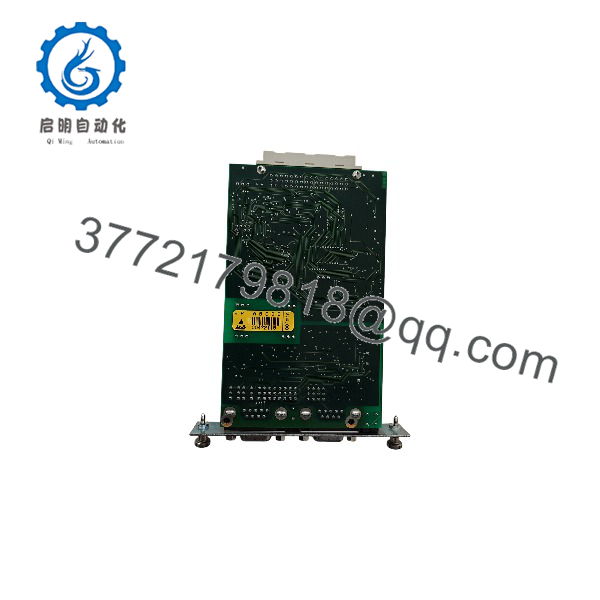
MPB2-TP
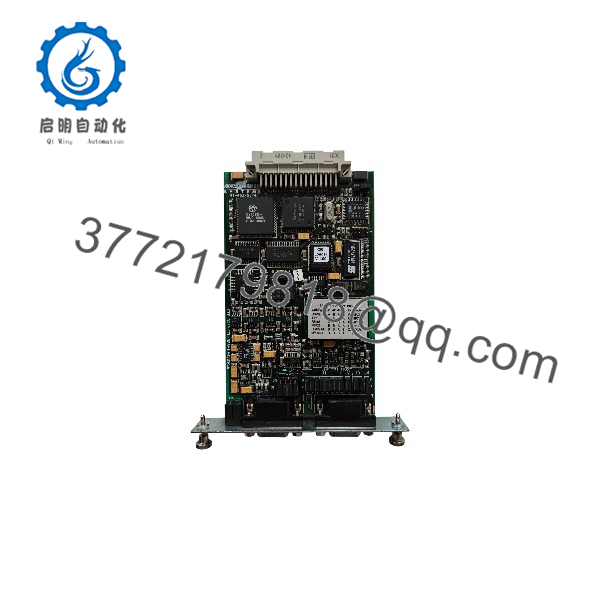
MPB2-TP
Firmware/Software Versions & Upgrade Notes
- Recommended Baseline: Match the system network configuration file and master PLC/DCS software version to the communication profile established for the MPB module family.
- Compatibility Notes: Ensure PROFIBUS GSD files and bus parameter timings (such as target rotation time and slot times) align correctly with the replacement hardware to prevent bus timeouts.
- Upgrade Warning: Avoid simultaneous hardware swaps and major control network software modifications during active production runs. Complete physical module installation first, test network traffic stability, and schedule software configuration updates during planned maintenance windows.
Frequently Asked Questions (FAQ)
- Are these communication modules truly new or refurbished?
This unit is a Brand New Surplus part, preserved in factory-original packaging, completely unused, and never installed or repaired.
- Why choose New Surplus over a cheaper refurbished unit?
Refurbished communication boards frequently feature thermally stressed bus transceivers and degraded microprocessors. Saving minimal capital on a used module invites intermittent packet drops, network node failures, and costly plant-wide communication faults.
- What is the strategic inventory plan for this module?
Because mature communication interfaces face restricted market availability, keeping 1 unit of buffer stock on-site serves as an essential insurance policy for critical automation control cells.
- Do I need to match node address settings upon replacement?
Yes, ensure physical hardware switches or software-assigned node addresses match the legacy module precisely so the master controller can recognize the device without address conflict errors.
- What warranty terms are included?
Every New Surplus MPB2-TP unit is backed by a comprehensive 1-to-2 year operational warranty, ensuring absolute reliability for mission-critical industrial automation networks.



