
 WhatsApp: +86 16626708626
 Email:
  Phone: +86 16626708626
Description
3. Key Technical Specifications
| Parameter | Value |
|---|---|
| Part Number | COM-MPB2-TP / MPB2-TP |
| Catalog No. | 139847 |
| Compatible Host | Eaton MICRO PANEL XV400 series |
| Interfaces | COM PORT (RS232 / TTY / RS422 / RS485) + dedicated MPI (RS485) |
| Simultaneous Use | Only one interface active at a time |
| Supported Protocols | Siemens MPI (S7-31x/41x), Eaton Suconet, Mitsubishi A/F-Series, Omron C/H/K, Matsushita FP, Telemecanique Unitelway, Modbus, and others via drivers |
| Driver Types | BCI 1.0 and BCI 2.0 (MPB.BIN / MPI.BIN) |
| Firmware Storage | Non-volatile flash |
| Default Configuration | RS485 |
| Operating Temperature | 0 °C to +55 °C |
| Dimensions (W × H × D) | 110 mm × 20 mm × 140 mm |
| LEDs | ACTIV (green), ERROR (red) |
| Approvals | UL 60950-01, CSA, IEC/EN 61131-2, CE |
4. Product Introduction & Supply Chain Strategy
The Eaton MPB2-TP is a plug-in communication card designed exclusively for MICRO PANEL XV400 devices. It provides a configurable COM PORT plus a dedicated MPI interface for direct connection to Siemens S7 PLCs, enabling reliable data exchange with a wide range of industrial controllers.
Securing this module as New Surplus protects against lead-time variability and potential last-time-buy pressure on the XV400 platform. Genuine new units avoid the hidden failure risks of refurbished cards (degraded components, unknown history) and deliver lower total cost of ownership through full expected service life and proper warranty coverage compared with used or repaired alternatives.
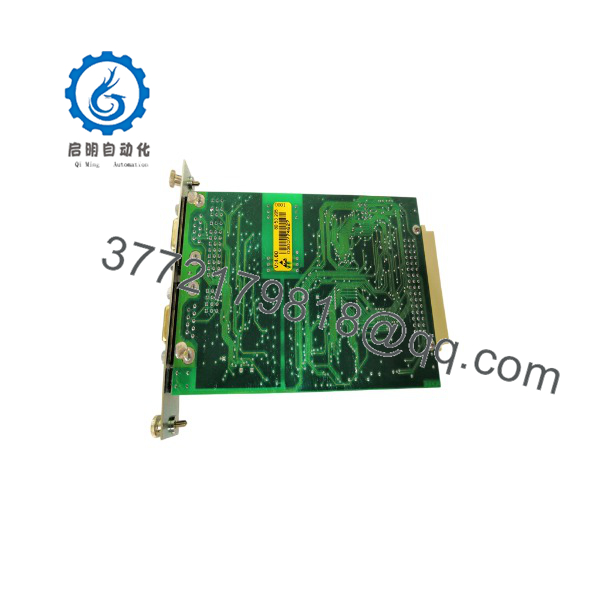
MPB2-TP
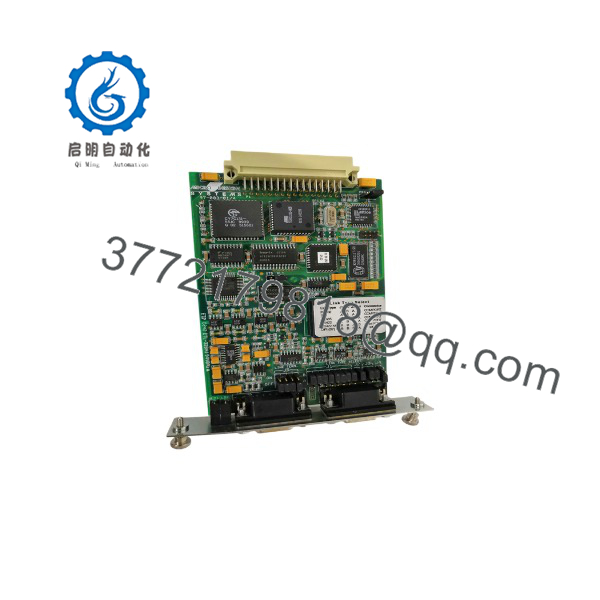
MPB2-TP
5. Installation & Configuration Guide
Stage 1: Pre-Installation (Prep & Safety)
Power down the XV400 panel and apply lock-out/tag-out. Wear a grounded ESD wrist strap. Photograph the existing module’s jumper settings (J1–J5) and all wiring. Confirm the correct driver version required for the target PLC.
Stage 2: Removal
Release the module retention mechanism. Extract the card straight out of the slot with even pressure to avoid bending backplane pins or edge connectors.
Stage 3: Installation (Clone & Seat)
Set the new MPB2-TP jumpers to match the photographed configuration (RS232/TTY/RS422/RS485 and line termination as required). Note that only the COM PORT or the MPI port may be used—never both simultaneously. Align and firmly seat the module in the slot until fully engaged.
Stage 4: Power-On & Testing
Restore power. Verify 24 V supply integrity. Observe LEDs: ACTIV should flash during communication; ERROR must remain off in normal operation. Load or confirm the appropriate driver (MPI.BIN for Siemens S7) and test data exchange with the PLC.
6. Firmware/Software Versions & Upgrade Notes
Firmware resides in non-volatile flash and determines the available driver set. Factory configuration for MPB2-TP typically loads the Siemens MPI driver (MPI.BIN). Standard multi-protocol drivers use MPB.BIN.
Always document the existing firmware and driver version before replacement. A mismatch can cause protocol timeouts or failed handshakes. Upgrading drivers is supported via serial interface or the host panel, but do not mix incompatible BCI 1.0 / BCI 2.0 versions or change station addressing on the MPI network without verification (MPB2-TP defaults to station 1). Downgrading or forcing an incompatible image risks communication loss until the correct image is restored.
7. Frequently Asked Questions (FAQ)
Is this truly new or is it refurbished?
This is Brand New Surplus / Original New. It is not pulled from service, not refurbished, and not repaired. Original packaging is opened only for quality verification.
Why is the price lower than current OEM list but higher than used parts?
Pricing reflects global sourcing of genuine new surplus inventory. It sits below full OEM list while remaining well above the cost (and risk) of used or refurbished modules that often fail prematurely.
Is the still in active production or is it obsolete?
It is a mature product tied to the XV400 platform. Availability of new units is limited; maintaining buffer stock or last-time-buy quantities is the practical strategy for plants still running these panels.
Can I hot-swap the module?
No. Always power the host panel down before insertion or removal to protect the backplane and the card.
Does the module retain programming or configuration after power loss?
Firmware and loaded drivers are stored in non-volatile flash, so they survive power cycles. Jumper settings are physical and must be verified on every swap.
What warranty is provided?
New Surplus units carry a standard 1–2 year warranty covering defects in materials and workmanship under normal industrial use.
What is the main risk if I install a used or refurbished card instead?
Internal aging of capacitors or interface components is often invisible. A failure after installation can produce unplanned downtime far exceeding any initial purchase savings.



