
 WhatsApp: +86 16626708626
 Email:
  Phone: +86 16626708626
Description
3. Key Technical Specifications
| Parameter | Technical Specification |
|---|---|
| Display Size & Type | 5.7-inch FSTN Monochrome LCD Display (256 Grayscale) |
| Display Resolution | 320 x 240 pixels (QVGA) |
| Touchscreen Technology | Analog Resistive Touch (3H Hardness Glass, Glove-Friendly) |
| Processor | 32-bit RISC Processor / ARM-based architecture |
| Onboard System Memory | 32 MB / 64 MB RAM, 32 MB Flash, NVRAM Retentive Memory |
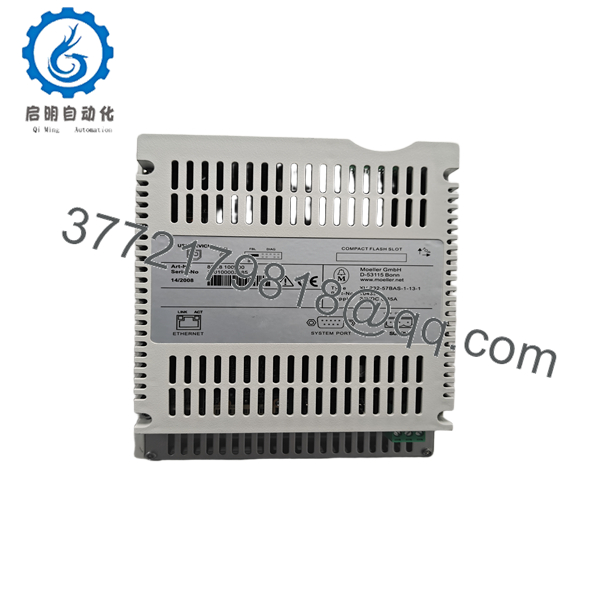
| Expansion Storage | 1 x CompactFlash (CF) Type I/II Card Slot |
| Communication Ports | 1 x RS-232 (DB9), 1 x Ethernet 10/100 Mbps, 1 x USB Device |
| Operating System | Microsoft Windows CE 5.0 Core (Pre-installed) |
| Programming Software | GALILEO Visualization / XSOFT-CODESYS (PLC Runtime License capable) |
| Operating Voltage | 24 V DC (19.2 V DC to 30.0 V DC permissible range) |
| Protection Rating | IP65 (Front Panel), IP20 (Rear Terminals) |
| Enclosure Dimensions | 170 mm x 130 mm x 39 mm (Front Cutout: 157 mm x 117 mm) |
4. Product Introduction & Supply Chain Strategy
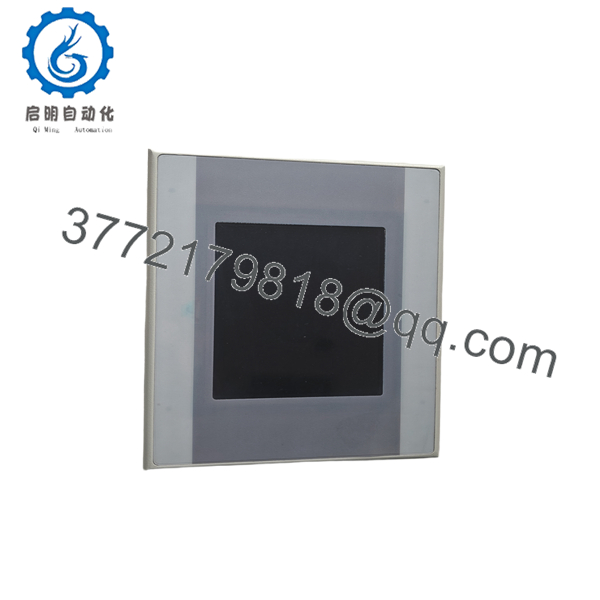
The Eaton XV-232-57BAS-1-13-1 is a 5.7-inch monochrome HMI touch panel designed for machine control, parameter adjustment, and real-time visualization. Operating on Windows CE 5.0 Core with an integrated RS-232 serial port and Ethernet interface, it connects directly to legacy PLCs, drives, and serial sensors, while supporting CODESYS-based PLC logic execution.
Maintaining this panel as New Surplus inventory safeguards older control architecture against unexpected downtime. Refurbished or pulled units often suffer from burnt-in FSTN displays, worn resistive overlays with dead touch zones, or dried-out internal capacitors that fail during cold restarts. Securing genuine New Surplus inventory provides factory backlight clarity, zero-wear touch response, and complete operational peace of mind without incurring OEM factory lead times or full system redesign expenses.
5. Installation & Configuration Guide
Stage 1: Pre-Installation (Prep & Safety)
- Execute Lock-Out/Tag-Out (LOTO) procedures on the machine enclosure and disconnect main 24 V DC supply power.
- Wear an ESD wrist strap attached to an unpainted metal cabinet ground before touching internal electronics or communication lines.
- Check the rubber sealing gasket surrounding the front bezel of the new panel to ensure IP65 ingress protection.
Stage 2: Removal
- Unplug the 24 V DC power block and disconnect the RS-232 DB9 cable, Ethernet RJ45 lead, and any USB accessories.
- Hold the front face of the existing HMI while unbolting or unclamping the rear mounting retainers.
- Carefully pull the panel forward out of the cabinet cutout without bending the sheet metal or stressing adjacent wiring runs.
Stage 3: Installation (Clone & Seat)
- Insert the XV-232-57BAS-1-13-1 through the front of the 157 mm x 117 mm cabinet cutout.
- Fasten the rear retaining clamps sequentially, torquing screws evenly to 0.2 Nm to seat the IP65 front seal firmly against the cabinet face without over-tightening the plastic frame.
- Reattach the RS-232 serial cable (tighten thumb screws), Ethernet connector, and 24 V DC power terminal block (torque screw terminals to 0.6 Nm).
Stage 4: Power-On & Testing
- Apply 24 V DC power and confirm the Windows CE 5.0 boot sequence initiates on the FSTN monochrome screen.
- Check communication LED status lights to ensure a valid RS-232 or Ethernet handshake with the connected host PLC.
- Run the Windows CE resistive touch alignment utility to calibrate touch accuracy across all screen quadrants.

- XV-232-57BAS-1-13-1
- XV-232-57BAS-1-13-1
6. Firmware/Software Versions & Upgrade Notes
- Operating System: Ships pre-loaded with Microsoft Windows CE 5.0 Core.
Vicpas Touch
- Application Runtime: Built for GALILEO visualization projects and XSOFT-CODESYS V2/V3 PLC target runtimes.
xiongba
- Project Transfer Options: GALILEO compiled target files can be uploaded over Ethernet, serial RS-232, or directly executed via a CompactFlash (CF) memory card.
xiongba
- Upgrade Warning: Verify that the GALILEO project target device type matches
XV-232-57BASbefore flashing runtime files. Attempting to flash a project compiled for a color panel variant (e.g., XV-230/XV-252) will corrupt display rendering and cause runtime communication driver faults.
7. Frequently Asked Questions (FAQ)
What is the difference between “New Surplus” and a refurbished touch panel?
New Surplus XV-232-57BAS-1-13-1 units are uninstalled original OEM components kept in project reserves or spare parts stores. They feature zero operational wear, non-degraded backlight CCFL/LED layers, and crisp touch digitizers. Refurbished panels are used parts that frequently carry ghosting issues on the FSTN display, reduced backlight output, and worn resistive touch surfaces.
Is the XV-232-57BAS-1-13-1 fully compatible with XV-232-57BAS-1-10?
Yes. The core functional hardware, cutout dimensions, 24 V DC power requirement, RS-232 serial layout, and Windows CE OS are functionally identical. The revision suffix reflects minor internal hardware component sourcing updates and production lot codes.
Does this unit support color display graphics?
No. The XV-232-57BAS model family utilizes a high-contrast FSTN monochrome LCD display capable of 256 grayscale levels. If your application requires full-color TFT graphics, you must select the XV-252 series color panel.
What does the “232” in the part number indicate?
The “232” designation specifies that the primary onboard serial fieldbus port is configured for RS-232 point-to-point communication.
Can I transfer my program using a CompactFlash (CF) card?
Yes. The panel includes an onboard CompactFlash card slot. You can copy the compiled project image from GALILEO onto a CF card, insert it into the unit, and set the system boot path to run directly from flash storage.
What enclosure protection rating does this unit carry?
When correctly mounted in an enclosure cutout with the front gasket seated, the front bezel achieves IP65 protection against water jets and airborne dust—making it suitable for harsh factory environments. The rear panel is IP20 rated and requires installation inside a NEMA/IP-rated control enclosure.
What warranty is provided with this New Surplus unit?
This unit includes a comprehensive 1-year functional replacement warranty from the date of delivery, providing complete operational reliability with immediate off-the-shelf dispatch.



