
 WhatsApp: +86 16626708626
 Email:
  Phone: +86 16626708626
Description
3. Key Technical Specifications
| Parameter | Value |
| Display Technology | LED-backlit TFT, Anti-Glare |
| Screen Size | 7.0-inch (Widescreen 16:9) |
| Processor | 1 GHz ARM Cortex-A9 |
| RAM | 512 MB DDR3 |
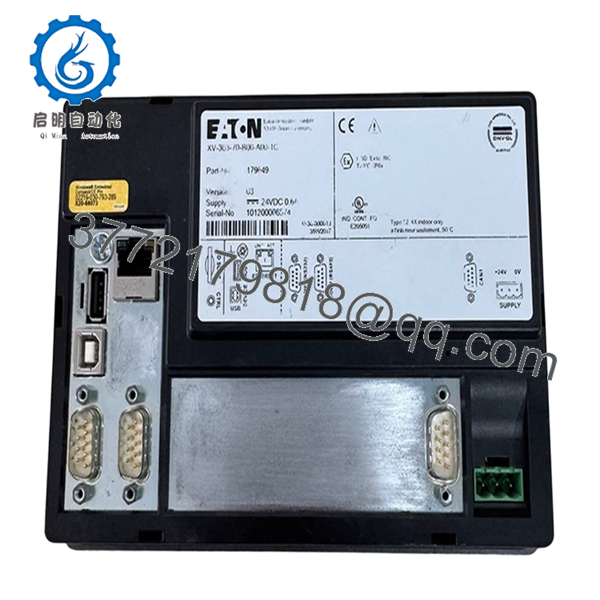
| Interfaces | 1x Ethernet, 1x USB Host, 1x USB Device, 1x RS232, 1x RS485 |
| Operating System | Windows Embedded Compact 7 |
| Supply Voltage | 24 V DC (18–30 V DC range) |
| Mounting | Flush Mount (Standard cutout) |
| IP Rating | IP65 (Front) |
4. Product Introduction & Supply Chain Strategy
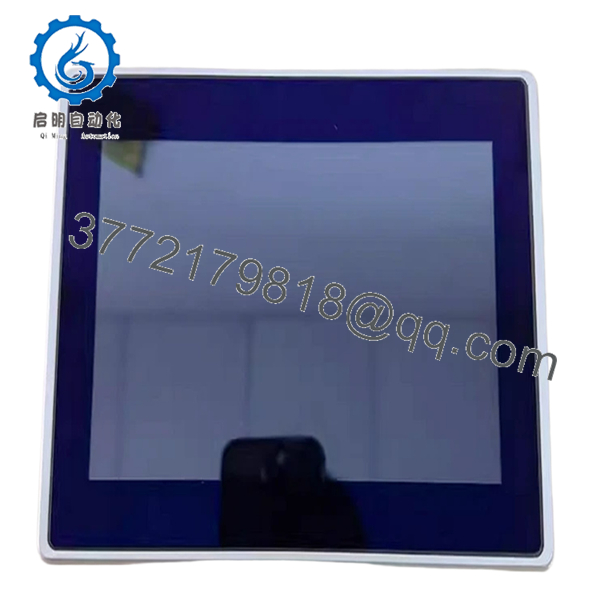
The Eaton XV-303-70-B00-A00-1C serves as a sophisticated operator interface, offering multi-touch capabilities and high-speed graphical processing for complex automation control. This unit is primarily deployed in high-bandwidth manufacturing environments requiring real-time diagnostic feedback and intuitive operator interaction.
Sourcing this unit as New Surplus is a strategic inventory decision. Because these units feature high-speed processors and specialized touch layers, they are more susceptible to the “hidden aging” found in refurbished units (such as screen flickering or latent chip degradation). Purchasing New Surplus units ensures that your production line maintains the intended design specifications, preventing the costly downtime often associated with the failure of marginal, non-original components.

- XV-303-70-B00-A00-1C
- XV-303-70-B00-A00-1C
5. Installation & Configuration Guide
Stage 1: Pre-Installation (Prep & Safety)
Ensure the machine is locked out. Clean your workspace to avoid debris ingress. Have a #2 Phillips screwdriver and a grounded ESD strap ready. Before removing the old unit, save your project files (via USB or Ethernet) and capture the IP configuration and node addresses.
Stage 2: Removal
Unscrew the mounting retention clips located on the rear chassis. Carefully extract the HMI from the front of the enclosure. Disconnect the power terminal (24 V DC) and the communication cabling. Avoid putting any pressure on the screen surface during extraction.
Stage 3: Installation (Clone & Seat)
Verify that the front bezel gasket is perfectly seated in its channel to ensure the IP65 seal. Insert the XV-303-70-B00-A00-1C into the cutout. Tighten the clips manually; do not use power tools, as over-tightening can crack the front glass or strip the mounting plastic. Connect the PE ground lug before plugging in communication cables.
Stage 4: Power-On & Testing
Power on the unit and monitor the boot-up cycle. Navigate to the system settings menu to confirm that the IP address matches your network architecture. Perform a touch calibration check to ensure the response sensitivity is consistent across the entire 7-inch display area.
6. Firmware/Software Versions & Upgrade Notes
- Recommended Version: Ensure the unit matches the runtime version of your existing project (typically V2.x or V3.x of the visualization software).
- Compatibility: This model is designed for use with Eaton’s current visualization suite. It may not support legacy 16-bit communication drivers found in early 2000s automation hardware.
- Upgrade Warning: Firmware updates via USB can be risky if power is interrupted. Always connect the HMI to an Uninterruptible Power Supply (UPS) or a stable 24 V DC source before initiating a firmware flash.
7. Frequently Asked Questions (FAQ)
Q: Are these units truly “New Surplus,” or are they just cleaned-up used parts?
A: They are 100% New Surplus. We source these from original OEM inventory lots. They have not been installed in a production environment, have no cycle-wear on the buttons or touch layer, and have not been repaired or refurbished.
Q: What happens if I use a refurbished unit instead?
A: Refurbished HMIs often suffer from “ghost touching” or dimming backlights within months. The cost of a technician’s time to replace a failed screen during a production run far exceeds the initial savings of a refurbished unit.
Q: Does the XV-303-70-B00-A00-1C support hot-swapping?
A: No. Any attempt to plug or unplug the communication ports while the unit is powered on can result in an electrical surge that fries the Ethernet or RS485 transceivers.
Q: Can I restore my old HMI’s project file to this one?
A: Yes, provided you have the original project source code. The HMI platform allows for the loading of compiled runtime files via a standard USB flash drive.
Q: Why is this model considered “Performance Series”?
A: Compared to the base series, the XV300 Performance Series features faster CPU clock speeds and superior anti-glare coatings, which allow for smoother graphics and better readability in high-ambient-light factory conditions.



