
 WhatsApp: +86 16626708626
 Email:
  Phone: +86 16626708626
Description
3. Key Technical Specifications
| Parameter | Technical Specification |
| Display Size & Type | 10.4-inch TFT Color Display (65,536 colors, 4:3 Aspect Ratio) |
| Resolution | 640 x 480 pixels (VGA) |
| Touch Technology | Infrared (IR) Touch with Laminated Anti-Glare Safety Glass Front |
| Processor | ARM Cortex-A9 800 MHz |
| System Memory | 512 MB DRAM, 1 GB SLC Flash, 128 KB NVRAM Retain Memory |
| Expansion Storage | 1 x SD/SDHC Memory Card Slot |
| Onboard Fieldbus Interfaces | 1 x PROFIBUS-DP, 1 x CAN, 1 x RS-232, 1 x RS-485 |
| Network & USB Ports | 2 x Ethernet 10/100 Mbps, 1 x USB 2.0 Host, 1 x USB 2.0 Device |
| Operating System | Microsoft Windows Embedded Compact 7 Pro |
| Programming Software | GALILEO (Visualization), XSOFT-CODESYS-2 / 3 (PLC Runtime) |
| Supply Voltage | 24 V DC SELV (19.2 V DC to 30.0 V DC permissible range) |
| Power Consumption | Max 20.5 W |
| Housing Construction | Cast Aluminum Frame with Laminated Safety Glass Front |
| Enclosure Rating | IP65 / NEMA 12 (Front Face), IP20 (Rear Terminals) |
| Cutout Dimensions | 329 mm x 238 mm (Overall Frame: 345.2 mm x 260.2 mm x 67.0 mm) |
4. Product Introduction & Supply Chain Strategy
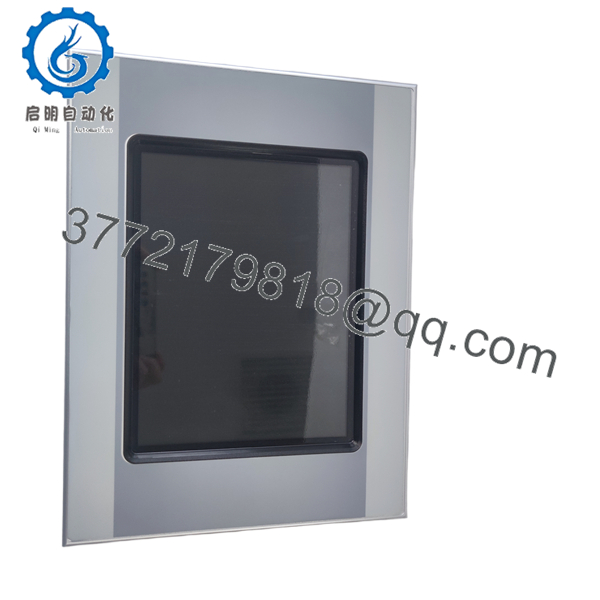
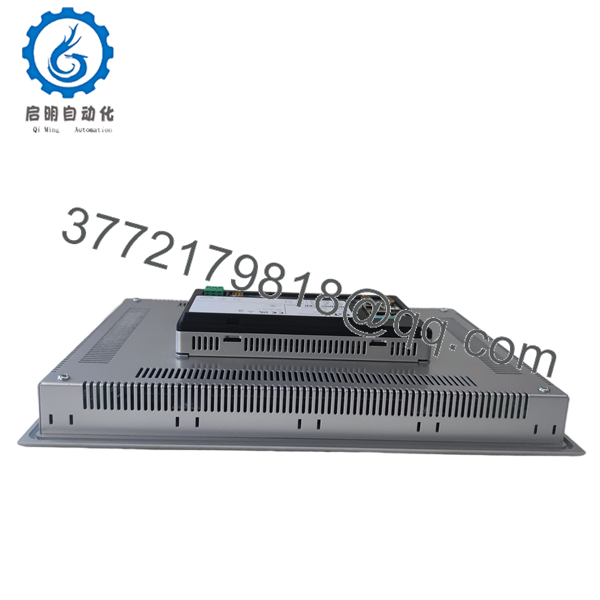
The Eaton XV-363-10-C02-A00-1B is a 10.4-inch heavy-duty HMI-PLC engineered specifically for demanding industrial applications where standard plastic touch panels fail. Combining an ARM Cortex-A9 processor with an infrared (IR) touch overlay behind non-reflective laminated safety glass, it allows operators wearing heavy work gloves to control machinery reliably without damaging or scratching the display screen. The unit features onboard PROFIBUS-DP, CANbus, RS232, RS485, and dual Ethernet ports to manage complex multi-protocol field networks.
Carrying this panel as New Surplus inventory mitigates extended manufacturing outages when an existing panel experiences mechanical impact or display failure. Refurbished infrared HMI units frequently contain compromised optical IR transmitters, scratched safety glass, or thermally degraded backlights that trigger false touch commands or total dark-screen faults. Procuring genuine New Surplus inventory ensures factory-fresh optical sensors, 100% clean glass surfaces, and complete system reliability while protecting Total Cost of Ownership (TCO) compared to long factory lead times.
5. Installation & Configuration Guide
Stage 1: Pre-Installation (Prep & Safety)
- Execute full Lock-Out/Tag-Out (LOTO) procedures on the control cabinet and isolate the 24 V DC auxiliary power supply.
- Verify panel cutout dimensions (329 mm x 238 mm) on the enclosure door. Clean the mounting edge to ensure the IP65 rubber seal makes complete contact.
- Put on a grounded wrist strap to prevent electrostatic discharge (ESD) when handling communication cables or inserting SD cards.
Stage 2: Removal
- Unplug the main 24 V DC green terminal block and label all connected fieldbus leads (PROFIBUS-DP DB9, CAN DB9, RS232, RS485, and dual Ethernet RJ45 cables).
- While supporting the front aluminum bezel, loosen and remove the rear retaining tension clamps.
- Carefully pull the 3.5 kg panel forward out of the cutout, ensuring the glass face does not strike surrounding metalwork.
Stage 3: Installation (Clone & Seat)
- Position the XV-363-10-C02-A00-1B into the cabinet cutout from the front.
- Secure the panel using the provided heavy-duty mounting clamps applied from the rear. Tighten screws evenly in a diagonal pattern to compress the front gasket uniformly without twisting the aluminum frame.
- Re-plug all communication cables (tightening connector thumb screws on DB9 ports) and reconnect the 24 V DC terminal block.
Stage 4: Power-On & Testing
- Apply 24 V DC power and confirm the boot sequence completes into Windows Embedded Compact 7 Pro.
- Verify network LED activity on the dual Ethernet ports and communication status indicators on the PROFIBUS-DP / CAN interfaces.
- Test touch response across all screen quadrants. Because infrared technology detects physical light interruption rather than electrical capacitance, verify that touches function smoothly using gloved hands or stylus tools.

- XV-363-10-C02-A00-1B
- XV-363-10-C02-A00-1B
6. Firmware/Software Versions & Upgrade Notes
- Operating System: Runs Microsoft Windows Embedded Compact 7 Pro.
- Visualization & PLC Runtimes: Designed for GALILEO visualization applications and XSOFT-CODESYS V2 or V3 PLC target runtimes.
- Project Transfer Options: Application project files can be uploaded over the dual Ethernet ports, via a USB flash drive, or directly executed using an SD/SDHC card inserted in the rear slot.
- Compatibility Notice: When replacing a legacy XV400 or standard resistive touch panel, verify that the GALILEO project target device is configured for
XV-363. Infrared touch coordinates are handled natively at the OS layer, but target hardware settings must match to ensure correct driver loading for the onboard PROFIBUS-DP (C02 variant) and dual Ethernet ports.
7. Frequently Asked Questions (FAQ)
What is the difference between “New Surplus” and a refurbished touch panel?
New Surplus XV-363-10-C02-A00-1B panels are uninstalled original OEM units sourced from project surpluses, cancelled automation builds, or plant reserves. They feature zero operational hours, undamaged safety glass, and fully functional infrared optical matrices. Refurbished panels are used units that often suffer from degraded optical IR sensors, internal dust accumulation inside the frame, or backlight degradation.
How does Infrared (IR) touch technology differ from standard resistive touch?
Unlike resistive touch panels that rely on pressure flexing a plastic film layer, the XV-363 uses an infrared light grid emitting across the laminated safety glass surface. This makes the glass scratch-resistant, highly durable, and completely operable with heavy industrial work gloves, bare fingers, or styluses without mechanical wear.
What do the code segments in “XV-363-10-C02-A00-1B” signify?
- XV-363: High-durability XV300 series with aluminum frame and laminated safety glass.
- 10: 10.4-inch display size.
- C02: Full onboard fieldbus interface suite (Dual Ethernet + USB + RS232 + RS485 + CAN + PROFIBUS-DP).
- A00: Standard system hardware revision platform.
- 1B: Design generation code.
Can this panel be used outdoors or in washdown areas?
The front face is rated IP65 / NEMA 12 and protected by safety glass, making it highly resistant to spray, dust, and mechanical cleaning. However, direct outdoor exposure to sunlight requires UV protection checks, and the rear of the unit is rated IP20, meaning it must be flush-mounted inside an appropriately rated enclosure.
Can this unit run PLC logic programs directly?
Yes. The XV-363 can operate strictly as a visualization HMI or act as a combined HMI-PLC by activating the XSOFT-CODESYS runtime license, allowing it to execute real-time IEC 61131-3 logic programs over PROFIBUS, CAN, or Ethernet.
What type of external storage is supported?
The rear slot accepts standard SD or SDHC memory cards for data logging, recipe storage, operating system updates, or direct project transfer.
What warranty comes with this New Surplus unit?
This unit includes a comprehensive 1-year functional replacement warranty from the date of delivery, providing complete operational security and immediate off-the-shelf dispatch.



