
 WhatsApp: +86 16626708626
 Email:
  Phone: +86 16626708626
Description
Key Technical Specifications
| Parameter | Value |
|---|---|
| Manufacturer | Eaton |
| Model | XV-440-10TVB-1-20 |
| Catalog Number | 139906 |
| Product Series | XV400 |
| Product Type | HMI Operator Panel |
| Supply Voltage | 24 V DC |
| Display Size | 10.4 in TFT Color |
| Resolution | 640 × 480 (VGA) |
| Touch Technology | Infrared Touch |
| Color Depth | 65,536 or 256 Colors |
| CPU | 32-bit RISC Processor, 400 MHz |
| DRAM | 64 MB |
| Ethernet | 10/100Base-T |
| Serial Port | RS232 |
| CAN Interface | Integrated CAN/easyNet |
| USB | 1 × USB Host, 1 × USB Device |
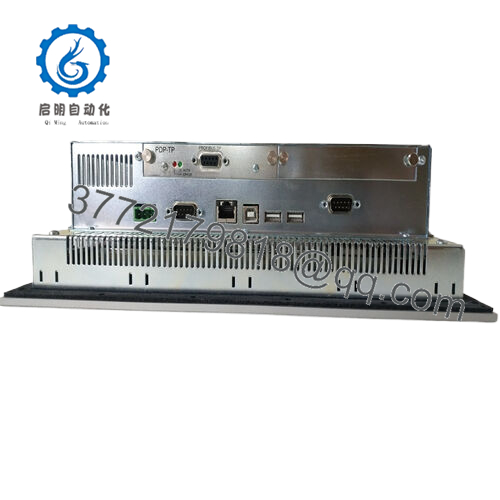
| Expansion | 2 CompactFlash Slots, 2 Communication Module Slots |
| Front Protection | IP65 |
| Rear Protection | IP20 |
| Heat Dissipation | 32 W |
| Operating System | Windows CE |
| PLC Function | Optional license required |
Product Introduction
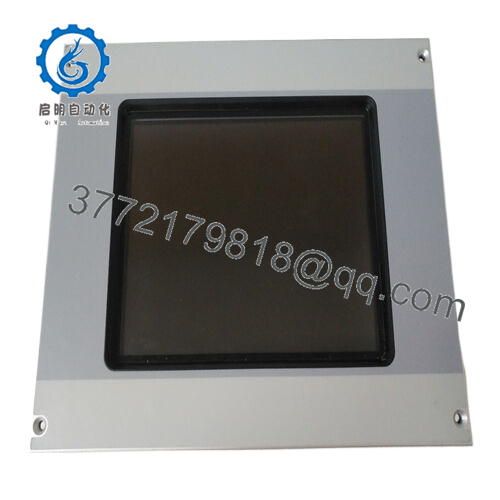
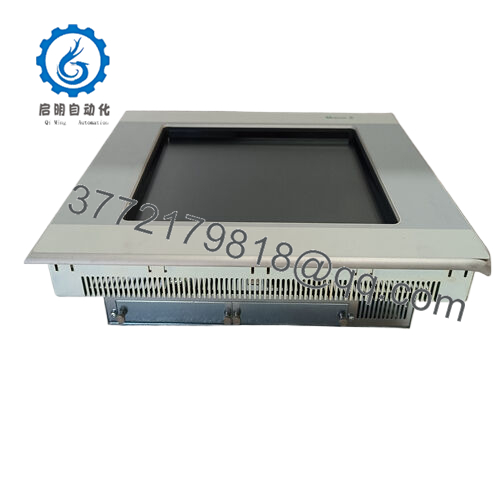
The Eaton XV-440-10TVB-1-20 (Catalog 139906) is a 10.4-inch industrial Human Machine Interface designed for machine visualization and operator control in factory automation. It belongs to the XV400 family and combines a color TFT display with industrial communication interfaces including Ethernet, RS232, CAN, and USB.
Unlike basic operator panels, this model can be upgraded with an optional PLC runtime license, allowing a single device to perform visualization and control functions. It remains a practical replacement for existing XV400 installations where maintaining software compatibility and minimizing commissioning time are priorities. Eaton also identifies this model as not intended for new applications, making it primarily a maintenance and spare-parts product.
Installation & Configuration Guide
Stage 1 – Pre-Installation Preparation (10 minutes)
⚠️ Notify production personnel before shutdown.
- Perform Lock-Out/Tag-Out procedures.
- Remove 24 V DC power.
- Wait at least five minutes for internal capacitors to discharge.
- Wear an ESD wrist strap.
- Back up the HMI project and PLC application.
- Record:
- IP address
- Communication settings
- CompactFlash contents
- Screen configuration
- Photograph all wiring and connector locations.
Stage 2 – Removing the Existing Panel (5–10 minutes)
- Disconnect system power.
- Label every communication and power cable.
- Remove Ethernet, RS232, CAN, USB, and power connectors.
- Loosen the mounting hardware.
- Carefully remove the HMI from the cabinet cutout.
- Inspect connector pins and clean dust from the mounting area.
⚠️ Keep the original panel available until the replacement has completed functional testing.
Stage 3 – Installing the New Unit (10 minutes)
- Verify the replacement part number is XV-440-10TVB-1-20 (139906).
- Install the panel using the original mounting hardware.
- Reconnect all communication cables.
- Install the CompactFlash card if required.
- Restore all network settings.
- Confirm:
- ✓ Power wiring
- ✓ Ethernet connection
- ✓ CAN termination
- ✓ RS232 configuration
- ✓ Panel mounting seal
Stage 4 – Startup & Commissioning (10 minutes)
- Restore 24 V DC power.
- Observe startup LEDs and display initialization.
- Verify Windows CE boots correctly.
- Confirm Ethernet communication.
- Test operator screens.
- Verify communication with PLC and field devices.
- Run several production cycles before returning equipment to service.
Troubleshooting Tip
A communication failure after replacement is frequently caused by:
- Different firmware revisions
- Incorrect IP settings
- Missing CompactFlash system files
- PLC runtime license not installed
- CAN node address mismatch
These issues are more common than hardware failures during replacement.

- XV-440-10TVB-1-20
Frequently Asked Questions (FAQ)
Q1. Can the XV-440-10TVB-1-20 be replaced without shutting down the machine?
No. This panel is not designed for hot swapping. Remove system power before disconnecting the HMI to avoid communication faults or hardware damage.
Q2. Is this model still manufactured?
Eaton identifies the XV-440-10TVB-1-20 as not for new applications. It is typically purchased as a spare part for maintaining existing XV400 systems.
Q3. Does this panel include PLC functionality?
Not by default. The hardware supports PLC functionality, but a separate software license is required to activate it.
Q4. Will replacing the HMI erase my machine program?
Normally no. The machine application should be backed up before replacement. Depending on the installation, projects may be stored on CompactFlash media or downloaded from engineering software.
Q5. Which communication interfaces are built into the panel?
Standard interfaces include:
- Ethernet
- RS232
- CAN/easyNet
- USB Host
- USB Device
Additional communication options can be installed using expansion modules.
Q6. Why are New Surplus units commonly available?
Many XV400 panels were purchased as spare inventory during large automation projects. Unused warehouse stock is often available years later, providing a lower-cost alternative to sourcing discontinued OEM inventory while maintaining compatibility with existing installations.



