
 WhatsApp: +86 16626708626
 Email:
  Phone: +86 16626708626
Description
Key Technical Specifications
- Display: 10 in touch screen with infra-red touch technology
- Core: PC-compatible computer core
- Fieldbus: CANopen standard; PROFIBUS-DP available as an option
- Networking: Ethernet onboard
- Storage: Exchangeable CompactFlash media
- Programming Environment: IEC 61131 languages — IL, LD, FBD, SFC, ST, CFC
- Power Input: 24 VDC
- Current Draw: 1.1 A per the more detailed distributor spec — cross-check this figure against your unit’s nameplate before sizing a supply, since at least one lower-detail listing cites a different value
- Ingress Protection: IP66 on the front panel
- Weight: 8.80 lbs
- Manufacturer Status: Discontinued — no longer in factory production
Product Introduction
The Eaton XVC-601-GTI-10-V1-000 is a PC-based operator interface from the XVC600 series, pairing a 10-inch infra-red touch screen with a PC-compatible core that runs IEC 61131 logic directly on the panel. It carries CANopen as standard, PROFIBUS-DP as an option, and onboard Ethernet, so it handles both machine-level fieldbus traffic and plant network connectivity from one unit.
Plants running Moeller/Eaton XVC600-era equipment source this part because Eaton discontinued the line, and a PC-based HMI with onboard IEC 61131 programming isn’t a drop-in swap for a generic touch panel — the control logic and the display are one device here, not two.
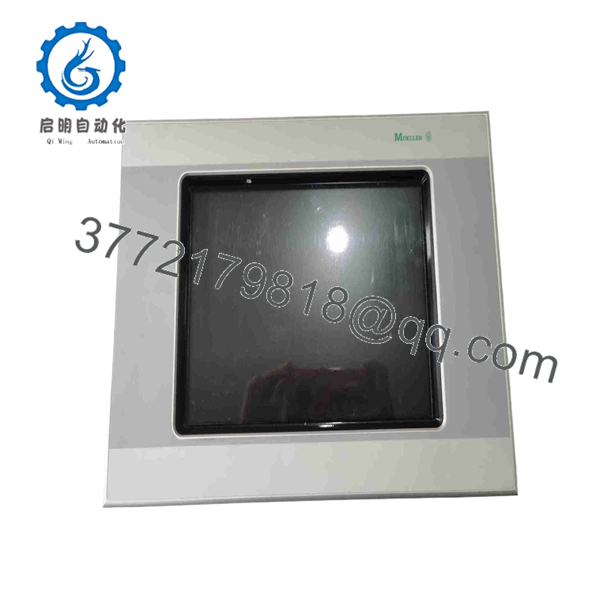
XVC-601-GTI-10-V1-000
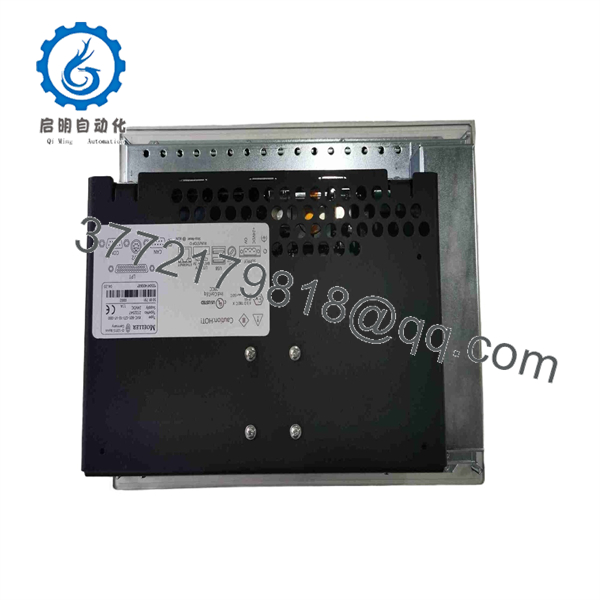
XVC-601-GTI-10-V1-000
Troubleshooting Quick Reference
| Symptom | Possible Cause | Relevance to this Part | Quick Check Method | Recommendation |
|---|---|---|---|---|
| Screen completely dark, no backlight | Power supply failure or internal power fault | ✅ High | Measure 24 VDC at the input terminals with a multimeter | Confirm supply voltage before assuming panel failure |
| Panel powers up but won’t boot past a splash screen | Corrupted or failing CompactFlash card | ✅ High | Remove and inspect the CompactFlash card; try a known-good backup image if available | Re-image or replace the CompactFlash before replacing the whole unit |
| Touch input unresponsive or drifting | Infra-red touch frame contamination or misalignment | ✅ Moderate | Clean the touch frame edges; check for physical damage to the IR bezel | Clean first — this is a common false “screen failure” call |
| No CANopen or PROFIBUS communication | Fieldbus wiring, termination, or configuration fault | ❌ Low | Check bus termination resistors and cable continuity | Rule out wiring/termination before condemning the panel’s fieldbus interface |
| Ethernet link present but application unreachable | Network/IP configuration issue, not hardware | ❌ Low | Verify IP settings and confirm link LED status | Almost always a configuration issue on a working unit |
If the issue persists, contact technical support with a photo of the fault screen (if any), your CompactFlash image version, and the exact communication protocol in use.
Frequently Asked Questions (FAQ)
Is this the same as the “-DPM” variant I keep seeing listed?
No — the DPM suffix (XVC-601-GTI-10-DPM-V1-000) denotes a different hardware configuration than the base XVC-601-GTI-10-V1-000. They share the same series and form factor, but don’t assume the part numbers are interchangeable without checking the actual suffix on your existing unit.
Will the program from my old panel run on this replacement unit?
Only if you restore it from a CompactFlash backup image, or your original program file. This panel is PC-based — the application logic lives on the CompactFlash media, not baked into the hardware, so a replacement panel needs the same card image or a reloaded program to behave identically to the old one.
Is this discontinued, and can I still get parts for it?
Yes, it’s discontinued by the manufacturer. That’s exactly why surplus and refurbished units are the realistic sourcing path now — Eaton isn’t producing new XVC600 series hardware.
Can I hot-swap this panel while the machine is running?
No. Power down before removing or installing this unit. It’s a PC-based controller as much as a display — pulling power live risks corrupting the CompactFlash media, not just tripping a nuisance fault.
Why does the current-draw spec vary between suppliers?
Because not every distributor pulls specs from the same source document, and some listings carry generic template data. Confirm current draw against the nameplate on your actual unit before sizing a power supply — don’t split the difference between conflicting numbers you find online.
Is this new, refurbished, or used, and does condition affect the CompactFlash contents?
Condition varies by seller — New Surplus, Refurbished, or tested-Used are all in the market for this part. None of those grades guarantee your specific program is preloaded on the CompactFlash; plan on reloading your application regardless of the condition tag.
What’s the biggest mistake people make replacing one of these?
Assuming any 10-inch industrial touch panel will do the job. This unit’s IEC 61131 programming core, CompactFlash-based storage, and specific fieldbus/Ethernet combination make it a controller-plus-display, not just a screen — verify your replacement matches the full feature set, not just the screen size.



