
 WhatsApp: +86 16626708626
 Email:
  Phone: +86 16626708626
Description
3. Key Technical Specifications
| Parameter | Value |
|---|---|
| Display | 5.7″ CSTN Color, 320 x 240 pixels |
| Touch Technology | Infra-red (IR) |
| Colors | 256 |
| Processor | RISC CPU, 32-bit, 200 MHz |
| Memory | 64 MB DRAM, ~1.5 MB Flash |
| Supply Voltage | 24 V DC (20.4–28.8 V DC) |
| Power Consumption | Max 16 W, Heat dissipation 19.2 W |
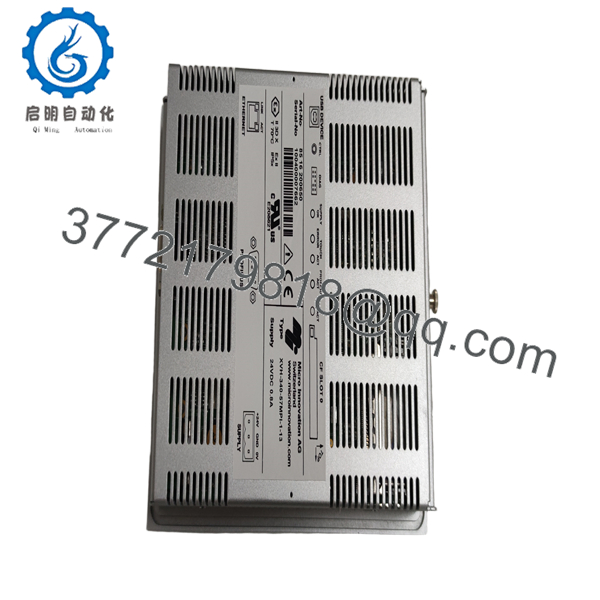
| Interfaces | 1x Ethernet 100Base-TX/10Base-T, 1x USB Device, 1x Profibus DP |
| Operating Temperature | 0 to +50°C |
| Storage Temperature | -20 to +60°C |
| Protection | IP65 front, IP20 rear |
| Weight | Approx. 1.7 kg |
| Dimensions | Approx. 212 mm width front |
4. Product Introduction
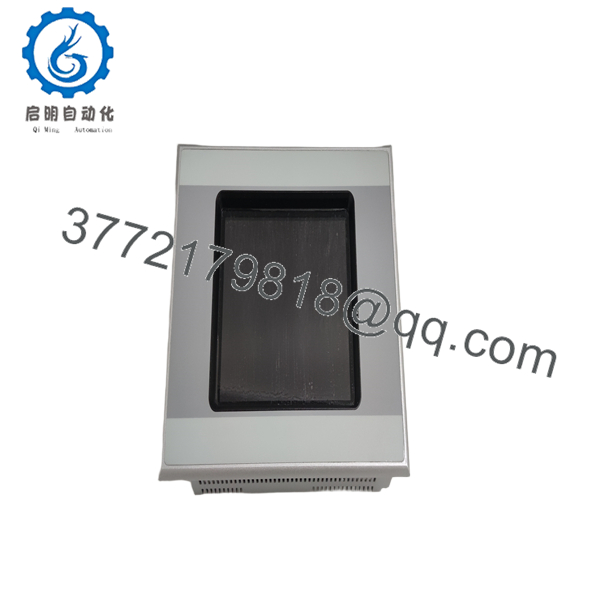
The Eaton XVH-340-57MPI-1-13 is a compact 5.7-inch IR touch HMI panel from the XVH300 series suited for machine-level operator control. It features a CSTN color display, Ethernet, and Profibus interfaces in a space-saving package with no onboard PLC capability.
Technicians pick this model for its straightforward Profibus integration into Siemens or Eaton networks and reliable IR touch in tight control panels. The 24 V DC supply and standard flush mounting cutout keep downtime low during replacements. Confirm exact interface configuration and project compatibility with your existing system before installation.

- XVH-340-57MPI-1-13
- XVH-340-57MPI-1-13
5. Troubleshooting Quick Reference
| Symptom | Possible Cause | Relevance to this Part | Quick Check Method | Recommendation |
|---|---|---|---|---|
| No display or backlight | Power supply issue | High | Measure 24 V DC at power terminals | Verify incoming supply and fuse before replacing unit |
| Touch unresponsive | IR sensor obstruction or driver fault | Medium | Clean screen; check OS logs via engineering tool | Reboot and reload project; replace if persistent |
| No Ethernet communication | Cable/IP config mismatch | High | Ping from engineering PC; check link LEDs | Confirm IP settings and cable; test with known good cable |
| Profibus errors | Address or baud rate mismatch | High | Check diagnostic buffer and bus diagnostics | Verify node address, baud rate, and termination resistors |
| No communication at all | Missing CF card or corrupt project | Medium | Check for CF card and boot sequence | Reload valid project and OS to CompactFlash |
| Dim or flickering display | Backlight aging or power issue | Low | Monitor brightness settings and voltage stability | Replace unit if backlight hours exceed 50,000 |
If diagnostics point to the panel itself, contact technical support with photos of the unit, error logs, and wiring details.
6. Frequently Asked Questions (FAQ)
Is this unit new original stock or refurbished? This is New Original / New Surplus from authorized channels. It ships in original packaging with full traceability. We perform inbound inspection and functional testing prior to shipment.
Does this model support PLC functionality? No. This is a pure HMI unit. No PLC license or runtime is available for the XVH-340 series.
What software do I need? Use Galileo or EPAM for visualization. A CompactFlash card is required for the operating system and your project files.
Is it hot-swappable? No. Always remove power before installing or removing the unit. Hot-swapping risks damage to the backplane or connected modules.
How long is the warranty? We provide a 1-year warranty on tested functional units. Extended options available on request.
Will this serve as a direct replacement for an older XVH-340 unit? In most cases yes. Document your existing project files, Profibus node address, and network parameters first. The -1-13 variant maintains full compatibility within the series.
What comes in the box and do you provide test reports? Standard delivery includes the panel. We supply our QC test report showing power-on, display, and interface tests. Full test videos and photos available upon request.



