
 WhatsApp: +86 16626708626
 Email:
  Phone: +86 16626708626
Description
3. Key Technical Specifications
| Parameter | Value |
| Display Type | Color TFT, 256 Colors |
| Screen Size | 12.1-inch Diagonal |
| Resolution | SVGA (800 x 600 Pixels) |
| Touch Technology | Infrared (IR) Touch |
| Processor | 32-bit RISC CPU, 400 MHz |
| Communication | 1x MPI/Profibus-DP, 1x Ethernet, 1x RS232, 1x CAN |
| Memory | 64 MB Internal RAM, expandable via CompactFlash |
| Supply Voltage | 24 V DC (18–30 V DC) |
| Front Dimension | 344 x 262 mm |
| Protection Rating | IP65 (Front side) |
4. Product Introduction & Supply Chain Strategy
The Eaton XVS-440-12MPI-1-10 is a specialized industrial terminal designed for high-end visualization in environments requiring direct MPI or Profibus-DP connectivity. Its infrared touch technology makes it exceptionally durable in harsh conditions, as the screen responds to inputs even when the operator is wearing heavy industrial gloves or when the surface is exposed to contaminants.
From a supply chain perspective, the XVS400 series represents a critical lifecycle bridge. Many plants still rely on these units for communication with legacy Siemens S7 controllers. Choosing New Surplus over refurbished alternatives is vital for these high-resolution displays, as infrared frames and backlights in used units often suffer from “sensor drift” or dimming. Our New Surplus inventory ensures you receive a factory-fresh unit with zero operating hours, securing your production for the next decade.
5. Installation & Configuration Guide
Stage 1: Pre-Installation (Prep & Safety)
Verify the cabinet power is isolated and locked out. Use an ESD-safe wrist strap to prevent damaging the internal RISC processor. Before removing the faulty unit, document the station address and baud rate for the MPI/Profibus network. Ensure you have a CompactFlash card ready if the project needs to be transferred locally.
Stage 2: Removal
Unscrew the rear tensioning blocks. Support the 12.1-inch frame to prevent it from falling forward. Disconnect the DB9 MPI/Profibus connector carefully, ensuring the locking screws are fully disengaged to avoid pin damage.
Stage 3: Installation (Clone & Seat)
Check the panel cutout for any sharp edges that could tear the gasket. Seat the XVS-440 into the cutout and tighten the tensioning blocks to ensure an IP65 seal. Connect the 24 V DC power supply, ensuring correct polarity—reverse polarity can blow the internal protection fuse.
Stage 4: Power-On & Testing
Initiate the boot sequence. Access the system menu to configure the MPI station address to match the previous unit. Run a communication test to verify the HMI is polling data from the PLC. Test the infrared touch response in all four corners of the screen to ensure the IR frame is not obstructed by the panel cutout.
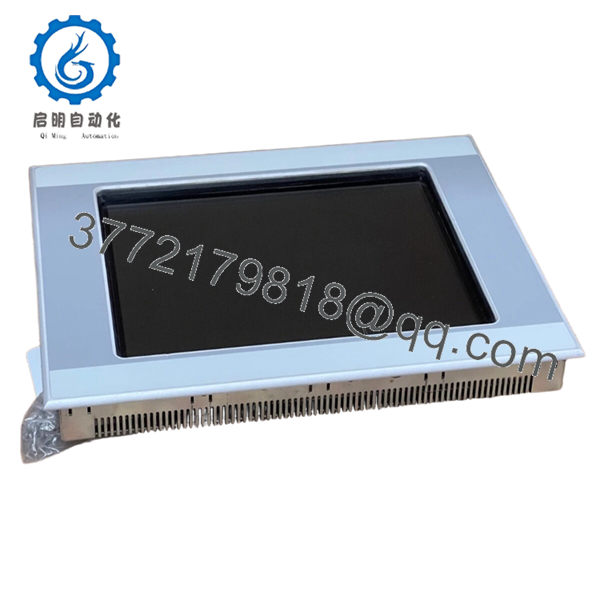
- XVS-440-12MPI-1-10
6. Firmware/Software Versions & Upgrade Notes
- Software Requirement: This unit is typically programmed using the Galileo or MX-Pro configuration tools.
- Compatibility: The integrated MPI interface is optimized for Siemens S7-300/400 series communication. Ensure your protocol drivers match the firmware version (V2.x or V3.x) currently running in your application.
- Note on Storage: If using CompactFlash cards for project storage, ensure the card is industrial-grade (SLC) to prevent data corruption during power-loss events.
7. Frequently Asked Questions (FAQ)
Q: How is “Infrared Touch” different from standard touch screens?
A: Unlike resistive screens that require physical pressure, Infrared (IR) touch uses a grid of light beams. This means the XVS-440-12MPI-1-10 can be operated with any object (gloves, stylus, or fingers) and the glass surface is much thicker and more scratch-resistant.
Q: Why should I buy New Surplus instead of a cheaper refurbished unit?
A: Refurbished XVS units often have “blind spots” in the infrared grid due to dust accumulation or sensor aging. New Surplus units are factory-sealed, ensuring the IR sensors and backlight are at 100% health, which is essential for 24/7 mission-critical operations.
Q: Does this unit include the MPI cable?
A: No, the unit features a standard DB9 female port for MPI/Profibus connectivity. You should reuse your existing shielded MPI cable to maintain network integrity.
Q: Can I use the Ethernet port and MPI port simultaneously?
A: Yes, the XVS400 architecture supports multi-protocol communication, allowing you to bridge data between a Siemens PLC via MPI and a SCADA system via Ethernet.
Q: Is there a warranty on this surplus unit?
A: Yes, our New Surplus inventory is backed by a comprehensive warranty that matches or exceeds typical OEM terms, providing peace of mind that the unit will perform to original specifications.



