
 WhatsApp: +86 16626708626
 Email:
  Phone: +86 16626708626
Description
3. Key Technical Specifications
| Parameter | Value |
|---|---|
| Display Size | 5.7 inch CSTN |
| Resolution | 320 × 240 (QVGA) |
| Touch Type | Infrared touch (IR grid) |
| Supply Voltage | 24 V DC |
| Power Dissipation | ~19 W |
| Memory | 64 MB DRAM |
| Operating System | Windows CE (license-based) |
| Storage | CompactFlash required |
| Communication Ports | Ethernet, RS232, Profibus/MPI |
| USB Interfaces | 1 × Host, 1 × Device |
| PLC Capability | Optional via CoDeSys license |
| Mounting | Flush panel mount |
| Protection Rating | IP65 (front) |
| Operating Temperature | 0 to +50 °C |
Note: HAPA suffix indicates OEM-specific configuration variant (often for packaging OEMs). Always verify firmware and interface licenses before installation.
4. Product Introduction
The Eaton XVS-440-57MPI-1-1Z HAPA is a 5.7-inch HMI panel from the XVS400 series, originally developed under Micro Innovation. It provides operator visualization with optional PLC functionality and native MPI/Profibus communication for Siemens-based systems.
In the field, this unit is commonly found in legacy European machinery—especially packaging equipment (HAPA OEM builds). It is typically used where direct MPI communication with S7 controllers is required without protocol gateways.
5. Installation & Configuration Guide
Stage 1: Pre-Installation Preparation (Estimated: 10 minutes)
- ⚠️ Safety First: Notify operations, stop machine, apply lockout/tagout, wait 5 minutes.
- Tools Required: ESD strap, PH1 screwdriver, multimeter, wire labels, smartphone.
- Data Backup:
- Export HMI/PLC project (Galileo or CoDeSys V2)
- Record MPI/Profibus node address and baud rate
- Photograph CompactFlash card and wiring
Stage 2: Removing the Old Module (Estimated: 5–10 minutes)
- Remove mounting clamps from rear.
- Label cables (especially MPI/Profibus connector orientation).
- Disconnect power and communication cables.
- Push panel out from enclosure.
- Inspect gasket and CF card slot.
⚠️ Note: Do NOT remove or overwrite the CompactFlash card until backup is secured.
Stage 3: Installing the New Module (Estimated: 10 minutes)
- Wear ESD protection.
- Confirm exact model and suffix (HAPA variant matters).
- Insert panel and align gasket evenly.
- Secure clamps uniformly.
- Reconnect:
- 24 V DC supply
- MPI/Profibus connector (ensure correct termination)
- Ethernet (if used)
Self-Checklist:
- CF card installed or cloned
- MPI address matches original
- Termination resistor correct
- Power polarity verified
Stage 4: Power-On & Testing (Estimated: 10–15 minutes)
Pre-Power Check:
- Verify stable 24 V DC supply
Power-On Steps:
- Power up HMI only.
- Observe Windows CE boot sequence.
- Verify:
- MPI communication with PLC
- IP configuration (if Ethernet used)
- Download project if needed.
- Test screen interaction and process data exchange.
⚠️ Troubleshooting Note:
- No MPI comms → check node address and termination
- Boot failure → CF card missing or corrupted
- Touch not responding → IR grid obstruction or failure
6. Frequently Asked Questions (FAQ)
Q1: Is this model obsolete?
Yes. The XVS400 series is discontinued. Most available units are surplus or refurbished. Availability depends heavily on secondary market stock.
Q2: What does “HAPA” mean in the model?
It indicates an OEM-specific variant, typically customized for HAPA packaging systems. Firmware, licensing, or interface configuration may differ from standard units.
Q3: Can this communicate directly with Siemens S7 PLCs?
Yes. Native MPI/Profibus support is built in. That’s one of the main reasons this unit is still in demand.
Q4: Can I hot-swap this panel?
No. This hardware is not designed for live insertion. Removing under power risks damage to communication interfaces and internal regulators.
Q5: Will my project automatically run on a replacement unit?
Only if:
- Firmware/runtime matches
- CompactFlash card is intact or cloned
Otherwise, expect manual reload.
Q6: Why are these units still expensive on the market?
Because they are tied to legacy machines. Replacing them often requires full system migration, so operators prefer drop-in replacements despite limited supply.
Q7: What’s the most common failure point?
Two main issues:
- Backlight degradation (~50,000 hours typical life)
- CompactFlash card corruption
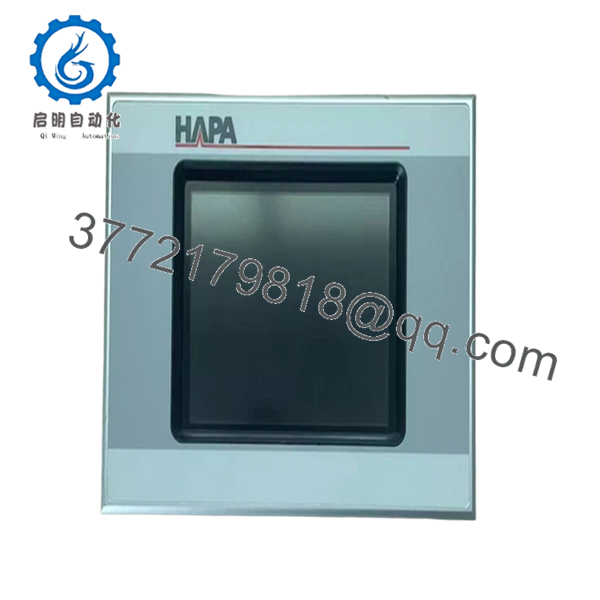
- XVS-440-57MPI-1-1Z HAPA
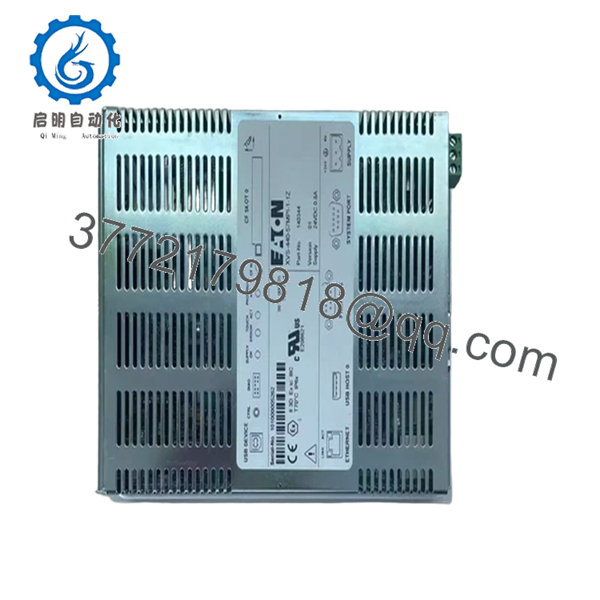
- XVS-440-57MPI-1-1Z HAPA
SOP Quality Transparency (Inspection & Testing Process)
1. Inbound Inspection & Traceability
- Verified against Eaton part number and OEM variant (HAPA marking)
- Serial number checked for authenticity
- Visual inspection: no LCD burn-in, no corrosion, no connector wear
2. Live Functional Testing
- Powered with regulated 24 V DC supply
- Boot sequence verified (Windows CE load)
- MPI/Profibus tested using Siemens-compatible network simulator
- Ethernet communication tested via Modbus TCP
- Touch IR grid tested across full screen
- Continuous runtime test: >24 hours
3. Electrical Parameter Testing
- Insulation resistance >10 MΩ @ 500 V
- Ground continuity verified
- Power consumption measured under load
4. Firmware & Configuration Verification
- Firmware/runtime version recorded
- PLC license presence checked
- Communication defaults documented
5. Final QC & Packaging
- QC sign-off with trace ID
- ESD anti-static packaging
- Foam-protected heavy-duty carton
- QC Passed label applied
Test reports, photos, and boot videos available upon request.
Technical Pitfalls & Survival Guide
❗ 1. CompactFlash Dependency
This unit relies on CF storage.
Avoidance: Clone the CF card before replacement.
I’ve seen machines down for days because the only copy was on a corrupted card.
❗ 2. MPI Address Conflict
Duplicate node addresses will shut down communication.
Avoidance: Match the old address exactly.
❗ 3. Termination Resistor Misconfiguration
Profibus requires correct termination at both ends.
Avoidance: Check connector switch position — don’t assume.
❗ 4. Firmware/Runtime Mismatch
Older projects may not run on newer firmware.
Avoidance: Verify runtime version before powering up.
I’ve personally seen a system stuck in fault state for two days over this.
❗ 5. ESD Damage During Handling
Older boards have minimal protection.
Avoidance: Always use ESD strap.
One static discharge can destroy the touchscreen controller instantly.



