
 WhatsApp: +86 16626708626
 Email:
  Phone: +86 16626708626
Description
3. Key Technical Specifications
| Parameter | Value |
|---|---|
| Max. SERCOS axes | 2 (A2 variant) |
| SERCOS cycle time | 2 ms or 4 ms |
| CPU | ST-PC VEGA |
| RAM | 128 MB |
| NVRAM | 128 kB |
| CompactFlash | ≥128 MB |
| Operating system | VxWorks real-time |
| Programming | IEC 61131-3 (IL, LD, FBD, SFC, ST, CFC) |
| Real-time bus | SERCOS (16 MBaud) |
| Fieldbus options | PROFIBUS DP, CAN, CANopen, DeviceNet |
| Network | Ethernet 10/100 Base-T |
| Serial | RS-232 + RS-485 |
| Master encoder | 1 × SinCos or incremental |
| Touchprobe inputs | 6 (fast) |
| Ambient temperature | +5 °C to +45 °C |
| Storage temperature | –25 °C to +70 °C |
| Dimensions (approx.) | 60 × 240 × 240 mm |
| Certifications | CE, UL, cUL |
4. Product Introduction
The Elau C200A211100 (type key C200/A2/1/1/1/00) is the compact entry-level motion controller in the PacDrive M family. It combines PLC logic and multi-axis motion control under the VxWorks real-time operating system.
The A2 version supports up to two SERCOS servo axes (MC-4, SCL or iSH drives) with 2 ms or 4 ms cycle times. It provides standard fieldbus interfaces, Ethernet, serial ports and fast touch-probe inputs. The unit is programmed with IEC 61131-3 languages and stores the application on a CompactFlash card. It is a direct replacement for existing C200 A2 installations on packaging and production machines that still run the PacDrive architecture.
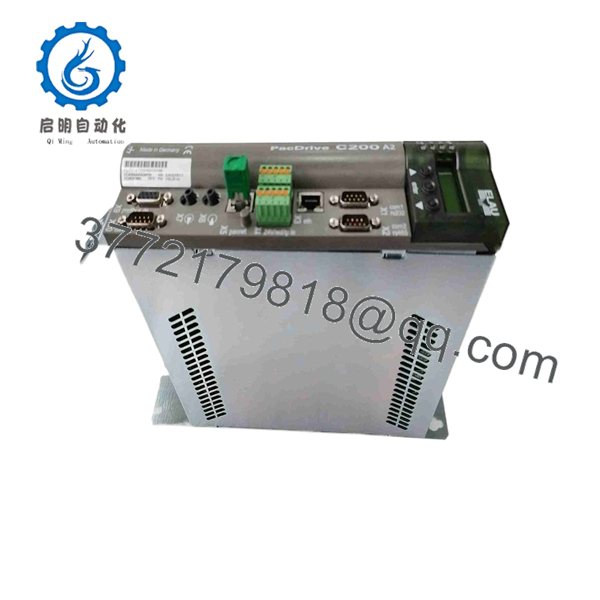
C200A211100
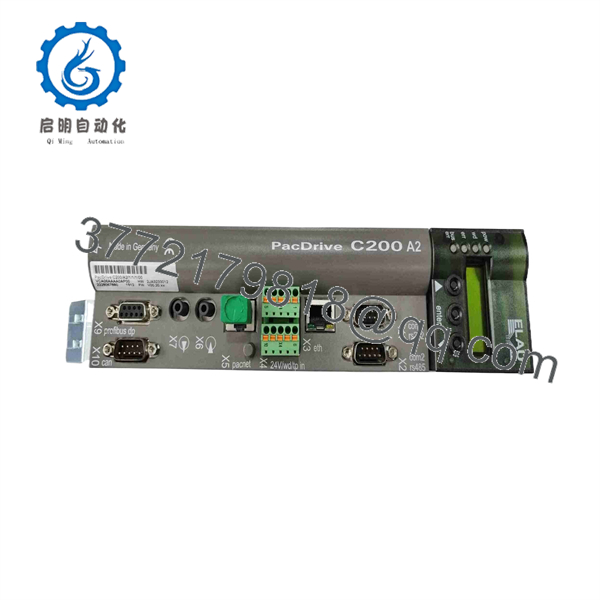
C200A211100
5. Troubleshooting Quick Reference
| Symptom | Possible Cause | Relevance to this Part | Quick Check Method | Recommendation |
|---|---|---|---|---|
| ERR LED solid or flashing | Configuration or firmware mismatch | ✅ High | Read diagnostic display / error log | Match firmware version and project |
| No SERCOS communication | Bus wiring or termination | ✅ High | Check SERCOS fiber/cable and terminators | Verify ring integrity before controller swap |
| Axes not enabled | Enable signals or safety circuit | ✅ Medium | Check digital inputs and safety chain | Confirm external enable wiring |
| Controller does not boot | CF card missing or corrupted | ✅ High | Inspect CompactFlash card and battery | Replace CF card with known-good image |
| Fieldbus offline | PROFIBUS/CAN configuration | ✅ Medium | Verify node address and baud rate | Re-load fieldbus parameters |
| Intermittent position errors | Master encoder signal | ❌ Low | Scope encoder signals at X11 | Fix encoder wiring first |
If the fault remains after these checks, photograph the type plate, diagnostic display and CF-card label, then contact technical support with the error codes.
6. Frequently Asked Questions (FAQ)
Q: How many servo axes does the C200A211100 support?
A: The A2 version is limited to two SERCOS axes. The standard C200 (non-A2) supports up to eight axes. Confirm the exact type key on the nameplate before ordering.
Q: Is this a direct drop-in for an older C200/A2?
A: Yes, provided the firmware revision and CompactFlash application match. Always back up the existing CF card before replacement.
Q: Can I hot-swap the controller?
A: No. Power down the entire system, including the SERCOS ring and 24 V control supply. Residual energy can damage both the controller and the drives.
Q: Does the application stay on the controller when I replace it?
A: The complete project lives on the CompactFlash card. Transfer the original CF card to the new unit or restore a known-good image. Without the correct CF card the machine will not run.
Q: Why is a surplus unit priced lower than a current PacDrive 3 controller?
A: The C200 series is an older PacDrive M generation. New-surplus stock is unused original material that still meets the full electrical and motion-performance specification. Every unit is functionally tested on a PacDrive test rack before shipment.
Q: Any common installation traps?
A: Verify SERCOS cable quality and termination, ensure the battery for the real-time clock is within its 5-year service life, and confirm the CF-card image matches the machine software version. A photo of the original type plate and CF card before removal prevents most commissioning delays.



