
 WhatsApp: +86 16626708626
 Email:
  Phone: +86 16626708626
Description
Key Technical Specifications
| Parameter | Specification |
| Manufacturer | ELAU AG (Schneider Electric) |
| Model / Part Number | C4001011100 (C400/10/1/1/1/00) |
| Alt. Part Number | VCA07AAAA0AA00 |
| Processor | Intel Pentium M (600 MHz) |
| System Memory | 256 MB RAM |
| Control Capacity | Up to 16 synchronous SERCOS axes |
| Power Supply Input | 24 VDC (±10%), 1.2 A max rating |
| Communication Protocols | SERCOS fiber optic bus, CAN bus, Ethernet, RS-232/485 |
| Operating Temperature | 0°C to +55°C (32°F to 131°F) |
| Enclosure Rating | IP20 |
Product Introduction & Supply Chain Strategy
This unit is offered as Brand New Surplus. It has not been pulled from active production lines, refurbished, or modified.
The ELAU PacDrive C400 (C4001011100) combines motion control and PLC functionality into a single controller designed for high-speed multi-axis packaging machinery. Powered by an Intel Pentium M processor, it coordinates up to 16 SERCOS digital servo drives with fast cycle times. Because Schneider Electric has phased out the PacDrive C-series in favor of newer platforms, securing genuine New Surplus C400 modules is vital for plants maintaining operational integrity without requiring costly and time-consuming system re-engineering.
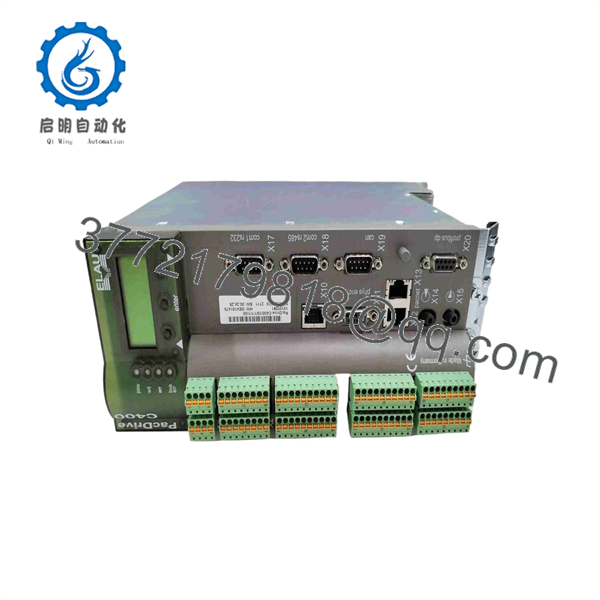
C400/10/1/1/1/00
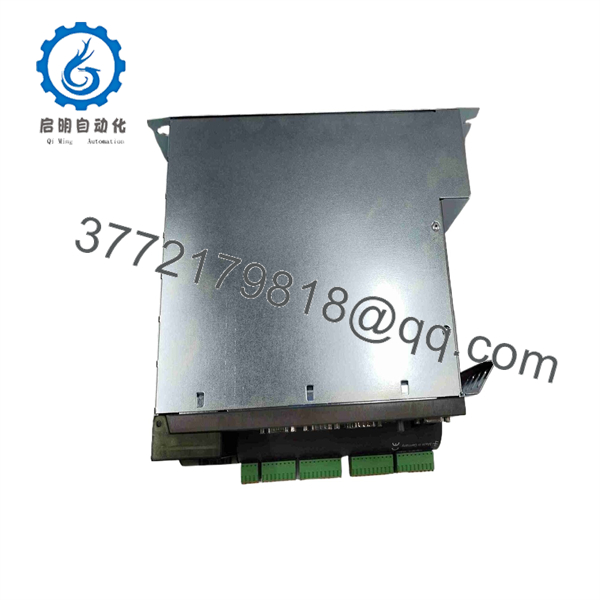
C400/10/1/1/1/00
Installation & Configuration Guide
- Pre-Installation Preparation & Safety: Disconnect all main line power feeding the control cabinet following standard Lockout/Tagout (LOTO) procedures. Wear an ESD-grounded wrist strap when handling the unit. Verify cabinet power supply output is 24 VDC (±10%).
- Physical Mounting: Mount the C400 controller onto standard DIN rail or enclosure slot guides. Secure using mounting clips (torque fasteners to 0.6 N·m). Ensure adequate clear space above and below the housing for proper convection cooling.
- Fieldbus & Signal Connections: Connect the fiber optic SERCOS ring cables to the designated optical ports. Attach CAN bus and Ethernet communications, then wire the 24 VDC supply terminal block observing correct polarity.
- Firmware & NVRAM Transfer: Insert the runtime CompactFlash card containing the application project and network configuration parameters from the original unit.
- Power-On & Diagnostics: Restore 24 VDC power. Observe front-panel status LEDs: a solid Green indicator confirms normal system operation, while a Red LED indicates a fault state or communication loop interruption.
Frequently Asked Questions (FAQ)
Q: Is the ELAU C4001011100 fully interchangeable with part number C400/10/1/1/1/00?A: Yes, C4001011100 is the compact catalog part number representation for the full matrix code C400/10/1/1/1/00.
Q: Can I plug a controller directly into an existing SERCOS loop without programming? A: No, the requires project software and parameter files stored on its CompactFlash memory card to run the machine program and control attached SERCOS drives.
Q: What is the primary cause of communication errors on this module? A: Common causes include dirty or bent fiber optic SERCOS connectors, mismatched CAN bus baud rate/termination settings, or improper 24 VDC supply voltage drops under heavy load.



