
 WhatsApp: +86 16626708626
 Email:
  Phone: +86 16626708626
Description
3. Key Technical Specifications
- Power supply: 24 V DC, -15% / +25%
- Power consumption: Max. 60 W
- CPU: Intel Pentium II 266 MHz
- Memory: 32 MB RAM, 512 kB L2 cache, 32 kB NVRAM
- Operating system: VxWorks real-time OS
- Programming: IEC 61131-3, CFC, FBD, IL, LD, SFC, ST
- Ethernet: 10 Base-T on X10
- Serial ports: RS232 on COM1, RS485 on COM2
- Motion bus: SERCOS interface, 4 MBaud
- Digital inputs: 20 integrated inputs on X3
- Digital outputs: 16 integrated outputs on X4
- Operating temperature: +5 to +55 °C
- Protection rating: IP20
4. Product Introduction
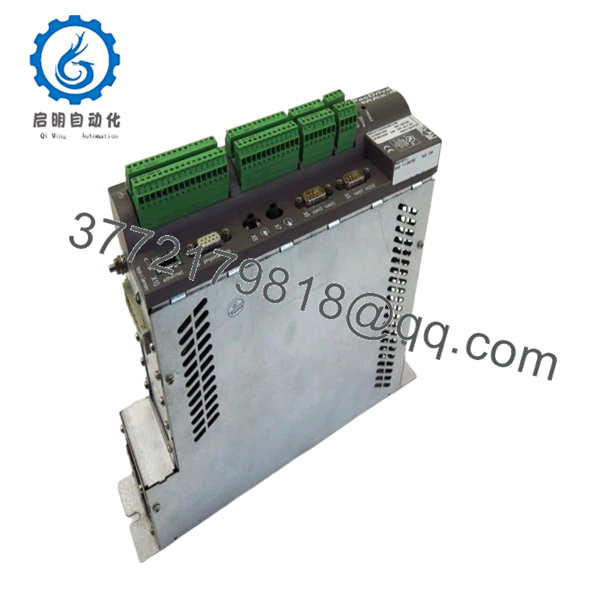
The ELAU MAX-4-11-03-032-04-0-0-00 is a PacDrive MAx-4 motion controller used in synchronized machine automation, servo coordination, and PLC control. It runs on 24 V DC and combines controller logic, motion control, and industrial communications in one unit.
It is chosen for legacy PacDrive systems that need exact model matching, SERCOS motion control, and IEC 61131-3 programming support. In the field, the main value is compatibility with existing machine code and wiring, not raw compute power.
5. Troubleshooting Quick Reference
| Symptom | Possible Cause | Relevance to this Part | Quick Check Method | Recommendation |
|---|---|---|---|---|
| No power LEDs at startup | Missing 24 V DC supply, blown fuse, or wiring fault | ❌ Low | Measure 24 V DC at X1 pins 1/2 and 5/6 with a multimeter | Check PSU, fuses, and terminal wiring before replacing controller |
| Controller boots, then faults on comms | Firmware mismatch, bad SERCOS/network setup, or corrupted project | ✅ High | Check diagnostic buffer, firmware revision, and bus status LEDs | Verify firmware range and project compatibility before swap |
| Axis feedback lost after replacement | Encoder wiring, master encoder setup, or option module mismatch | ✅ High | Inspect encoder cable, connector seating, and parameter setup | Compare the old unit’s hardware options before installing |
| Digital inputs stay off | External 24 V input supply missing or incorrect field wiring | ❌ Low | Measure field input voltage on X3 terminals and confirm common reference | Trace site wiring and supply first; the controller is not usually the root cause |
| Digital outputs do not switch load | Load supply missing, short circuit, or output wiring error | ❌ Low | Check +UL on X1, then verify output terminals under load | Confirm the external load circuit before condemning the controller |
| Random faults after swap | Wrong DIP/jumper setting or ESD damage during handling | ✅ High | Photograph old settings, inspect connector pins, and review install notes | Match the original configuration exactly and handle with ESD protection |
Contact technical support with photos of the nameplate, connector positions, diagnostic logs, and the old unit’s switch settings if the fault is still unclear.

- MAX-4-11-03-032-04-0-0-00
6. Frequently Asked Questions (FAQ)
Q: Is this a direct replacement for my existing MAX-4 controller?
A: Usually yes, if the full model code, hardware options, and firmware range match your installed system. The tricky part is option modules and revision-specific compatibility, so verify the old label before ordering.
Q: Can I hot-swap this module?
A: No. Kill power first. The manual warns that control-voltage disconnection can risk data loss or damage, so treat this as a powered-down replacement job.
Q: Will my program stay in the controller after the swap?
A: Not something I would count on in a replacement scenario. Back up the project before removal, and confirm the target unit’s firmware and memory state before commissioning.
Q: Why is this cheaper than a factory-new unit?
A: Because this model is discontinued and typically sold as surplus stock rather than current production. That lowers price, but it also means compatibility verification matters more than it does on current-generation hardware.radwell.
Q: What condition is this unit in?
A: New Surplus. That means unused inventory, but it is not factory fresh production stock, so cosmetic condition and packaging can vary.
Q: What are the main failure traps during installation?
A: The big three are firmware mismatch, incorrect switch/jumper settings, and wiring assumptions. I have seen a good controller blamed for a two-day outage when the actual problem was a tiny revision change and nobody copied the old settings first.
Q: What should I verify before I place the order?
A: Confirm the full order code, option modules, supply voltage, and whether your machine uses SERCOS, Ethernet, or fieldbus hardware tied to this controller. If any of that is unclear, match the old nameplate and connector layout exactly.



