
 WhatsApp: +86 16626708626
 Email:
  Phone: +86 16626708626
Description
Key Technical Specifications
| Parameter | Value |
|---|---|
| Manufacturer | ELAU AG, now part of Schneider Electric |
| Product family | PacDrive |
| Base controller | MAx-4 |
| Full order code | MAx-4/11/03/128/99/1/1/00 |
| Processor | Intel Pentium II, 266 MHz |
| RAM | 32 MB |
| L2 cache | 512 kB |
| NVRAM | 32 kB |
| Internal CompactFlash | 128 MB |
| Operating system | VxWorks real-time operating system |
| Programming | IEC 61131-3: CFC, FBD, IL, LD, SFC, and ST |
| SERCOS interface | 4 Mbaud, terminals X7 and X8 |
| Servo-axis capacity | Up to 99 axes |
| SERCOS cycle capacity | 11 axes at 1 ms; 23 axes at 2 ms; 45 axes at 4 ms |
| Digital inputs | 20 integrated inputs at X3 |
| Analog inputs | 2 differential inputs at X2, -7 to +10 V or 0-20 mA |
| Touch-probe inputs | 16 inputs at X4 |
| Digital outputs | 16 outputs at X4, 100 mA per output |
| Serial interfaces | RS-232 at X5 and RS-485 at X6 |
| Ethernet interface | 10Base-T at X10 |
| Fieldbus configuration | PROFIBUS DP master/slave, CAN, CANopen, DeviceNet slave, or Ethernet/IP slave via option modules |
| Supply voltage | 24 VDC, -15% to +25% |
| Maximum supply current | 3.15 A |
| Power consumption | 60 W maximum |
| Protection rating | IP20 |
| Operating temperature | +5 to +55 °C |
| Approvals | CE, UL, cUL |
Product Introduction
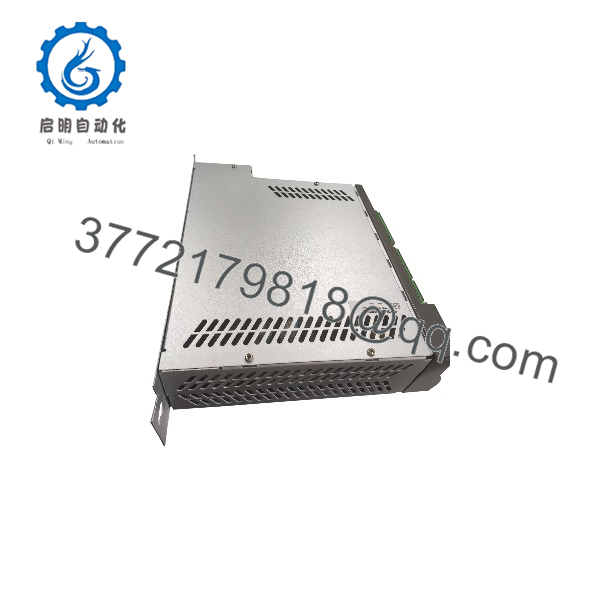
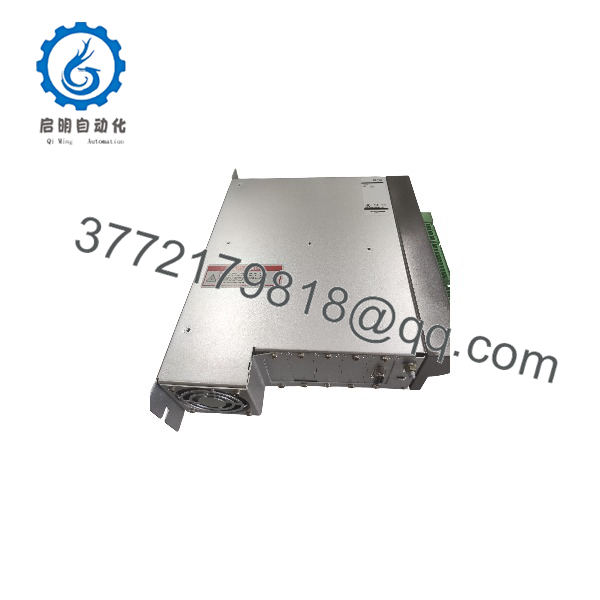
The ELAU MAx-4/11/03/128/99/1/1/00 is a 99-axis PacDrive multi-axis motion controller for high-axis-count packaging, handling, printing, and synchronized production machinery. It combines an IEC 61131-3 soft PLC with real-time SERCOS motion control, so one controller manages servo axes, logic, fieldbus communications, diagnostics, and HMI interaction.
This exact suffix includes a 128 MB CompactFlash, a 99-axis SERCOS configuration, and hardware configuration code 1/1/00. It is intended as a like-for-like replacement in existing ELAU PacDrive systems; verify the complete suffix, installed option modules, firmware version, and project backup before installation.
MAx-4/11/03/128/99/1/1/00
MAx-4/11/03/128/99/1/1/00
Troubleshooting Quick Reference
| Symptom | Possible Cause | Relevance to this Part | Quick Check Method | Recommendation |
|---|---|---|---|---|
| Controller will not power up | Missing or weak 24 VDC, blown fuse, or wiring fault | ✅ High | Measure 24 VDC at X1 terminals 1/2 and 5/6; confirm the PSU can supply up to 3.15 A | Check power supply, fuses, and wiring before replacing the controller |
| Controller boots but axes do not enable | SERCOS cable fault, drive not initialized, or motion program fault | ✅ High | Inspect X7/X8 SERCOS cabling and read controller/drive diagnostics | Verify SERCOS topology and drive status before condemning the MAx-4 |
| SERCOS communication fault | Damaged fiber, incorrect routing, missing termination, or drive firmware mismatch | ✅ High | Check optical path and confirm every SERCOS device is addressed and initialized | Repair or replace fiber and validate the SERCOS line or ring configuration |
| Project or recipe data lost | CompactFlash failure or improper shutdown | ✅ High | Check boot behavior and CompactFlash status; confirm a valid project backup exists | Restore from a verified backup; replace CompactFlash only with compatible approved media |
| Ethernet will not communicate | Wrong IP address, subnet conflict, bad cable, or network configuration issue | ❌ Medium | Ping the controller from a PC on the same subnet; inspect X10 link LEDs | Correct IP and cable settings before replacing hardware |
| PROFIBUS DP will not communicate | Missing option module, wrong node address, termination, or GSD mismatch | ✅ Medium | Verify installed PROFIBUS option module, node address, bus termination, and master configuration | Match the project configuration and physical bus setup |
| Digital outputs do not switch | Missing +UL supply, overloaded output, or controller output fault | ✅ Medium | Measure +UL at X1 terminal 3; check load current and output wiring | Restore +UL or reduce load; each output is rated 100 mA |
| Analog input reads incorrectly | Signal outside -7 to +10 V or 0-20 mA range, poor shielding, or wrong scaling | ❌ Medium | Measure the input at X2 and compare it with controller scaling | Correct signal range, shielding, and scaling; the MAx-4 has no analog outputs |
| Controller overheats | Blocked ventilation, excessive cabinet temperature, or excessive load | ✅ Medium | Measure enclosure temperature and verify operation within +5 to +55 °C | Improve cooling; do not operate outside the rated temperature range |
❗ Shutdown warning: Do not remove 24 VDC power casually. The MAx-4 documentation warns that disconnecting control voltage can cause data loss or CompactFlash damage; close files and use the documented shutdown sequence or UPS-supported procedure.
If the controller still will not operate, provide the complete nameplate data, firmware version, PacDrive project backup status, SERCOS topology, installed option modules, and photos of the status LEDs before ordering.
Frequently Asked Questions
What does MAx-4/11/03/128/99/1/1/00 mean?
It identifies an ELAU MAx-4 controller configured for up to 99 SERCOS axes, with a 128 MB CompactFlash, and the specific hardware/configuration suffix 1/1/00. The 11 and 03 fields identify the controller hardware/configuration version; confirm the exact suffix against the unit nameplate before ordering.
How many servo axes can this controller handle?
This configuration supports up to 99 SERCOS servo axes. The usable number at a given cycle time is lower: 11 axes at 1 ms, 23 axes at 2 ms, or 45 axes at 4 ms.
Can I program it like a PLC?
Yes. It supports IEC 61131-3 programming languages, including Ladder Diagram, Function Block Diagram, Structured Text, Instruction List, Sequential Function Chart, and Continuous Function Chart.
What motion bus does it use?
It uses a 4 Mbaud SERCOS interface through terminals X7 and X8.
Which fieldbuses can it support?
PROFIBUS DP master or slave, CAN, CANopen, DeviceNet slave, and Ethernet/IP slave are available through option modules. Only one CAN or CANopen option module can be installed per MAx-4.
Does it have analog outputs?
No. The MAx-4 has two integrated analog inputs but no integrated analog outputs. Add analog output capability through compatible PacDrive I/O or a fieldbus-based I/O system.
Can I hot-swap the CompactFlash card?
No. Do not remove storage media or disconnect control power while the controller is running. Use the documented shutdown procedure to prevent file corruption or CompactFlash damage.
Is this exact version still available new?
The MAx-4/11/03/128/99/1/1/00 is legacy ELAU PacDrive hardware. Current availability is generally refurbished or surplus stock, so request the serial number, firmware version, test scope, photos, and warranty terms before purchase.



