
 WhatsApp: +86 16626708626
 Email:
  Phone: +86 16626708626
Description
Key Technical Specifications
| Parameter | Value |
|---|---|
| Manufacturer | Emerson / Westinghouse Ovation |
| EMOD Part Number | 1C31166G02 |
| PMOD Part Number | 1C31169G02 |
| Assembly Type | Serial Link Controller, EMOD + PMOD |
| DCS Platform | Emerson Ovation |
| CPU | R1120 |
| Serial Interface | RS-485 |
| Wiring | 4-wire |
| RS-422 Support | Yes, according to Ovation documentation |
| Application | Third-party serial device/system communication |
| Ports | J1 programming port; J2 application port |
| Communication Rate | Up to 3.125 Mbps reported for the RS-485 configuration |
| Ovation Controller Requirement | Appropriate SLC algorithm |
| Field Connection | PMOD J2 or base-unit terminal block |
| Typical Long-Distance RS-485 Application | Up to 4,000 ft / 1,220 m, subject to cable and installation conditions |
The Ovation I/O Reference Manual describes the Link Controller as the interface between an Ovation Controller and a third-party device or system. It specifies 1C31169G02 for RS-485 and also permits its use for RS-422.
A separate Ovation Modbus interface guide states that the Group 2 personality module, 1C31169G02, provides an RS-422/RS-485 electrical interface and is appropriate for distances up to 4,000 ft (1,220 m).
Part-Number Clarification
There is an important documentation discrepancy worth flagging for procurement.
The older Ovation R3-1150 I/O Reference Manual lists 1C31166G01 as the Link Controller EMOD and pairs it with 1C31169G02 for four-wire RS-485/RS-422.
However, Emerson’s later spare-parts documentation explicitly lists 1C31166G02 as “EMOD ASSY, LINK CONTROLLER (R1120 CPU)”.
Current aftermarket listings likewise identify 1C31166G02 + 1C31169G02 as an Ovation RS-485, four-wire, R1120-CPU EMOD/PMOD assembly.
Procurement recommendation: If your installed unit is marked 1C31166G02 / 1C31169G02, match both numbers exactly. Do not substitute the older 1C31166G01 solely because it appears in older manuals.
Product Introduction
The Emerson 1C31166G02 + 1C31169G02 combination is an Ovation DCS Serial Link Controller consisting of an R1120-based electronic module and an RS-485/RS-422 personality module. It provides a serial data path between an Ovation Controller and third-party equipment.
The 1C31169G02 establishes the four-wire RS-485 interface, making this combination appropriate where the external device requires a longer-distance differential serial connection. The Ovation documentation also identifies the combination for RS-422 applications.
Installation & Configuration Guide
Stage 1: Pre-Installation Preparation — Approximately 5–10 Minutes
⚠️ Safety First: Notify operations, place affected control functions in their approved maintenance state, and follow the site’s LOTO procedure. Do not assume the Link Controller can be removed under power.
Tools Required
- ESD wrist strap
- PH1 screwdriver, where applicable
- Digital multimeter
- Wire labels
- Smartphone/camera
- Approved Ovation Link Controller documentation
Data Backup
- Record both part numbers: 1C31166G02 and 1C31169G02.
- Photograph the complete EMOD + PMOD assembly.
- Record the Ovation I/O slot and node.
- Photograph the J2 application-port wiring.
- Record the third-party device manufacturer and model.
- Record baud rate, parity, data bits, stop bits, and addressing.
- Capture the existing SLC configuration.
- Record whether the link uses RS-485 or RS-422.
Stage 2: Removing the Old Assembly — Approximately 5 Minutes
- Place the communication link in the approved maintenance state.
- Remove applicable covers or retaining hardware.
- Label the J1 and J2 connections.
- Disconnect the field/application cable carefully.
- Release the module retaining mechanism.
- Withdraw the EMOD straight from the Ovation base.
- Keep the 1C31169G02 PMOD with the old unit if it is not being replaced.
- Inspect the connector and base for contamination, bent pins, or mechanical damage.
⚠️ Keep the old EMOD + PMOD assembly until communication has been fully restored.
Stage 3: Installing the New Assembly — Approximately 5–10 Minutes
- Verify EMOD = 1C31166G02.
- Verify PMOD = 1C31169G02.
- Confirm that the physical assembly matches the removed unit.
- Connect the grounded ESD wrist strap.
- Inspect the connector contacts.
- Install the PMOD/EMOD assembly in the original I/O position.
- Fully seat and lock the assembly.
- Reconnect J1 and J2.
- Verify RS-485 four-wire connections against the approved wiring diagram.
- Check cable shielding and grounding according to the plant standard.
Self-Checklist
- EMOD: 1C31166G02
- PMOD: 1C31169G02
- Correct Ovation slot
- RS-485/RS-422 mode confirmed
- TX+/TX− verified
- RX+/RX− verified
- Shield connection verified
- J2 fully seated
- Retaining mechanism locked
Stage 4: Power-On & Testing — Approximately 10–15 Minutes
- Inspect all connections before energizing.
- Check for unintended shorts.
- Energize the affected Ovation hardware according to the approved procedure.
- Check module status indications.
- Confirm that the Ovation Controller recognizes the Link Controller.
- Verify the configured SLC algorithm.
- Confirm baud rate and serial parameters.
- Establish communication with the external device.
- Monitor transmit and receive activity.
- Verify actual application data rather than merely checking physical-layer communication.
- Perform a controlled command/readback test if the external system permits it.
- Return the communication link to service after operations approval.
⚠️ Troubleshooting Note: If the Link Controller is recognized but the third-party device does not communicate, check TX/RX polarity, four-wire termination, baud rate, parity, addressing, cable shielding, and PMOD identification before replacing the EMOD again.
Technical Pitfall & Survival Guide
1. EMOD/PMOD Confusion
❗ This pair should be treated as a matched functional assembly.
1C31166G02 = EMOD.
1C31169G02 = RS-485/RS-422 PMOD.
The older R3-1150 manual documents the G01 EMOD, while later Emerson spare-parts material identifies G02 as the R1120 Link Controller EMOD.
For an existing G02 installation, match the actual nameplate rather than mixing generations based on a generic product description.
2. Four-Wire RS-485 Wiring
❗ Four-wire RS-485 is not the same wiring arrangement as two-wire half-duplex RS-485.
Verify:
- TX+
- TX−
- RX+
- RX−
against the actual Ovation and third-party equipment drawings.
3. Termination
The RS-485/RS-422 interface is sensitive to incorrect termination and cable topology.
Do not install termination resistors at every device. Follow the network topology and equipment documentation.
4. SLC Algorithm
The hardware replacement is only part of the job. The Ovation documentation states that the appropriate Serial Link Controller (SLC) algorithm must reside in the Ovation Controller.
If the hardware communicates but the application does not exchange data, check the controller-side algorithm and point configuration.
5. Legacy Hardware Revision
This is exactly the sort of spare where old manuals and current replacement numbers can disagree.
I’ve seen procurement teams order the older G01 version because an archived manual listed it, while the installed spare specification called for G02. Read the actual installed labels before issuing the purchase order.
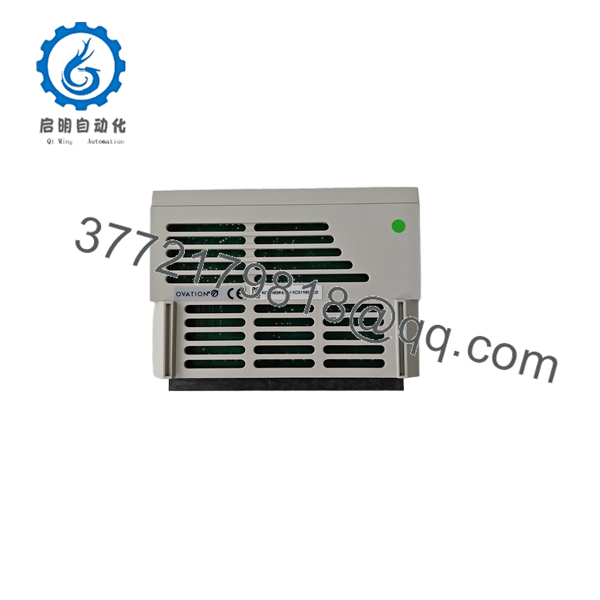
1C31166G02 1C31169G02
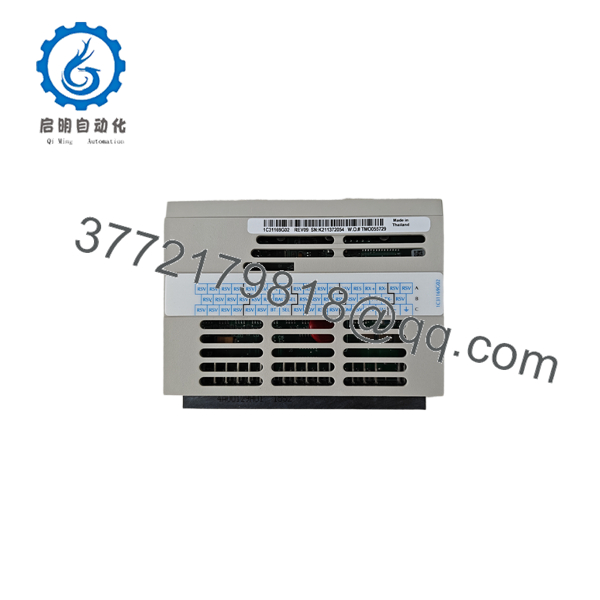
1C31166G02 1C31169G02
Frequently Asked Questions (FAQ)
1. What is the 1C31166G02 + 1C31169G02 combination?
It is an Emerson Ovation Serial Link Controller assembly. 1C31166G02 is the R1120-based electronic module, while 1C31169G02 is the personality module providing the RS-485/RS-422 interface.
2. Is 1C31169G02 an independent controller?
No. 1C31169G02 is the PMOD, not the complete Link Controller. It works with the appropriate Link Controller EMOD.
For this requested configuration, the associated EMOD is 1C31166G02.
3. What communication interface does 1C31169G02 provide?
It provides an RS-485 interface and can also be used for RS-422. The documented configuration is four-wire.
For long-distance Modbus-type applications, the Ovation interface documentation specifies the Group 2 PMOD for RS-422/RS-485 and gives an application distance of up to 4,000 ft (1,220 m), subject to installation conditions.
4. Is 1C31166G02 the same as the 1C31166G01 shown in older Ovation manuals?
Do not assume they are interchangeable.
The older R3-1150 manual lists 1C31166G01, whereas Emerson’s later spare-parts documentation identifies 1C31166G02 as the CPU Link Controller EMOD.
For replacement purchasing, use the exact part number installed in your system and verify the system revision.
5. Can this assembly communicate with Modbus equipment?
Yes. Emerson’s Ovation Link Controller documentation includes dedicated Modbus interfaces and specifies 1C31169G02 as the RS-422/RS-485 personality-module option.
The physical serial interface is only one part of the integration. The Ovation SLC algorithm, third-party device protocol settings, addressing, and point mapping must also be correct.
6. Can I hot-swap 1C31166G02 + 1C31169G02?
Do not assume it is hot-swappable.
The replacement procedure depends on the exact Ovation I/O architecture and plant maintenance rules. Unless the applicable documentation explicitly permits live replacement, de-energize the affected hardware under LOTO.
7. What condition should I specify when purchasing this pair?
For a shutdown-critical spare, specify the exact requirement:
- Factory Sealed — unopened original packaging where available
- New Original / New Surplus — unused original hardware from surplus inventory
- Refurbished (tested) — previously used hardware that has undergone documented testing
Request photographs of the actual 1C31166G02 and 1C31169G02, confirm the revision markings, verify physical stock, and request a test report and warranty terms before purchase. Current supplier listings show that availability and stated condition vary significantly between vendors.



