
 WhatsApp: +86 16626708626
 Email:
  Phone: +86 16626708626
Description
3. Key Technical Specifications
| Parameter | Value / Description |
|---|---|
| Manufacturer | Emerson (formerly Westinghouse Ovation) |
| Part Number | 1C31238H01 |
| Product Type | P-Mod Cavity Insert / Base Cover (Compact Digital Input) |
| Channels | 16 digital / contact / events inputs |
| Input Type | Contact / discrete (dry contact or voltage sensing) |
| Typical Field Voltage | 24 V DC (application dependent; verify system design) |
| Function | Provides wiring interface and labeling for compact DI module |
| Mounting | Inserts into Ovation P-Mod base / personality module position |
| System Compatibility | Emerson Ovation DCS |
| Operating Temperature | Typically cabinet-rated (confirm with base module) |
| Weight (approx.) | 0.2–0.32 kg |
| Status | Legacy / spare part for existing Ovation systems |
Exact field voltage range, isolation, and wiring details are defined by the associated Electronics Module (EMOD) and system configuration. Always verify against the Ovation I/O documentation and plant drawings.
4. Product Introduction
The Emerson 1C31238H01 is a P-Mod cavity insert (also described as a base cover or personality module insert) used in the Ovation distributed control system. It supports 16-channel compact digital / contact / events inputs and fits into the P-Mod base, providing the correct mechanical interface and wiring schematic labeling.
In many Ovation compact digital input configurations, this insert occupies the personality module position and works with the corresponding electronics module. It is a direct replacement part for existing Ovation installations in power generation and process plants that still operate this I/O style.
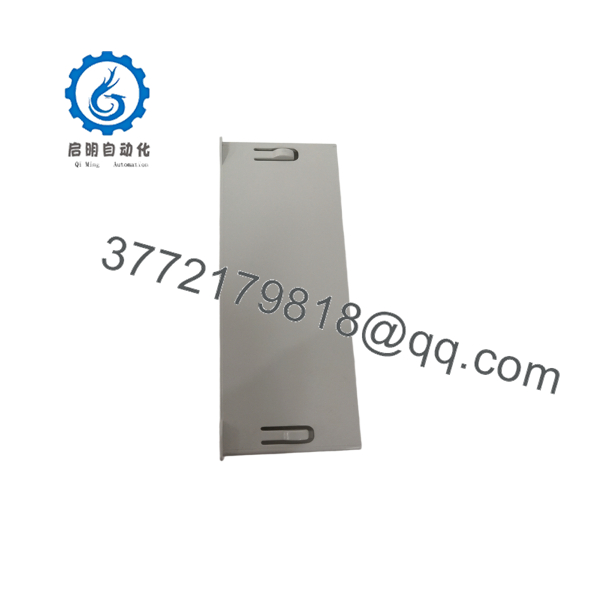
1C31238H01
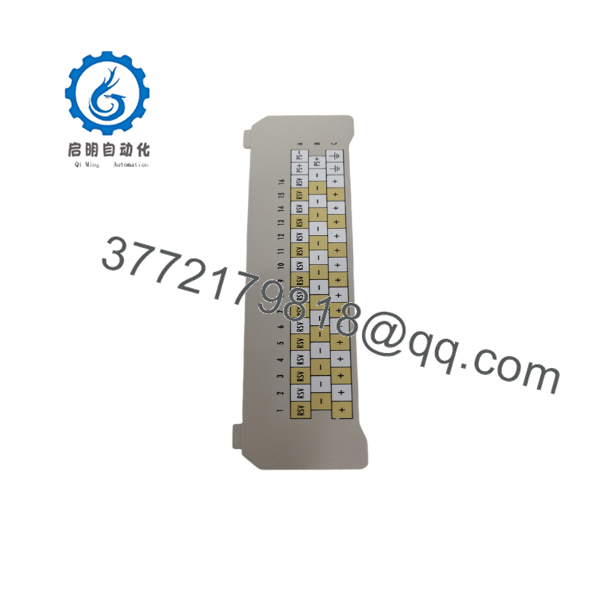
1C31238H01
5. Installation & Configuration Guide
Stage 1: Pre-Installation Preparation (≈10–15 min) ⚠️ Safety First: Place the Ovation controller and I/O cabinet in a safe state. Isolate power to the affected I/O base if required by site procedure. Apply lock-out/tag-out. Confirm the points served by this module are under alternative monitoring if they are critical. Tools Required: ESD wrist strap, appropriate screwdriver or extractor, multimeter, camera. Documentation: Photograph the existing insert, terminal wiring, and any labels. Note the associated Electronics Module part number and cabinet slot.
Stage 2: Removing the Old Insert (≈5–10 min)
- Verify zero energy on the I/O base.
- Label all field wiring if it will be disturbed.
- Release any retaining hardware and carefully withdraw the cavity insert.
- Inspect the P-Mod base connectors for damage or contamination. ⚠️ Keep the original insert available until the replacement is fully verified.
Stage 3: Installing the New Insert (≈5–10 min)
- Confirm the incoming 1C31238H01 matches the removed unit and is intended for the compact digital input application.
- Align the insert with the P-Mod base guides and seat it fully.
- Secure any retaining hardware.
- Re-land field wiring according to the schematic on the insert and the original drawings. Self-Checklist: [ ] Correct part number [ ] Fully seated [ ] Wiring matches schematic [ ] No bent pins.
Stage 4: Power-On & Testing (≈15–30 min) Pre-Power Check: Visual inspection of seating and wiring. Power-On Steps:
- Restore power to the I/O base / controller.
- Verify the Ovation system recognizes the module without new faults.
- Force or simulate input states on several channels and confirm correct status in the control system.
- Check for any open-wire or fault indications.
- Document results. ⚠️ Troubleshooting Note: Incorrect insert type or poor seating is the most common cause of channel faults or missing inputs after replacement. Always match the insert to the electronics module and system configuration.
6. Frequently Asked Questions (FAQ)
Q: Can the 1C31238H01 be hot-swapped under power? No. Isolate power to the I/O base before removal or installation according to Emerson Ovation maintenance procedures and site safety rules.
Q: Is this a complete digital input module? No. It is a cavity insert / personality module component that works with the corresponding Ovation Electronics Module (EMOD) and P-Mod base. It provides the mechanical interface and wiring identification for a 16-channel compact contact/events input configuration.
Q: Is the 1C31238H01 still in current production? It is a legacy Ovation part. Available units are typically new surplus or tested secondary-market stock intended for maintenance of existing systems.
Q: What should I verify before ordering or installing? Confirm that the existing installation uses this exact cavity insert for compact digital / contact inputs. Match the associated electronics module part number and review the plant I/O drawings.
Q: Will replacing this insert affect point configuration or logic? Point configuration resides in the Ovation controller database. The insert itself does not store application logic. However, correct physical installation and wiring are required for the points to operate properly.
Q: Why is the price lower than a current Emerson I/O module? This is a legacy spare part sold on the secondary market. Pricing reflects condition, testing, and residual demand rather than current OEM production pricing for active Ovation I/O families.
Q: Are test reports available? Basic inspection and continuity/functional checks can be provided on request for the specific unit supplied. Full system validation remains the responsibility of the end user according to plant procedures.



