
 WhatsApp: +86 16626708626
 Email:
  Phone: +86 16626708626
Description
Key Technical Specifications
| Parameter | Value |
|---|---|
| Manufacturer | Emerson / Ovation |
| Part Number | 5X00501G01 |
| Product Type | Analog Input Module |
| Channel Count | 16 |
| Input Signal | 4-20 mA |
| Transmitter Type | 2-wire |
| Analog Function | Current input acquisition |
| Typical Module Power | 1.2 W/VA |
| Typical Heat Dissipation | 4.7 BTU/h |
| System | Emerson Ovation DCS |
| Installation | Ovation I/O system |
| Application | Process measurement and control |
The 1.2 W/VA typical power consumption and 4.7 BTU/h typical heat dissipation are documented in Ovation system-planning material for the 5X00501G01 16-channel 4-20 mA module.
⚠️ Specification warning: Several aftermarket pages incorrectly describe 5X00501G01 as an RTD, digital input, HART, or other module and publish conflicting voltage/channel specifications. Those claims should not be used for engineering substitution. The Ovation planning documentation provides the strongest identification: 16-channel 4-20 mA analog input, 2-wire.
Product Introduction
The Emerson Ovation 5X00501G01 is a 16-channel 4-20 mA analog input module used for acquiring process transmitter signals in an Ovation DCS. Emerson’s Ovation system-planning documentation specifically associates this part number with 2-wire 4-20 mA inputs.
This distinction matters when replacing legacy I/O. 5X00501G01 is listed for 2-wire transmitters, while 5X00502G01 is listed for 4-wire applications. Verify transmitter wiring, channel configuration, and the existing Ovation I/O documentation before substitution.
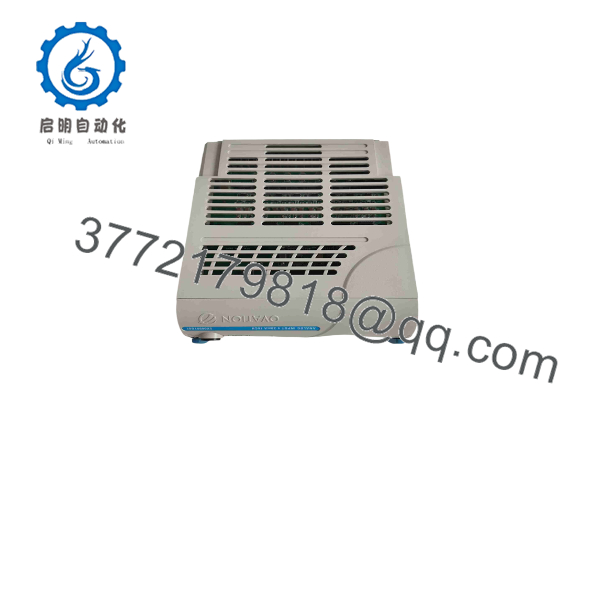
5X00501G01
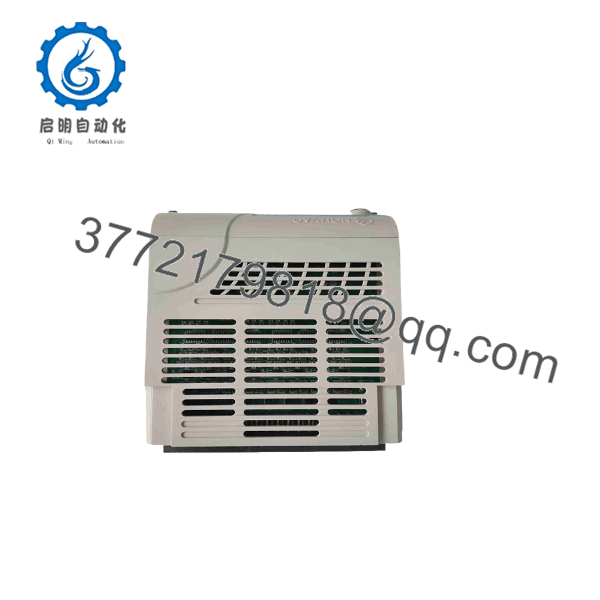
5X00501G01
Installation & Configuration Guide
Stage 1: Pre-Installation Preparation — Approximately 10 Minutes
⚠️ Safety First: Notify operations, place the process in its approved safe state, and apply the plant’s lockout/tagout procedure before removing the I/O module.
Tools Required:
- ESD wrist strap
- Appropriate screwdriver
- Digital multimeter
- Wire labels
- Smartphone/camera
- Ovation engineering workstation, where required
Data Backup:
- Record the exact part number: 5X00501G01.
- Record the rack and slot position.
- Photograph all 16 channel connections.
- Record each channel’s transmitter tag and engineering range.
- Identify which channels use 2-wire transmitters.
- Record the existing Ovation point configuration.
- Photograph terminal-block and cable-shield arrangements.
❗ Do not confuse this module with 5X00502G01. The Ovation planning documentation distinguishes the 2-wire 5X00501G01 from the 4-wire 5X00502G01.
Stage 2: Removing the Old Module — Approximately 5 Minutes
- Place the affected Ovation I/O subsystem in the approved maintenance state.
- Isolate power according to the applicable Ovation installation procedure.
- Verify the relevant circuit is de-energized.
- Label every field conductor.
- Photograph the wiring before disconnecting it.
- Disconnect the field wiring carefully.
- Release the module’s mechanical retention mechanism.
- Pull the module straight out.
- Inspect the connector and I/O base for contamination or damaged contacts.
⚠️ Keep the original module available until all 16 channels have passed commissioning.
Stage 3: Installing the New Module — Approximately 5 Minutes
- Apply ESD protection before handling the replacement.
- Verify the nameplate reads 5X00501G01.
- Confirm the correct Ovation rack and slot.
- Compare the replacement’s connector arrangement with the removed module.
- Insert the module straight into the I/O base.
- Secure the module mechanically.
- Reconnect each transmitter wire according to the photographs and wiring drawings.
- Check shield and common connections carefully.
Self-Checklist:
- 5X00501G01 verified
- Correct rack/slot verified
- 16 channels documented
- 2-wire transmitters confirmed
- Wiring polarity checked
- Shielding restored
- Module fully seated
Stage 4: Power-On & Testing — Approximately 10 Minutes
- Perform a final wiring inspection.
- Check the input circuits for accidental shorts before energizing.
- Restore power using the approved Ovation procedure.
- Check module status indications.
- Confirm the Ovation controller recognizes the I/O module.
- Verify all 16 configured points.
- Confirm each point is assigned to the correct transmitter.
- Check live current values.
- Compare readings against known process conditions or a calibrated current source.
- Verify engineering-unit scaling.
- Check alarms, ranges, and point quality.
- Return the process to normal operation after all channels pass.
For a channel that reads unexpectedly low or high, start with loop power, polarity, transmitter wiring, termination, and point scaling before condemning the module.
Frequently Asked Questions (FAQ)
Q1. What is Emerson 5X00501G01?
It is an Ovation 16-channel 4-20 mA analog input module for 2-wire transmitters. This identification is supported by Ovation system-planning documentation.
Q2. How many analog inputs does 5X00501G01 provide?
The documented configuration provides 16 analog input channels, each intended for 4-20 mA signals from 2-wire transmitters.
Q3. Is 5X00501G01 suitable for 4-wire transmitters?
Do not substitute it based simply on the 4-20 mA signal range. Ovation documentation separately lists 5X00502G01 for 4-wire 4-20 mA applications, while 5X00501G01 is identified for 2-wire transmitters.
Q4. Is 5X00501G01 an RTD input module?
No, not according to the Ovation system-planning documentation. The documented 5X00501G01 is a 16-channel 4-20 mA analog input module. Ovation uses separate part numbers for RTD input modules, including the 5X00119/5X00121 family.
Q5. Can I hot-swap 5X00501G01?
Do not assume hot-swapping is permitted. Follow the specific Ovation rack/I/O installation procedure for the installed hardware revision. Unless the documentation explicitly authorizes energized removal, isolate the applicable power before replacing the module.
Q6. Why do online listings give conflicting specifications?
This part number is poorly described on some aftermarket websites. Current listings variously call it an analog input, digital input, RTD input, HART module, or even an Ethernet device. Those descriptions conflict with one another.
For engineering procurement, I would use the Ovation system-planning reference and the physical module nameplate as the primary identification sources.
Q7. What should I verify before purchasing a replacement?
Give the supplier the complete 5X00501G01 part number and confirm:
- 16-channel analog input function
- 4-20 mA signal requirement
- 2-wire transmitter application
- Existing Ovation rack/base configuration
- Hardware revision
- Required condition: Factory Sealed, New Surplus, or Refurbished/Tested
Also request photographs of the actual nameplate if the supplier cannot provide OEM documentation. For legacy Ovation I/O, that simple check can prevent an expensive wrong-part shipment.



