
 WhatsApp: +86 16626708626
 Email:
  Phone: +86 16626708626
Description
Key Technical Specifications
| Parameter | Value |
|---|---|
| Product Model | Emerson FloBoss S600+ |
| Product Type | Panel-mount fiscal flow computer |
| Primary Application | Gas and liquid hydrocarbon measurement |
| Processor | ColdFire MPC8313C, 333 MHz with hardware floating-point processor |
| Operating System | Linux |
| Flash Memory | 256 MB |
| DRAM | 128 MB |
| Battery-Backed SRAM | 4 MB |
| Calculation Precision | 64-bit double precision floating point |
| Display | 8-line LCD |
| Keypad | 29-key operator keypad |
| Ethernet Interface | Two 10/100Base-T ports |
| Serial Communication | RS232, RS422, RS485 |
| Communication Protocols | Modbus/TCP, Modbus RTU, Modbus ASCII |
| Analog Input Accuracy | ±0.005% of full scale at 23 °C |
| Operating Temperature | −10 to +60 °C |
| Supported Standards | AGA, ISO, GPA, API, ASTM, GERG |
| Maximum Meter Streams | Up to 10 streams with expansion modules |
| Data Logging | Up to 333 days of reports, 50,000 events, 50,000 alarms |
The Emerson FloBoss S600+ is designed for fiscal measurement, custody transfer, pipeline measurement, batch loading, and meter proving applications. It supports simultaneous gas and liquid measurement configurations and provides calculation methods based on standards including AGA, ISO, GPA, API, and ASTM.
Product Introduction
The Emerson FloBoss S600+ is a panel-mounted fiscal flow computer used for accurate measurement and control of hydrocarbon gas and liquid streams. It processes signals from turbine, ultrasonic, Coriolis, positive displacement, and differential-pressure flow measurement systems for custody transfer and pipeline applications.
The S600+ uses a 333 MHz ColdFire processor with hardware floating-point calculation support and performs metering calculations using 64-bit precision. It integrates Ethernet, serial communication, Modbus protocols, and Config600 engineering software for system configuration and maintenance.
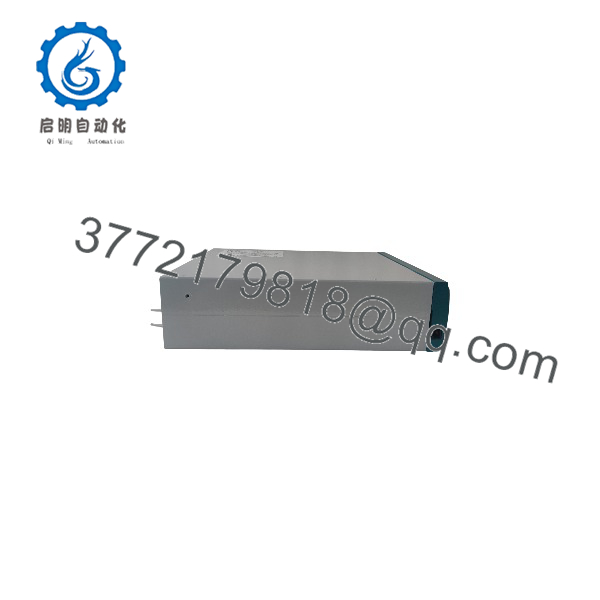
FloBoss S600+
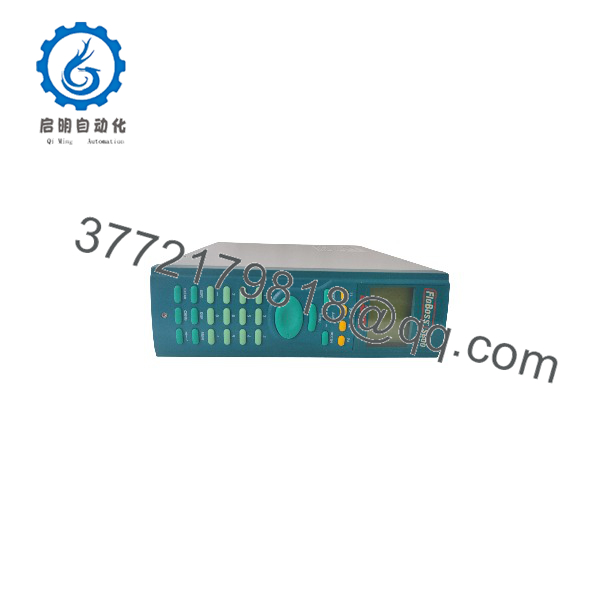
FloBoss S600+
Installation & Configuration Guide
Stage 1: Pre-Installation Preparation — Approximately 15 Minutes
⚠️ Safety First: Notify operations before removing the existing flow computer. Place the metering system into a controlled maintenance state. Follow site LOTO procedures before disconnecting power or field wiring.
Tools Required:
- ESD wrist strap
- Digital multimeter
- Small screwdriver set
- Wire labels
- Network cable tester
- Laptop with Config600 software
- Smartphone for wiring and configuration photos
Data Backup Before Removal:
- Export the existing S600/S600+ configuration file using Config600.
- Record the current firmware version.
- Save communication parameters:
- IP addresses
- Modbus addresses
- Serial baud rates
- Port assignments
- Photograph all terminal wiring.
- Record meter stream configuration.
- Backup LogiCalc programs and calculation settings.
⚠️ Important: A replacement + without the correct configuration file can power up normally but produce incorrect metering results. Always preserve the original configuration before replacement.
Stage 2: Removing the Old Flow Computer — Approximately 10 Minutes
- Switch off the panel power supply.
- Verify absence of voltage with a multimeter.
- Disconnect Ethernet and serial communication cables.
- Label every field terminal connection.
- Remove analog input, pulse input, and digital I/O wiring.
- Release the panel mounting hardware.
- Remove the existing flow computer carefully.
- Inspect terminal blocks and wiring insulation for damage.
⚠️ Keep the original + until the replacement has completed commissioning. It provides a reference for wiring, configuration, and troubleshooting.
Stage 3: Installing the New FloBoss + — Approximately 15 Minutes
- Verify the replacement model and hardware configuration.
- Confirm the installed I/O modules match the previous unit.
- Install the + into the panel cutout.
- Secure mounting hardware.
- Reconnect field wiring according to the documented terminal layout.
- Connect Ethernet and serial communication cables.
- Verify grounding connections.
- Load the saved configuration using Config600.
Configuration Clone Checklist:
- IP address matches original system
- Modbus settings verified
- Meter stream configuration restored
- Flow calculation parameters restored
- LogiCalc application loaded
- Alarm limits verified
Stage 4: Power-On & Testing — Approximately 30 Minutes
- Perform a final wiring inspection before energizing.
- Power on the flow computer panel.
- Observe startup sequence and LCD display.
- Confirm no hardware fault alarms appear.
- Connect Config600 software.
- Verify firmware and configuration compatibility.
- Check communication with:
- PLC/RTU systems
- SCADA systems
- Gas chromatographs
- Meter transmitters
- Simulate or verify field inputs.
- Confirm flow calculations.
- Review alarms and event logs.
⚠️ Troubleshooting Note:
- No Modbus communication: Check IP address, subnet settings, serial parameters, and protocol mode.
- Incorrect flow totals: Verify meter factors, pressure/temperature inputs, and calculation standards.
- Missing I/O signals: Confirm expansion module configuration and terminal assignments.
The + supports configurable communication tasks and Modbus master/slave/peer-to-peer operation through Ethernet and serial interfaces.
Frequently Asked Questions (FAQ)
Can the Emerson FloBoss + replace an older FloBoss ?
Yes, in many installations the + was designed as the successor to the original platform. However, replacement is not only a hardware swap. Verify configuration files, I/O modules, firmware compatibility, and communication settings before installation.
Is the FloBoss + obsolete?
No. Emerson continues to provide documentation and support information for the FloBoss + platform. However, availability depends on region, configuration, and inventory status. Always confirm the exact hardware revision before purchasing.
Will I lose my metering configuration when replacing the +?
Yes, if the configuration is not backed up first. The flow computer stores critical parameters including meter calculations, communication settings, alarms, and LogiCalc programs. Export the configuration using Config600 before removal.
Does the FloBoss + support Modbus?
Yes. The + supports Modbus/TCP over Ethernet and Modbus ASCII/RTU over serial communication interfaces. RS232, RS422, and RS485 communication options are available depending on the installed hardware configuration.
What flow measurement standards does the + support?
The + supports multiple gas and liquid measurement standards, including AGA, ISO, GPA, API, and ASTM calculation methods. The exact available calculations depend on the configured application.
Why is a surplus FloBoss + cheaper than a new OEM unit?
Industrial automation suppliers often hold unused original inventory from plant upgrades, shutdown projects, and discontinued equipment replacements. Price differences usually reflect stock condition, warranty terms, testing scope, and availability rather than only the hardware value.
What condition should I verify before buying a used +?
For New Original / New Surplus units, request:
- Actual equipment photos
- Serial number images
- Packaging condition
- Power-on test report
- Configuration backup availability
For Refurbished (tested) units, request:
- Functional test records
- Communication test results
- I/O verification report
- Warranty terms
A flow computer used for custody transfer should be evaluated as a measurement instrument, not only as a replacement circuit board.



