
 WhatsApp: +86 16626708626
 Email:
  Phone: +86 16626708626
Description
Key Technical Specifications
| Parameter | Value |
| Manufacturer | Enterasys Networks / Extreme Networks |
| Part Number | 08G20G4-48P |
| Total Network Ports | 48 x 10/100/1000Base-T (RJ-45) |
| Uplink Interfaces | 4 x 1000Base-X SFP (Combo Mini-GBIC slots) |
| Power Over Ethernet | IEEE 802.3at PoE+ (Up to 30 W per port) |
| Maximum PoE Budget | 375 W total dynamic power allocation |
| Switching Capacity | 104 Gbps non-blocking line-rate architecture |
| Forwarding Rate | 77.4 Mpps (Million packets per second) |
| MAC Address Table | 16,000 entries |
| Layer Supported | Layer 2 with static routing and basic Layer 3+ management |
| Form Factor | 1U Rackmount (Dimensions: 1.7″ H x 17.4″ W x 14.5″ D) |
| Power Redundancy | Optional external redundant power supply (RPS) supported |
| Security Protocols | IEEE 802.1X, MAC address authentication, RADIUS, TACACS+, SSHv2 |
| Operating Temperature | 0 to +50 °C (32 to 122 °F) |
Product Introduction & Supply Chain Strategy
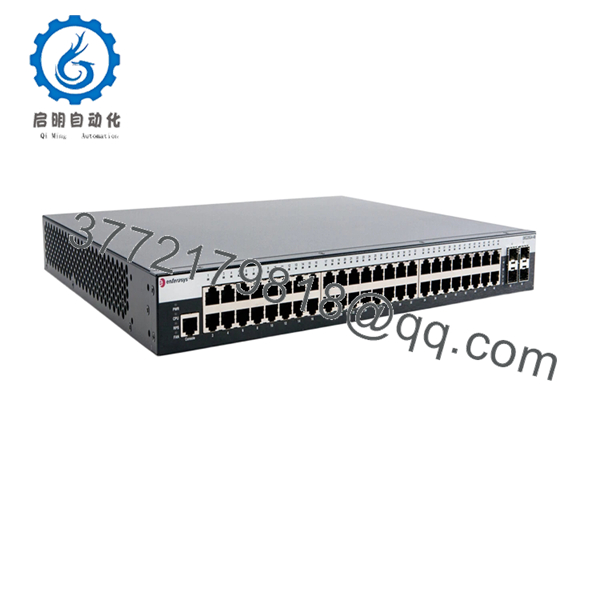
The Enterasys 08G20G4-48P is an enterprise-class, 48-port managed Gigabit Ethernet switch belonging to the highly reliable Enterasys 800-Series family. Engineered to deliver secure, wire-rate edge connectivity, this switch features 48 high-performance PoE+ ports alongside 4 combo SFP slots for fiber uplinks. It provides essential Layer 2 switching functionality bolstered by L2+ security policies, access control lists (ACLs), and dynamic bandwidth management. This combination makes it the preferred hardware for powering network endpoints such as industrial IP cameras, VoIP infrastructure, and manufacturing terminal interfaces.
Acquiring this specific device as a Brand New Surplus unit represents a vital risk mitigation strategy for procurement and facility management professionals. Because Extreme Networks has long discontinued the Enterasys 800-Series, obtaining factory-sealed hardware is the only way to safeguard your network against unpredictable stock-out incidents without initiating costly re-engineering projects. Opting for unverified, second-hand or refurbished alternative switches introduces extreme vulnerability; degraded internal power supplies or weak PoE power regulators often fail under full load, leading to immediate system downtime. Maintaining this genuine OEM warehouse overstock hardware as a critical buffer stock ensures perfect software compatibility, configuration file continuity, and predictable operational lifespans without the severe Total Cost of Ownership (TCO) penalties linked to third-party refurbished failures.

- 08G20G4-48P
Installation & Configuration Guide
Stage 1: Pre-Installation (Prep & Safety)
- Ensure the 1U rack slot has proper vertical ventilation clearance. Confirm the total power demand of your connected PoE devices remains within the switch’s 375 W threshold.
- Put on a grounded, static-dissipative ESD wrist strap before handling the unit or connecting cables.
- Establish a terminal session with the failed switch to download and copy the active startup-config file, current VLAN assignments, and IP address credentials.
- Unpack the New Surplus switch and visually verify that the integrated rack ears and terminal ports are free of transit debris.
Stage 2: Removal
- Unplug the main AC power cord or the redundant external power supply module connector from the back panel.
- Disconnect and label every RJ-45 patch cable and any active fiber optic SFP transceivers from the front faceplate to ensure precise physical loop replication.
- Loosen the four mounting screws securing the switch chassis ears to the 19-inch equipment rack.
- Slide the unit forward out of the rack and set it aside into a designated anti-static disposal or evaluation area.
Stage 3: Installation (Clone & Seat)
- Affix the mounting brackets to the side panels of the new 08G20G4-48P switch using the provided hardware.
- Position the switch within the assigned 1U rack slot and tighten the mounting screws securely to the frame.
- Before plugging in the network connections, bridge a serial console cable to the switch’s RJ-45 console port to initialize settings.
- Upload your archived configuration file, verify hostnames, apply network credentials, and match any localized port mirror parameters.
Stage 4: Power-On & Testing
- Insert the main AC power line into the rear receptacle. Watch the system LEDs complete the power-on self-test (POST) sequence until the status indicators display normal operational parameters.
- Carefully reconnect the fiber SFP modules and labeled Ethernet drops into their matching ports.
- Confirm that downstream devices boot up immediately via PoE and that the switch’s internal power monitor flags correct voltage allocation.
- Execute ping tests through the backbone uplinks to verify command communication integrity and packet processing functionality.
Firmware/Software Versions & Upgrade Notes
Firmware Validation Basics
The 08G20G4-48P operates efficiently on the designated 800-Series embedded operational software code. When performing a physical hardware swap, it is imperative to verify that the replacement unit holds the exact firmware release revision as the failed unit.
Configuration Rollback Hazards
- Protocol Incompatibilities: Loading an advanced configuration file built on an updated firmware release into an 08G20G4-48P unit running older base software will cause severe parser faults. This often leads to disabled commands, lost access control lists (ACLs), or broken VLAN trunks.
- Firmware Syncing Protocol: If your master site engine requires a specific firmware image version for network management compliance, isolate the switch on a separate test bench first. Flash the operating system to the approved baseline level before introducing the unit to production segments to avoid communication drops or boot looping errors.
Frequently Asked Questions (FAQ)
Q: Why is this New Surplus 08G20G4-48P switch more expensive than used options found online?
A: Second-hand and used enterprise switches are typically pulled from uncontrolled, dusty server rooms and often approach the end of their operational lifespan. Over time, internal cooling fans lock up and the power delivery components degrade under the continuous thermal strain of PoE output. This New Surplus device is a pristine, warehouse-stored unit with zero operating hours. It guarantees factory-fresh performance, reliable maximum PoE power delivery, and an extended service lifespan that used equipment simply cannot offer.
Q: Does this specific Enterasys switch model support standard IEEE 802.3at PoE+ hardware?
A: Yes. The 08G20G4-48P fully complies with the IEEE 802.3at PoE+ standard, supplying up to 30 W of power per individual port. This makes it fully backward compatible with legacy 802.3af hardware while providing enough power for modern enterprise endpoints like pan-tilt-zoom (PTZ) security cameras and dual-band wireless access points.
Q: Are these switches truly new, or are they refurbished units in new boxes?
A: These units are strictly New Surplus / New Original. They have never been deployed in an active environment, never underwent component-level board repairs, and are completely untouched by third-party refurbishing operations. They represent genuine, excess inventory preserved in original factory packaging, opened only for our strict quality control testing.
Q: Can the 08G20G4-48P accept 10 Gbps SFP+ transceivers for high-speed fiber backbones?
A: No. The 4 integrated uplink slots on this model are standard 1 Gbps SFP (Mini-GBIC) combo ports. They do not support newer 10 Gbps SFP+ transceivers. Sourcing standard 1000Base-X SFP optic modules is required to establish working fiber links.
Q: Is there any internal configuration memory retention loss if the switch sits unpowered for a long period?
A: No. The startup-config files, boot preferences, and firmware system images are stored securely on non-volatile flash memory components that do not rely on a continuous power source. The switch will hold its uploaded operational files indefinitely while stored in a backup warehouse or tool crib.
Q: What kind of warranty support protects this specific legacy product?
A: To match the high reliability of our New Surplus inventory, we back this switch with a dependable 1-to-2 year replacement warranty. Should any hardware fault occur within the warranty period, we will expedite a replacement directly from our stock to keep your business running smoothly.



