
 WhatsApp: +86 16626708626
 Email:
  Phone: +86 16626708626
Description
3. Key Technical Specifications
| Parameter | Value |
|---|---|
| Ports | 48 x 10/100Base-TX RJ45 + 4 x 1Gb uplinks |
| Switching Type | Layer 2 wire-speed |
| Switching Capacity | Approximately 12.8 Gbps (model family) |
| Forwarding Rate | Up to 9.5 Mpps (model family) |
| MAC Address Table | 16,000 |
| VLAN Support | Up to 255 |
| Management | CLI, Web, SNMP |
| Power | Internal AC supply, optional redundant |
| Form Factor | 1U rack-mountable |
| Operating Temperature | 0°C to +45°C typical for series |
| MTBF | High reliability per 800-Series design |
4. Product Introduction
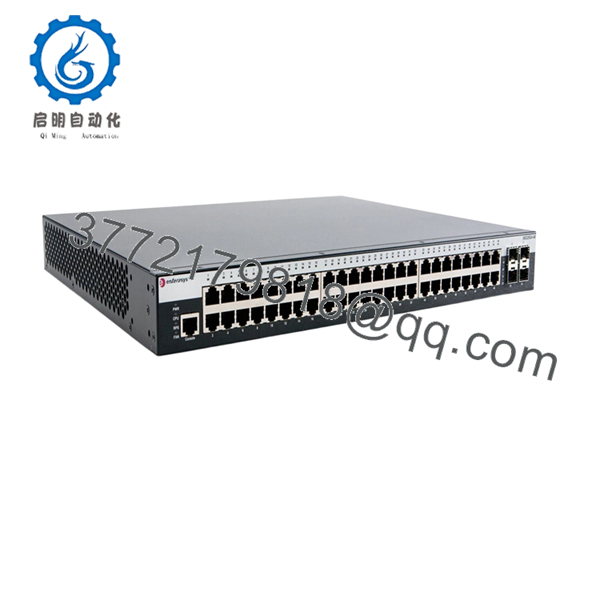
The Enterasys 08H20G4-48 is an 800-Series Layer 2 switch built for edge connectivity. It delivers 48 ports of 10/100Base-TX with four 1Gb uplink ports for aggregation to core switches in enterprise or automation networks.
Plant maintenance teams and system integrators use this switch for reliable device connectivity in control rooms and distributed automation setups. It provides straightforward Layer 2 features with solid performance for non-PoE applications while keeping costs in check for large port-count deployments.
5. Troubleshooting Quick Reference
| Symptom | Possible Cause | Relevance to this Part | Quick Check Method | Recommendation |
|---|---|---|---|---|
| No link lights on ports | Cable or negotiation | High | Test with known-good cable; check link LEDs | Set ports to auto or match speed/duplex |
| Uplink ports not connecting | SFP or fiber issue | High | Verify compatible SFP modules and clean connectors | Test with copper if available |
| Switch not powering on | Power supply failure | Medium | Check power LED and outlet voltage | Verify cord; test with redundant supply if equipped |
| High collision or error rates | Duplex mismatch | Medium | View port statistics via CLI or web interface | Force consistent duplex settings |
| No web/CLI access | IP configuration | Medium | Console into switch and check IP settings | Assign static IP or verify DHCP |
| Fan noise or overheating | Dust buildup | Low | Inspect vents and internal temperature | Clean filters and ensure proper airflow |
Reach out with serial number, port stats, and LED status for further diagnosis.

- 08H20G4-48
6. Frequently Asked Questions (FAQ)
What are the uplink ports on the 08H20G4-48? Four 1Gb ports, typically SFP or fixed copper depending on exact configuration. Confirm module details for your unit.
Does this switch support PoE? No. The 08H20G4-48 is the non-PoE model. Select the 08H20G4-48P variant if Power over Ethernet is required.
Is it stackable or chassis-based? This is a standalone 1U edge switch. It integrates easily into larger networks via the Gigabit uplinks.
What management options are available? Full support for CLI via console or Telnet/SSH, embedded web interface, and SNMP for integration with tools like NetSight.
How do I update firmware? Download the appropriate 800-Series firmware from Extreme Networks support and apply via TFTP or web interface. Always back up current config first.
What condition is this unit in? New Original / New Surplus. Units go through visual inspection, power-on self-test, port loopback testing, and extended burn-in. Test documentation provided with shipment.
Will this work as a replacement for older Enterasys switches? Yes in most edge applications. Verify port density, uplink speeds, and software feature set match your existing configuration to avoid surprises during cutover.



