
 WhatsApp: +86 16626708626
 Email:
  Phone: +86 16626708626
Description
Key Technical Specifications
| Parameter | Value |
| Manufacturer | Enterasys Networks / Extreme Networks |
| Model Number | A2H124-24FX |
| Part Number | P0973BJ |
| Fixed Downlink Ports | 24 x 100Base-FX Fast Ethernet fiber ports |
| Uplink Interface Options | 2 x 10/100/1000Base-T RJ-45 copper ports |
| Expansion Slots | 2 x 1000Base-X SFP slots (shared with copper uplinks) |
| Stacking Connectivity | Dedicated rear stacking ports (supports up to 8 units in a stack) |
| Layer Supported | Layer 2 switching with basic Layer 3 static routing policies |
| Switching Fabric Bandwidth | 12.8 Gbps non-blocking line-rate performance |
| VLAN Capacity | 4,000 concurrent VLAN IDs (802.1Q compliant) |
| Form Factor | 1U rackmount configuration |
| Security Architecture | Dynamic MAC locking, 802.1X authentication, multi-user policy enforcement |
| Operating Temperature | 0 to +50 °C (32 to 122 °F) |
Product Introduction & Supply Chain Strategy
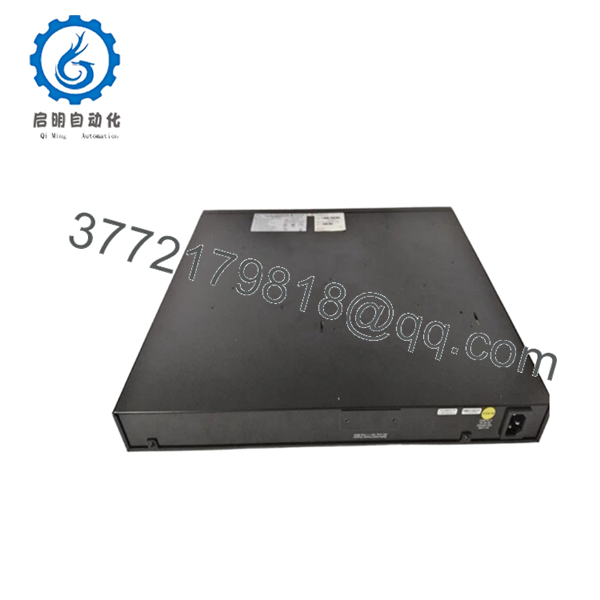
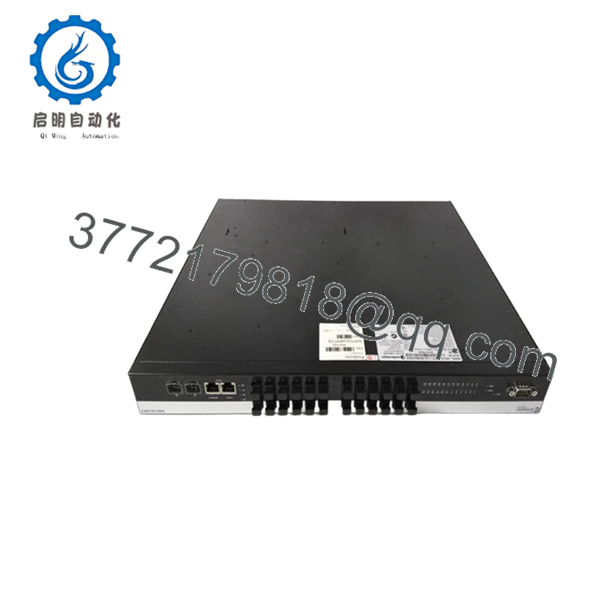
The Enterasys A2H124-24FX (P0973BJ) is a high-security, 24-port managed 100Base-FX Fast Ethernet fiber switch built for demanding enterprise and industrial edge isolation. Featuring specialized fiber transceiver downlinks alongside flexible Gigabit copper/SFP uplink combos, this Matrix A2 platform device delivers stable, interference-immune optical connectivity over extended physical distances. It utilizes Enterasys’ signature hardware-based security policies and multi-user access controls to isolate and protect mission-critical automated infrastructure components right at the network edge.
For procurement professionals managing legacy automation networks, acquiring this device as a Brand New Surplus unit is vital to preventing sudden, high-cost stock-out incidents. Because the Enterasys A2 series has hit its official End-of-Life (EOL) milestone, finding clean, unused replacements via authorized distribution channels is no longer an option. Buying unverified, cheap, second-hand hardware from scrap brokers creates severe performance liabilities: aging optic diodes and worn power regulators in old switches are prone to dropping optical links under sudden temperature fluctuations. Securing this genuine, factory-sealed warehouse overstock variant ensures 100% parameter matching, seamless config-file drops, and a prolonged running lifespan that lowers your Total Cost of Ownership (TCO).

- A2H124-24FX P0973BJ
Installation & Configuration Guide
Stage 1: Pre-Installation (Prep & Safety)
- Verify the environmental parameters of your 1U enclosure slot. Ensure it remains within the 0 to +50 °C operating baseline.
- Put on a properly grounded, anti-static ESD wrist strap before unboxing the switch.
- Access the CLI interface of the existing, failing hardware via serial connection to back up the latest configuration files, security profiles, and IP parameters.
- Clean all optical fiber connector tips using approved lint-free wipes and isopropyl alcohol before testing connections.
Stage 2: Removal
- Unplug the main AC power cord from the rear socket. If a redundant power unit (RPS) is attached, isolate and disconnect that cable as well.
- Disconnect the optical fiber patch cables from the 24 front ports. Cap each fiber strand immediately to prevent dust contamination.
- Loosen the front-facing captive screws securing the switch brackets to the 19-inch mounting frame.
- Carefully pull the assembly horizontally out of the rack enclosure and slide it onto an ESD-safe mat.
Stage 3: Installation (Clone & Seat)
- Mount the factory rack-mount ears onto the side panels of the new A2H124-24FX chassis.
- Align and guide the chassis into the designated 1U slot space and tighten all four anchor screws to structural torque limits.
- Establish a direct local terminal handshake via the front RJ-45 console interface using a serial cable.
- Upload your archived backup configuration file, confirm port-mapping configurations, and verify that all localized security rules sync correctly.
Stage 4: Power-On & Testing
- Connect the power cable to boot the internal power assembly. Monitor the front status LEDs to ensure the device completes its self-test (POST) without lighting up the red Fault indicator.
- Uncap and reinsert the fiber optic runs into their corresponding 100Base-FX slots.
- Confirm that the Port Link LEDs switch to solid green, indicating proper light levels and functional network handshakes.
- Run diagnostic ping traces across the uplink infrastructure to verify steady, error-free packet processing.
Firmware/Software Versions & Upgrade Notes
Operating Software Requirements
The Enterasys A2H124-24FX (P0973BJ) runs on dedicated Matrix A2 firmware. To guarantee full backplane communication compatibility across stack clusters, all connected hardware nodes must use identical software versions.
Firmware Replacement Hazards
- Config Interpretation Errors: Standard configuration files built on later firmware updates will fail to parse correctly if uploaded to an A2H124-24FX unit holding older factory base code. This often breaks security access policies or drops port configurations completely.
- Downgrade Restrictions: Avoid forcing firmware downgrades on New Surplus cards without first checking the onboard hardware boot loader version. Doing so can lock the flash memory system, rendering the switch completely unbootable.
Frequently Asked Questions (FAQ)
Q: Why is this New Surplus Enterasys A2H124-24FX switch priced higher than typical used options online?
A: Used switches are usually stripped from decommissioned facilities and often carry hidden wear, including failing cooling fans and degraded laser optical diodes. Over time, these worn optical components suffer from signal fade, leading to intermittent packet drops that interrupt production lines. This New Surplus device is a 100% unused unit with zero operational hours. It guarantees factory-spec laser power and a full working lifespan that second-hand alternatives cannot provide.
Q: Are these units authentic Enterasys factory stock, or are they refurbished items repackaged in clean boxes?
A: Every unit we sell is strictly New Surplus / Original New stock. They have never been deployed in live racks, never underwent circuit repairs, and are untouched by third-party refurbishing operations. This hardware represents authentic, surplus inventory preserved in its original static-safe factory packaging, opened only for our strict inbound quality control checks.
Q: Does the A2H124-24FX (P0973BJ) model support 1000Mbps Gigabit speeds on its 24 downlinks?
A: No. The 24 fixed fiber downlinks are designed exclusively for 100Base-FX Fast Ethernet (100 Mbps) connections. Gigabit speeds (1000 Mbps) are supported only via the dedicated combo copper/SFP uplink ports on the front panel.
Q: If the switch remains unpowered in a spare parts tool crib for multiple years, will it lose its configured firmware?
A: No. The switch stores its operating firmware images and configuration baselines on non-volatile internal flash memory components. These components do not rely on an internal backup battery to retain data, allowing the switch to keep its software intact through long-term storage.
Q: Can this switch be integrated into an existing stack with other Enterasys A-Series hardware?
A: Yes. The A2H124-24FX can stack with up to 8 other Matrix A2 units using the dedicated rear-panel stacking connectors. To ensure stable stacking performance, verify that all units in the stack are flashed to the same firmware version before tying the stack loop together.
Q: What type of warranty protection is provided with this legacy New Surplus unit?
A: To match the high reliability of our New Surplus inventory, we back this switch with an extended 1year replacement warranty. If a hardware component fails within the warranty period, we will fast-track a replacement directly from our available stock to minimize your downtime.



