
 WhatsApp: +86 16626708626
 Email:
  Phone: +86 16626708626
Description
Key Technical Specifications
| Parameter | Specification |
| Part Number / Alt ID | A2H254-16 / Foxboro P0973BK / A2H254-16-RH |
| Switch Architecture | Layer 2 Managed, Stackable (Up to 8 units closed-loop) |
| Total Port Count | 16 Ports + 2 SFP Uplink Slots |
| Copper Interfaces | 8 x 100BASE-T (10/100 Mbps) auto-negotiating RJ45 |
| Fiber Interfaces | 8 x 100BASE-FX multimode optical (MT-RJ connectors) |
| Gigabit Uplink Slots | 2 x SFP slots (Support Mini-GBIC 1000BASE-T/SX/LX) |
| Input Voltage Range | 100–240 VAC internal power supply, 50/60 Hz |
| Power Consumption | 29 W nominal operating draw |
| Redundant Power | External Redundant Power Supply (RPS) port support |
| Operating Temperature | 0°C to 50°C (32°F to 122°F) |
| Form Factor | 1U 19-inch rack-mountable industrial chassis |
| Protocol Support | IEEE 802.1Q VLAN, 802.1p QoS, STP/RSTP/MSTP, LACP |
Product Introduction & Supply Chain Strategy
The Enterasys A2H254-16 (co-branded as Foxboro P0973BK) is a 16-port stackable Fast Ethernet switch engineered for process automation networks, Foxboro I/A Series control loops, and DCS node rings. Combining 8 RJ45 copper ports with 8 MT-RJ optical fiber ports, it isolates electrical field noise and bridges long-distance control room trunks reliably.
Securing this module as New Surplus provides a direct Total Cost of Ownership (TCO) advantage for legacy processing facilities. Purchasing New Surplus mitigates the catastrophic failure risks associated with aged power supplies in refurbished market alternatives, preventing unscheduled shutdowns while stocking uncompromised, factory-grade replacement hardware for discontinued node configurations.
Installation & Configuration Guide
- Stage 1: Pre-Installation (Prep & Safety)
Apply lock-out/tag-out procedures on legacy feed breakers before servicing the cabinet. Strap on a grounded ESD wristband. Take detailed reference photos of existing fiber routing, cable labels, MT-RJ fiber polarity, and closed-loop stacking cable positions.
- Stage 2: Removal
Unplug MT-RJ fiber connectors carefully by pinching the housing latch; install protective dust caps on fiber ends immediately. Disconnect copper RJ45 lines and the AC power cord. Unscrew the 1U rack-mount ear brackets and pull the unit horizontally straight out to avoid snagging adjacent cabling.
- Stage 3: Installation (Clone & Seat)
Mount the New Surplus A2H254-16 into the standard 19-inch rack slot and tighten all four chassis retention screws securely. Reconnect copper RJ45 lines to their exact port allocations. Inspect MT-RJ fiber faces for contamination, clean with an optical connector cassette if necessary, and seat securely into ports 9 through 16.
- Stage 4: Power-On & Testing
Apply 120/240 VAC input power. Verify the main Power LED illuminates solid green and the unit completes its self-test phase without asserting a CPU FAULT indicator. Connect a serial console cable to verify command-line parameters, test link status LEDs across field I/O nodes, and confirm closed-loop stack synchronization.
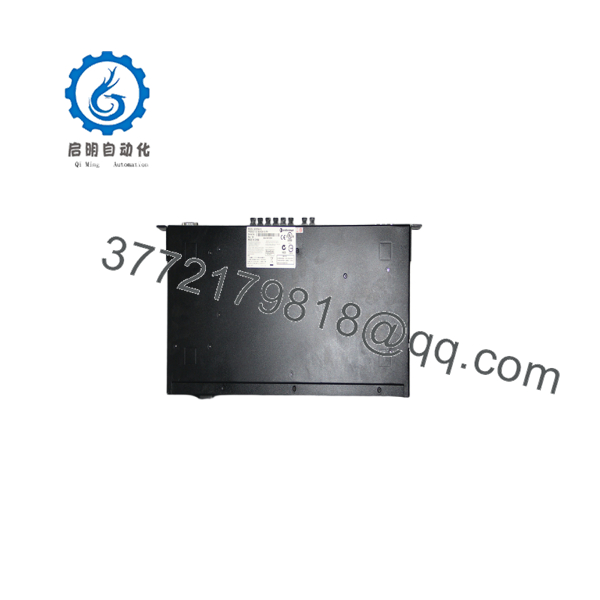
A2H254-16
A2H254-16
Firmware/Software Versions & Upgrade Notes
- Recommended Operating Baseline: Maintain firmware operational code version V03.03.xx or V04.00.xx aligned with original system commissioning baselines for Foxboro I/A Series node switches.
- Compatibility Directives: Upgrading firmware to higher build revisions without validating backplane stack firmware across all stacked units can break the closed-loop virtual stack topology. Fiber media speed auto-negotiation behavior on 100Base-FX links varies between early firmware iterations and late releases.
- Modification Warning: Never flash switch firmware over a live production DCS network. A firmware interruption during active process control loops can freeze port buffers, force link drops across DCS controllers, and trigger an emergency process trip.
Frequently Asked Questions (FAQ)
- Q: Is this Enterasys A2H254-16 unit genuinely brand new, or is it a refurbished pull?
A: This product is a 100% Brand New Surplus unit. It is not used, not pulled from a decommissioned plant, and not refurbished. All modules undergo incoming quality inspection to verify zero wear on backplane pins and pristine internal components before entering our warehouse inventory.
- Q: Why should I pay more for New Surplus instead of cheaper refurbished switches online?
A: Refurbished network switches carry hidden component degradation, particularly dried-out electrolytic power supply capacitors that fail unpredictably under thermal stress. Saving 400 on a refurbished switch exposes your plant to 50,000+ in unplanned downtime when the unit drops communications during a critical run.
- Q: Is the Enterasys / Foxboro A2H254-16 an obsolete or End-of-Life (EOL) product?
A: Yes, the SecureStack A2 series has been discontinued by the OEM. Because active production has ended, maintaining 1 to 2 New Surplus units as buffer stock on-site is a critical insurance policy to prevent extended line outages during hardware failures.
- Q: Can I hot-swap this switch module while the network ring is live?
A: While network cables can be physically reconnected while active, replacing a standalone switch powering active DCS nodes will interrupt real-time field communication. Always bypass or reroute network traffic via redundant Spanning Tree (RSTP) paths or perform hardware swaps during planned maintenance windows.
- Q: What warranty coverage comes with this New Surplus switch?
A: We back this New Surplus unit with a comprehensive 1-year replacement warranty. This gives your engineering team full operational peace of mind compared to the standard 30-day guarantees typically offered on refurbished hardware.



