
 WhatsApp: +86 16626708626
 Email:
  Phone: +86 16626708626
Description
3. Key Technical Specifications
| Parameter | Value |
|---|---|
| Access Ports | 24 × 10/100/1000BASE-T RJ45 with IEEE 802.3af PoE |
| Fiber Uplinks | 4 × Gigabit Mini-GBIC (SFP) slots |
| PoE Standard | IEEE 802.3af |
| Total PoE Budget | Approximately 369.6 W |
| Layer Features | Advanced Layer 2 switching and full Layer 3 routing |
| Stack Capacity | Up to 8 SecureStack C3 switches |
| Switching Capacity | Up to 192 Gbps per switch |
| Dedicated Stacking Bandwidth | 96 Gbps |
| MAC Address Table | 16,000 entries |
| VLAN Support | Up to 4,096 VLANs |
| Jumbo Frames | Up to 9 KB |
| Memory | 256 MB SDRAM, 32 MB runtime Flash |
| IPv6 | Supported with appropriate software licensing |
Compatibility Note: The C3 Series can operate in mixed SecureStack environments with supported C2 platforms, but software versions should be verified before stacking. Firmware consistency is critical to prevent stack formation issues.
4. Product Introduction
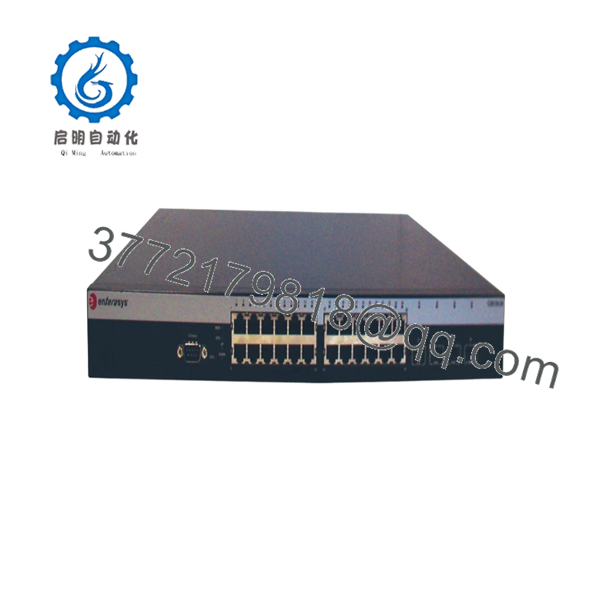
The Enterasys C3G124-24P is a managed Gigabit Ethernet switch designed for enterprise access networks requiring Power over Ethernet, Layer 3 routing, and high-availability stacking. It provides twenty-four Gigabit PoE access ports and four Mini-GBIC uplink slots for copper and fiber network integration.
The SecureStack C3 platform was widely deployed in corporate campuses, hospitals, universities, manufacturing facilities, and government networks. Features such as Closed Loop Stacking, redundant management, IPv6 capability, and advanced security policies helped reduce downtime while simplifying large-scale edge deployments. Although the platform is now a legacy product, it remains a reliable replacement where existing infrastructure continues to use the SecureStack architecture.

- C3G124-24P
5. Installation & Configuration Guide
Stage 1 – Pre-Installation Preparation (10 minutes)
⚠️ Safety First
- Notify network operations before maintenance.
- Back up the running configuration.
- Follow lockout/tagout procedures.
- Disconnect AC power.
- Wait at least five minutes before servicing the switch.
Tools Required
- Grounded ESD wrist strap
- Phillips screwdriver
- Digital multimeter
- Cable labels
- Smartphone for documenting cable locations
Data Backup
- Save the startup and running configuration.
- Record the management IP address.
- Document VLAN assignments.
- Record firmware version.
- Photograph every uplink, stack cable, and SFP installation.
Stage 2 – Removing the Existing Switch (5–10 minutes)
- Label every copper, fiber, and stacking cable.
- Disconnect PoE-powered devices.
- Remove SFP transceivers if they will be reused.
- Remove rack mounting screws.
- Carefully slide the switch from the rack.
⚠️ Keep the original switch until the replacement completes production testing.
Stage 3 – Installing the New Switch (10–15 minutes)
- Verify the replacement is C3G124-24P.
- Wear an ESD wrist strap.
- Install the switch into the rack.
- Reinstall SFP modules.
- Restore all network and stack connections.
- Apply AC power.
Self-Checklist
- Correct model confirmed
- Firmware compatibility verified
- Stack cables connected correctly
- Fiber polarity confirmed
- Rack mounting secure
Stage 4 – Power-On & Testing (15 minutes)
- Verify input power.
- Power on the switch.
- Confirm system LEDs complete normal initialization.
- Connect through the console or management interface.
- Verify firmware version.
- Restore the saved configuration.
- Confirm VLANs, routing, PoE operation, and stack status.
- Test end-to-end network connectivity.
⚠️ Troubleshooting Note
If the switch fails to join an existing stack, verify firmware revisions before investigating hardware faults. In field upgrades, mismatched firmware versions are one of the most common causes of stack communication failures.
6. Frequently Asked Questions (FAQ)
Q1. Does the C3G124-24P support Power over Ethernet?
Yes. All twenty-four RJ45 access ports support IEEE 802.3af Power over Ethernet with a total PoE power budget of approximately 369.6 W, making the switch suitable for IP phones, wireless access points, and surveillance cameras.
Q2. Is this model still manufactured?
No. The SecureStack C3 Series has reached end-of-life. Most available units are supplied from surplus inventory or professionally tested refurbished stock. Many organizations continue purchasing the C3G124-24P to maintain compatibility with existing SecureStack deployments.
Q3. Can multiple C3 switches be stacked?
Yes. The SecureStack C3 architecture supports stacks of up to eight switches, providing centralized management, redundant stack control, and increased availability.
Q4. Can I replace the switch without shutting down the network?
No. The chassis is not designed for hot replacement. Shut down the switch, disconnect power, and verify all stack members are in a stable state before installation.
Q5. Will my configuration remain after replacing the hardware?
Only if you back it up first. Export the configuration, record the firmware version, and restore both after installing the replacement unit. Using different firmware revisions can lead to stack synchronization or routing issues.
Q6. What installation mistake causes the most downtime?
Firmware mismatch. I’ve seen engineers spend an entire afternoon troubleshooting what appeared to be defective hardware when the replacement switch simply shipped with a different firmware revision. Verify software versions before adding any replacement unit to a production stack.
Q7. Why is this switch still purchased today?
Many industrial plants, universities, and enterprise campuses continue operating SecureStack infrastructures. Purchasing the same model minimizes migration effort, avoids configuration redesign, and preserves compatibility with existing management tools and network architecture.



