
 WhatsApp: +86 16626708626
 Email:
  Phone: +86 16626708626
Description
Key Technical Specifications
| Parameter | Value |
| Manufacturer | Enterasys Networks / Extreme Networks |
| Model Number | D2G124-12 |
| Port Density | 12 x 1000Base-X SFP slots |
| Uplink Capabilities | Multi-port aggregation via standard SFP modules |
| Stacking Configuration | Supports hardware stacking (up to 8 units per stack cluster) |
| Switching Performance | High-speed, non-blocking wire-rate Layer 2 fabric |
| VLAN Support | 802.1Q compliant, up to 4,000 concurrent VLAN IDs |
| Security Features | Dynamic MAC address locking, 802.1X authentication, hardware-enforced policies |
| Form Factor | 1U Rackmount space allocation |
| Management Interfaces | Local serial console (RJ-45), SNMPv3, Web Management, RMON |
| Input Power Parameters | Standard internal AC power supply module |
| Operating Temperature | 0 to +50 °C (32 to 122 °F) |
Product Introduction & Supply Chain Strategy
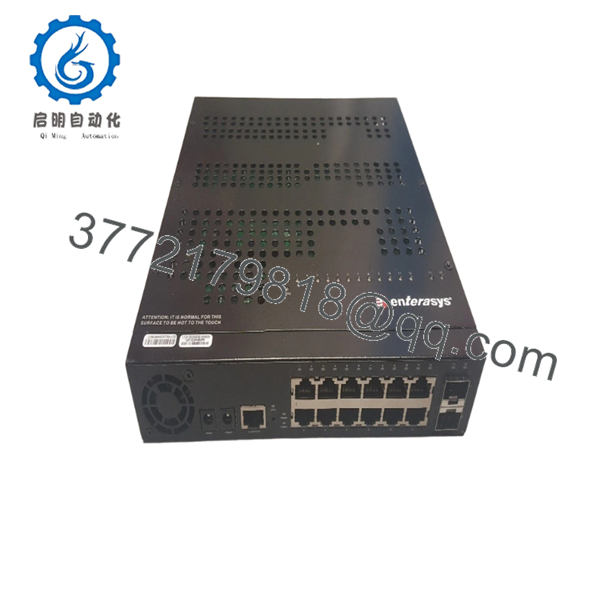
The Enterasys D2G124-12 is a 12-port managed Gigabit Ethernet SFP switch belonging to the highly secure Enterasys D2-Series. Engineered for secure edge and workgroup aggregation, this Layer 2+ platform delivers non-blocking, wire-speed packet processing across all optical interfaces. By utilizing Enterasys’ hardware-driven security rules and granular multi-user access control policies, it establishes robust threat isolation directly at the network entry point, making it highly valuable for deterministic industrial control segments and secure facility backbones.
Sourcing this specific switch as a Brand New Surplus unit is a critical strategic imperative for maintaining legacy automation infrastructure. Since Enterasys hardware has passed its official End-of-Life (EOL) milestone, procurement teams face catastrophic stock-out incidents if an active switch fails. Turning to unverified, second-hand alternatives exposes your operation to severe risk: aged optical transceivers and degraded interior power components on used switches are prone to sudden dropouts when thermal cycles peak. Securing this genuine, factory-sealed warehouse overstock variant guarantees complete hardware parity, seamless drop-in configuration restoration, and a prolonged operational lifespan that drastically reduces your Total Cost of Ownership (TCO).

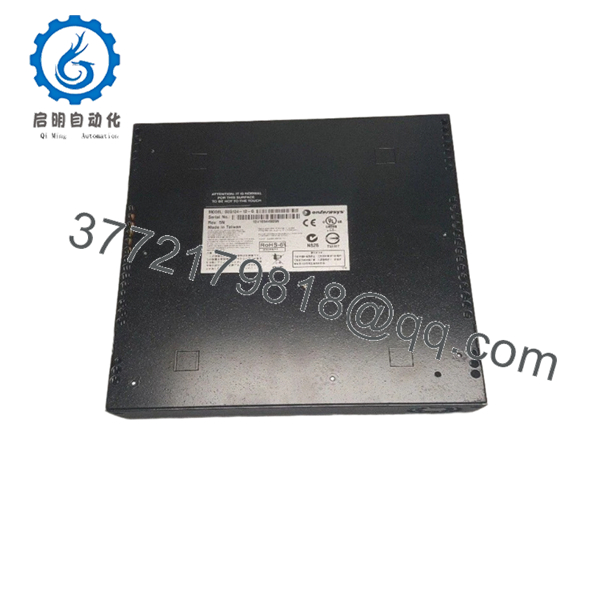
- D2G124-12
- D2G124-12
Installation & Configuration Guide
Stage 1: Pre-Installation (Prep & Safety)
- Verify the environmental parameters of your assigned 1U rack enclosure slot. Ensure proper clearances to keep the operating temperature between 0 and +50 °C.
- Put on a grounded, static-dissipative ESD wrist strap before handling the switch or opening the factory box.
- Establish a local terminal session with the failed switch to download and log the active startup-config file, current VLAN trunks, and IP routing profiles.
- Clean all fiber optic connector faces using lint-free optic wipes and specialized cleaning fluid before running connections.
Stage 2: Removal
- Unplug the main AC power line from the back panel of the failed chassis.
- Carefully unlock and extract all active optical SFP transceivers from the front slots. Label each fiber pair to ensure proper physical port mapping retention.
- Loosen the four front mounting screws that secure the integrated rack-mount ears to the vertical 19-inch equipment frame.
- Smoothly pull the switch assembly horizontally out of the rack enclosure and place it directly onto an ESD-safe mat.
Stage 3: Installation (Clone & Seat)
- Secure the factory-spec mounting brackets onto the side panels of the new D2G124-12 switch.
- Guide the unit into the empty 1U rack space and tighten all four structural anchor screws.
- Bridge a serial console cable into the switch’s front console port to initiate a direct terminal handshake.
- Upload your archived backup configuration file, verify the software hostnames, and confirm that all localized policy rules sync accurately.
Stage 4: Power-On & Testing
- Insert the main AC power cord to energize the internal power assembly. Monitor the faceplate LEDs to ensure the device completes its power-on self-test (POST) without lighting up the red Fault indicator.
- Reinsert your clean SFP transceivers back into their matching front ports.
- Confirm that the corresponding Port Link LEDs transition to solid green, validating proper light reception and standard protocol initialization.
- Run standard diagnostic ping traces across the uplink path to confirm error-free packet processing.
Firmware/Software Versions & Upgrade Notes
Operating Software Baseline
The Enterasys D2G124-12 depends on dedicated D2-Series embedded software code. To ensure proper backplane communication and stability across stack arrangements, all interconnected nodes must operate on identical firmware revisions.
Configuration Sync Risks
- Parser Incompatibilities: Loading a text configuration file built on an updated firmware release into a D2G124-12 unit holding older base software will cause severe command parser faults. This often breaks security access policies or leaves port settings unconfigured.
- Boot Loader Constraints: Do not attempt to force firmware updates or downgrades without verifying compatibility with the existing hardware boot loader version. Mismatched boot code can permanently lock the flash memory system, rendering the switch completely unbootable.
Frequently Asked Questions (FAQ)
Q: Why is this New Surplus Enterasys D2G124-12 switch priced higher than typical used options found online?
A: Second-hand and used enterprise switches are typically stripped from decommissioned facilities and often carry hidden wear, including failing cooling fans and degraded laser optical components. Over time, these worn optical components suffer from signal fade, leading to intermittent packet drops that interrupt production lines. This New Surplus device is a 100% unused unit with zero operational hours. It guarantees factory-spec laser power and a full working lifespan that second-hand alternatives cannot provide.
Q: Are these switches authentic Enterasys factory stock, or are they refurbished items repackaged in clean boxes?
A: Every unit we sell is strictly New Surplus / New Original stock. They have never been deployed in live racks, never underwent circuit repairs, and are completely untouched by third-party refurbishing operations. This hardware represents authentic, surplus inventory preserved in its original static-safe factory packaging, opened only for our strict inbound quality control checks.
Q: Does the D2G124-12 model support standard copper RJ-45 connections directly out of the box?
A: No. The 12 primary ports on the D2G124-12 are dedicated SFP slots that require matching optical or copper SFP transceivers to establish physical links. If copper RJ-45 connections are required, you must install compatible 1000Base-T copper SFP modules into the available slots.
Q: If the switch remains unpowered in a spare parts tool crib for multiple years, will it lose its configured firmware?
A: No. The switch stores its operating firmware images and configuration baselines on non-volatile internal flash memory components. These components do not rely on an internal backup battery to retain data, allowing the switch to keep its software intact through long-term storage.
Q: Can this switch be integrated into an existing stack with other Enterasys D-Series hardware?
A: Yes. The D2G124-12 can stack with up to 8 other Matrix D2 units using the dedicated rear-panel stacking connectors. To ensure stable stacking performance, verify that all units in the stack are flashed to the same firmware version before tying the stack loop together.
Q: What type of warranty protection is provided with this legacy New Surplus unit?
A: To match the high reliability of our New Surplus inventory, we back this switch with an extended 1 year replacement warranty. If a hardware component fails within the warranty period, we will fast-track a replacement directly from our available stock to minimize your downtime.



