
 WhatsApp: +86 16626708626
 Email:
  Phone: +86 16626708626
Description
3. Key Technical Specifications
| Parameter | Value |
|---|---|
| Product Type | S-Series Type 1 Option Module |
| Model Number | SOG2201-0112 |
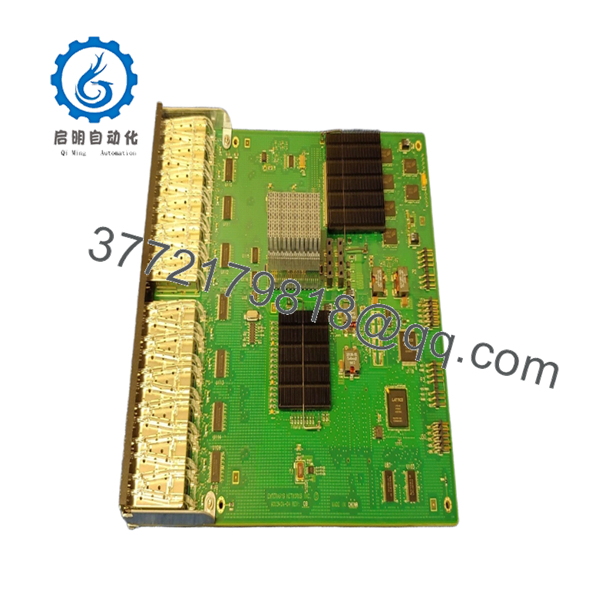
| Network Interfaces | 12 × 1000BASE-X SFP |
| Optical Speed | 1 Gbps per port |
| Connector Type | Standard SFP cages |
| Supported Media | Fiber transceivers (SFP dependent) |
| Compatible Slot | Type 1 and Type 2 Option Slots |
| Compatible Platforms | Supported Enterasys S-Series chassis and I/O modules |
| Hot-Pluggable Optics | Yes (SFP transceivers) |
| Management | Through host S-Series chassis |
| Installation | Plug-in expansion module |
| Operating System | Uses host chassis firmware |
Compatibility Note: The SOG2201-0112 is compatible with supported S-Series platforms including S140, S150, S155, and later S-Series hardware that accepts Type 1 option modules. Always verify the host chassis model and firmware before ordering.
4. Product Introduction
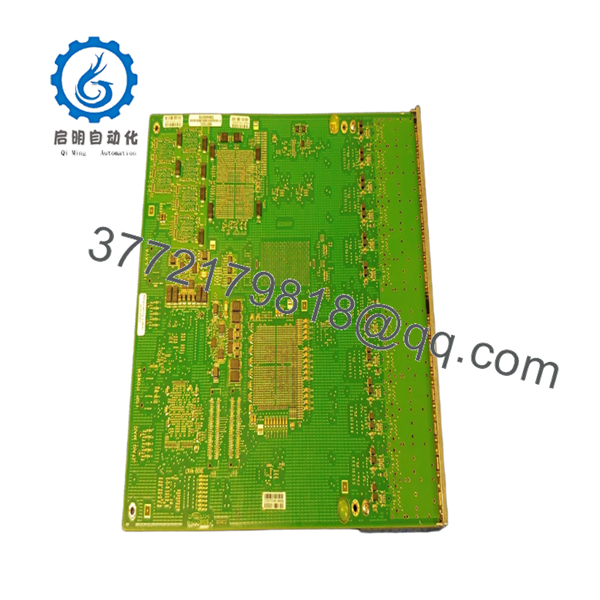
The Enterasys SOG2201-0112 is a plug-in expansion module designed for the Enterasys S-Series modular switching platform. Rather than functioning as a standalone switch, it expands an existing chassis by adding twelve Gigabit fiber interfaces through standard SFP transceivers.
In production networks, this module is commonly installed where additional fiber uplinks, aggregation links, or long-distance backbone connections are required without replacing the entire switching chassis. Because the switching intelligence remains in the host chassis, installation is straightforward while preserving the existing network configuration.

- SOG2201-0112
- SOG2201-0112
5. Installation & Configuration Guide
Stage 1 – Pre-Installation Preparation (10 minutes)
⚠️ Safety First
- Notify network operations before maintenance.
- Save the chassis configuration.
- Follow lockout/tagout procedures.
- Remove chassis power if the platform does not support module insertion under maintenance procedures.
- Wait several minutes for internal power rails to discharge.
Tools Required
- Grounded ESD wrist strap
- Phillips screwdriver
- Fiber cleaning kit
- Cable labels
- Optical inspection scope (recommended)
- Smartphone for documentation
Data Backup
- Save the running configuration.
- Record firmware version.
- Document existing option slot assignments.
- Photograph fiber routing before removal.
Stage 2 – Removing the Existing Module (5 minutes)
- Label every fiber connection.
- Remove installed SFP transceivers.
- Loosen retaining screws.
- Pull the module straight from the chassis.
- Inspect the connector for contamination or bent pins.
⚠️ Keep the original module until the replacement passes validation testing.
Stage 3 – Installing the New Module (10 minutes)
- Verify the replacement part number is SOG2201-0112.
- Wear an ESD wrist strap.
- Insert the module evenly without excessive force.
- Tighten retaining screws.
- Reinstall approved SFP transceivers.
- Reconnect fiber cables according to documentation.
Self-Checklist
- Correct module installed
- Module fully seated
- SFPs securely installed
- Fiber polarity verified
- Retaining screws tightened
Stage 4 – Power-On & Testing (15 minutes)
- Restore chassis power if applicable.
- Verify module LEDs indicate normal initialization.
- Access the switch management interface.
- Confirm the option module is detected.
- Verify all twelve SFP interfaces appear correctly.
- Check firmware compatibility.
- Test fiber links individually.
- Verify VLAN and routing operation.
⚠️ Troubleshooting Note
If the module is not recognized, verify firmware compatibility before suspecting hardware failure. In many field replacements, unsupported firmware revisions prevent newly installed option modules from initializing correctly. Also verify that the module is installed in a supported Type 1 or Type 2 slot.
6. Frequently Asked Questions (FAQ)
Q1. Is the SOG2201-0112 a standalone Ethernet switch?
No. It is an expansion module that installs inside a compatible Enterasys S-Series chassis. It relies on the host switch for management, switching, and routing functions.
Q2. How many fiber ports does it provide?
The module adds 12 Gigabit 1000BASE-X SFP interfaces. Optical performance depends on the installed SFP transceivers.
Q3. Which chassis support this module?
It supports compatible Enterasys S-Series systems equipped with Type 1 or Type 2 option slots, including several S140, S150, and S155 platforms. Always verify your exact chassis model and firmware revision before purchase.
Q4. Can I install any SFP transceiver?
Use only SFP modules supported by your S-Series platform and firmware. Unsupported optics may remain disabled or generate compatibility alarms.
Q5. Is this module still manufactured?
No. The S-Series modular platform is a legacy product. Most available inventory consists of New Surplus or professionally tested refurbished modules supplied for maintenance of existing installations.
Q6. What is the most common installation mistake?
The most common mistake is assuming every option slot supports every module. I’ve seen maintenance teams install a Type 1 module into an unsupported hardware revision and spend hours troubleshooting. Always verify both the chassis model and firmware before installation.
Q7. Why do organizations still purchase this module?
Many enterprise, utility, and industrial facilities continue operating S-Series modular switches. Replacing only the required expansion module is usually less expensive and less disruptive than replacing an entire chassis, especially when existing configurations and fiber infrastructure remain unchanged.



