
 WhatsApp: +86 16626708626
 Email:
  Phone: +86 16626708626
Description
3. Key Technical Specifications
| Parameter | Specification Value |
| Manufacturer | Enterasys Networks (Extreme Networks) |
| Model Number | St2206-0848A |
| Switching Capacity | 100 Gbps |
| Forwarding Rate | 71.4 Mpps |
| Fixed RJ-45 Ports | 48 x 10/100/1000Base-T auto-sensing ports |
| Combo Interfaces | 4 x Gigabit SFP ports (shared with ports 45–48) |
| Stacking Performance | Up to 8 units per stack via dedicated 48 Gbps stacking ports |
| MAC Address Capacity | 16,000 entries |
| VLAN Support | 4,096 VLAN IDs, 802.1Q tagging, Port-based VLANs |
| Quality of Service (QoS) | 802.1p priority queues, Link Aggregation (802.3ad) |
| Input Voltage | 100–240 V AC, 50–60 Hz internal auto-ranging |
| Operating Environment | 0 to 50°C, 10 to 95% Non-condensing Humidity |
4. Product Introduction & Supply Chain Strategy
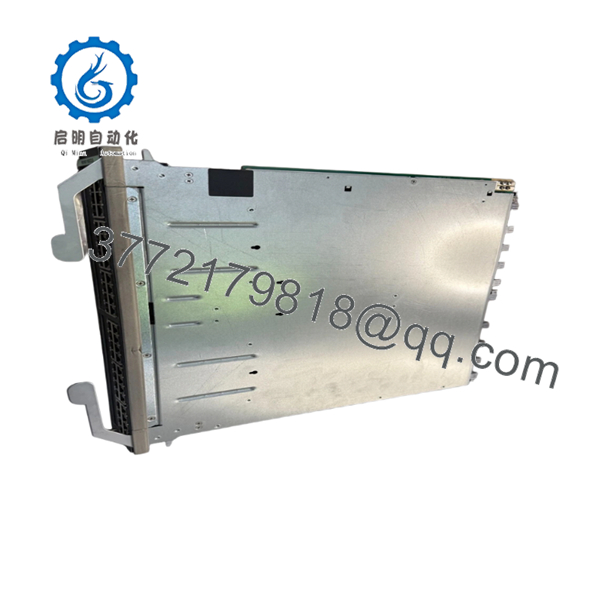
The Enterasys St2206-0848A is a SecureStack A2 high-density stackable switch engineered to deliver line-rate Layer 2 switching and basic Layer 3/4 static routing across enterprise networks and industrial aggregation layers. Outfitted with 48 gigabit Ethernet copper ports and 4 flexible SFP combo ports, this device enables seamless multi-service deployments while maintaining strict data isolation. Its high-speed dedicated stacking bus guarantees that up to 8 switches can be managed as a single logical entity, minimizing management overhead in expanding industrial footprints.
When maintaining older or EOL communication platforms, procuring components under a strategic Total Cost of Ownership (TCO) protocol is essential. Relying on second-hand hardware can lead to catastrophic internal component failures due to previous thermal or mechanical wear. Choosing this New Surplus St2206-0848A unit guarantees that you receive unused OEM parts, preventing the high risks of secondary failures. Securing these critical legacy parts as on-site buffer stock creates a dependable insurance policy that mitigates lead time variability and protects your plant against expensive, unplanned system downtime.

- St2206-0848A
5. Installation & Configuration Guide
Stage 1: Pre-Installation (Prep & Safety)
- Power down corresponding communication racks and implement standard lock-out/tag-out rules at the power breaker.
- Secure an ESD-grounded wrist strap to your arm before unboxing or handling the switch.
- Establish a serial terminal connection to the active production switch and download the latest working binary file using a
show running-configor equivalent archive routine. - Note and document the precise arrangement of stacking cables, uplink optical paths, and station drops.
Stage 2: Removal
- Remove the AC power cord from the rear socket and disengage any secondary backup power links.
- Disconnect the high-bandwidth stacking loop cables by unscrewing the retention thumbscrews on the rear interface module.
- Gently pull out all active copper lines and SFP transceivers, storing them immediately in dust-free, anti-static enclosures.
- Undo the rack mounting screws fastening the 1U chassis ears to the cabinet grid and pull the old device clear of the rail tracks.
Stage 3: Installation (Clone & Seat)
- Open the factory-sealed anti-static shipping pack and confirm that the backplane connector pins and port pins show no signs of distortion or storage damage.
- Check that any rear stacking priority selectors or configuration jumpers on the replacement unit match the original installation profile.
- Align the chassis ears with the 19-inch mounting posts and tighten the mounting hardware across all four anchor positions.
- Reconnect the SFP modules, localized copper line drops, and the dedicated stack connectors into their designated receptacles.
Stage 4: Power-On & Testing
- Attach the main AC power lines and ensure that internal cooling exhausts function immediately with zero abnormal friction sound.
- Monitor the boot sequence through a direct console handshake to confirm that the power-on self-test (POST) returns normal status.
- Check the LED grid to confirm that link indicators turn a steady green across all active local network connections.
- Load the matching system backup file, check stack membership sync parameters, and run baseline ping routines to verify system-wide packet routing.
6. Firmware/Software Versions & Upgrade Notes
The SecureStack A2 family relies on dedicated embedded firmware images that govern packet inspection and cross-chassis stacking handshakes.
For stable, long-term deployments, ensure the St2206-0848A is updated to the exact baseline firmware revision used by the rest of the switch stack (typically matching the primary stack master). Mismatched firmware builds across a physical stack will prevent member initialization, drop management communication, or disable automated failover scripts. Avoid performing firmware upgrades during an emergency hardware replacement unless explicitly required by a validated patch notice.
7. Frequently Asked Questions (FAQ)
Q: Are these St2206-0848A units truly new, or are they refurbished parts? A: These switches are strictly 100% Brand New Surplus components. They have never been deployed in a production loop, pulled from a dismantled server farm, or subjected to third-party electronic repairs. They arrive in unused, clean factory condition inside anti-static protection sleeves to ensure long operational life.
Q: Why does the St2206-0848A carry a higher cost than online refurbished alternatives? A: Refurbished equipment introduces significant risks from component aging and hidden silicon degradation. Our New Surplus inventory pricing represents the true value of securing verified, unused legacy hardware. Investing in a brand-new component protects your facility from unpredictable equipment failures, preventing expensive downtime that far outweighs the minor savings of a used alternative.
Q: What happens if I connect this replacement switch into an active stack with a different firmware version? A: If there is a firmware version mismatch, the active stack master will usually isolate the new switch, blocking it from joining the logical backplane. To avoid this, configure the replacement unit on a standalone workbench first. Flash its firmware to match the active stack baseline before mounting it into the production rack.
Q: Does this model support hot-swapping inside a live, running stack structure? A: The Ethernet interface cables and SFP optics are hot-swappable. However, if you are breaking or restoring the main stacking ring via the rear ports, you must follow correct stack management procedures. Unplanned disruption of the stacking bus can trigger a split-brain condition or prompt an unexpected master election cycle, which could temporarily disrupt network traffic.
Q: How do you verify that this discontinued model is fully functional before it ships? A: All incoming New Surplus products go through a comprehensive quality control checklist. This includes checking the physical condition of the packaging, inspecting the pins, verifying the manufacturer serial numbers, and running a basic bench power test to check boot diagnostics. A completed QC report accompanies every shipped item.



