
 WhatsApp: +86 16626708626
 Email:
  Phone: +86 16626708626
Description
3. Key Technical Specifications
| Parameter | Specification Value |
| Manufacturer | Extreme Networks |
| Model Number | 210-48P-GE4 (21012) |
| Switching Capacity | 104 Gbps |
| Forwarding Rate | 77.4 Mpps |
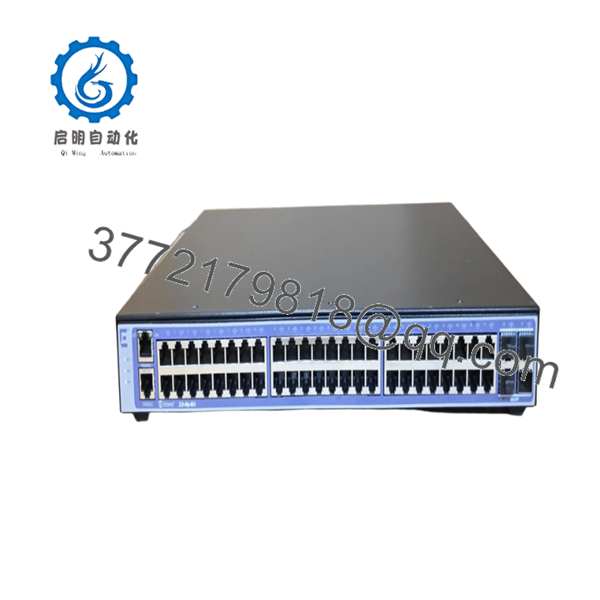
| Fixed Copper Ports | 48 x 10/100/1000Base-T RJ-45 Auto-Sensing Ports |
| PoE Standards | IEEE 802.3af (PoE) / IEEE 802.3at (PoE+ up to 30 W per port) |
| PoE Power Budget | 370 W |
| Uplink Ports | 4 x 1000Base-X SFP Slots |
| Stacking Support | Up to 4 units via standard SFP ports using SummitStack-V parameters |
| MAC Address Capacity | 16,000 entries |
| VLAN Configurations | 802.1Q tagged, Port-based, voice VLAN prioritization |
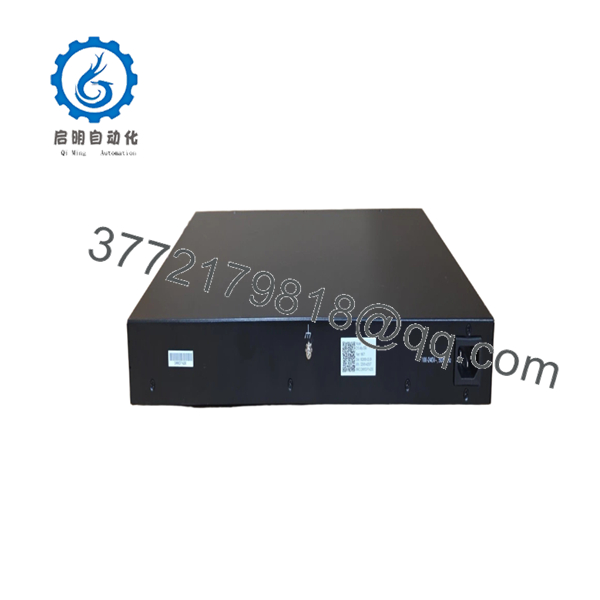
| Power Supply Type | Internal Fixed Power Supply Unit (100–240 V AC) |
| Form Factor | 1U Rackmount (4.4 cm x 44.0 cm x 40.0 cm) |
4. Product Introduction & Supply Chain Strategy
The Extreme Networks 210-48P-GE4 (21012) is a full-featured ExtremeSwitching 210 series stackable managed switch optimized for high-density edge deployments, IP surveillance, and industrial control room device aggregation. Equipped with 48 gigabit Ethernet copper ports delivering up to 30 W of IEEE 802.3at PoE+ power per port alongside 4 dedicated SFP slots for long-haul fiber runs, this switch processes data distributions at line-rate with low latency. Running an efficient managed software layer, it provides robust Layer 2 switching, static Layer 3 routing, and essential security filters tailored for reliable multi-service environments.
When managing distributed network infrastructures, purchasing under a strict Total Cost of Ownership (TCO) protocol is vital. Choosing this New Surplus 210-48P-GE4 switch over used options completely protects your operation from the hidden failure points typical of refurbished network hardware, such as overheated internal PoE regulators or aged capacitors. For facilities tracking plant reliability metrics, maintaining 1–2 factory-sealed units as on-site buffer stock provides immediate insurance against lead time variability, simplifies vendor consolidation, and protects against costly unplanned production stock-out incidents.

- 210-48P-GE4
- 210-48P-GE4
5. Installation & Configuration Guide
Stage 1: Pre-Installation (Prep & Safety)
- Power down matching power drops and apply standard lock-out/tag-out rules at the local distribution panel.
- Attach a properly grounded anti-static (ESD) wrist strap to your arm before unboxing the switch chassis.
- Establish a terminal line to the switch being replaced and back up the configuration via the CLI using a TFTP/SFTP upload or text log capture.
- Document and label all copper patch cords, PoE devices, and active SFP fiber interfaces with their corresponding port numbers.
Stage 2: Removal
- Unplug the main AC power cord from the rear chassis socket.
- Disconnect all copper RJ-45 network connections and remove any active SFP transceivers from the front-facing ports, placing them into protective static-shielded bins.
- Unscrew the rack-mounting ears from the front rails of the 19-inch equipment enclosure.
- Carefully slide the switch out of the rack cabinet, supporting it from underneath to avoid scraping adjacent processing hardware.
Stage 3: Installation (Clone & Seat)
- Open the factory-sealed anti-static shipping wrap and inspect the port cavities for any dust, debris, or transit anomalies.
- Secure the included rack-mounting ears to both sides of the 1U chassis.
- Position the switch into the designated rack slot and tighten the mounting hardware securely across all anchor points.
- Reinsert the optical SFP transceivers and reconnect the labeled copper RJ-45 lines into their designated slots.
Stage 4: Power-On & Testing
- Attach the AC power cord to the rear inlet and check that the internal active cooling fans start up smoothly without mechanical rattling.
- Connect a console cable to monitor the initialization logs and confirm that the power-on self-test (POST) returns complete and error-free.
- Check that the front panel PoE and Link/Activity LEDs illuminate a steady green, indicating active negotiation and proper power delivery.
- Load the saved configuration script into the active firmware engine and run baseline ping tests to verify network routing connectivity.
6. Firmware/Software Versions & Upgrade Notes
The Extreme 210-48P-GE4 runs on a dedicated, browser-managed and CLI-capable operational software image train designed for edge integrity.
When deploying a replacement switch, check the current firmware build via the management dashboard. If the replacement New Surplus hardware is running an older software baseline than your network standard, update the switch on a separate test bench before integrating it into your production network. Modifying or flashing core switch firmware during an emergency replacement is not recommended, as it can cause protocol timeout errors with legacy monitoring systems.
7. Frequently Asked Questions (FAQ)
Q: Are these 210-48P-GE4 switches brand new or refurbished units?A: This inventory consists entirely of 100% Brand New Surplus components. These switches have never been installed in a live network rack, used for field testing, or subjected to third-party electronic overhauls. They are shipped in unused, pristine condition inside factory-sealed anti-static packaging to ensure complete component reliability.
Q: Why does this New Surplus item carry a higher cost than online refurbished switches?A: Refurbished network switches carry significant risks from previous operational heat exposure, power surges, and internal component aging. Our New Surplus pricing represents the value of verified, zero-runtime legacy inventory. Investing in a brand-new component protects your facility from unpredictable network drops, avoiding expensive emergency downtime that far outweighs the minor savings of a used alternative.
Q: Does the 370 W PoE power budget mean all 48 ports can run at full PoE+ wattage simultaneously?A: No. Under the IEEE 802.3at PoE+ standard, a port can pull up to 30 W. With a total system PoE budget of 370 W, the switch can support up to 12 ports at maximum PoE+ capacity simultaneously. If you are distributing power across all 48 ports, the average power available per port will be approximately 7.7 W (standard PoE). You can manage individual port priorities within the software settings to protect your most critical field devices.
Q: Can the 4 SFP uplink slots operate at 10 Gigabit speeds?A: No. The SFP slots on the 210-48P-GE4 are strictly rated for standard 1 Gigabit (1000Base-X) SFP transceivers. They do not support 10 Gigabit SFP+ optical modules.
Q: How do you verify the condition and authenticity of this switch before shipping?A: Every piece of incoming New Surplus inventory goes through an exhaustive quality control inspection. We confirm the integrity of the manufacturer’s anti-static seals, match physical serial numbers against factory shipping records, verify structural alignment, and complete an electrical bench power-on check. A detailed QC inspection report is issued and included with every shipment.



