
 WhatsApp: +86 16626708626
 Email:
  Phone: +86 16626708626
Description
Key Technical Specifications
| Parameter | Value |
|---|---|
| Manufacturer | Extreme Networks |
| Model/Part Number | 8900-10G24X-c / 41023 |
| Port Configuration | 24 x 10 Gigabit Ethernet SFP+ slots |
| Chassis Compatibility | BlackDiamond 8806, BlackDiamond 8810 |
| Required Management Module | MSM-960 / MSM-G8X series management blades |
| Switching Architecture | 4:1 oversubscribed line-rate performance |
| Supported Optics | 10G SFP+ (SR, LR, ER, ZR), Direct Attach Copper (DAC) Twinax |
| Packet Buffer Memory | 12 MB shared packet buffer packet allocation |
| Power Distribution | Power drawn directly via chassis DC backplane (approx. 145 W max) |
| Operating System | ExtremeXOS (EXOS) Software Engine |
| Advanced Protocols | EAPS (Ethernet Automatic Protection Switching), OSPF, BGP, MPLS/VPLS |
| Operating Temperature | 0 to +40 °C (32 to 104 °F) |
Product Introduction & Supply Chain Strategy
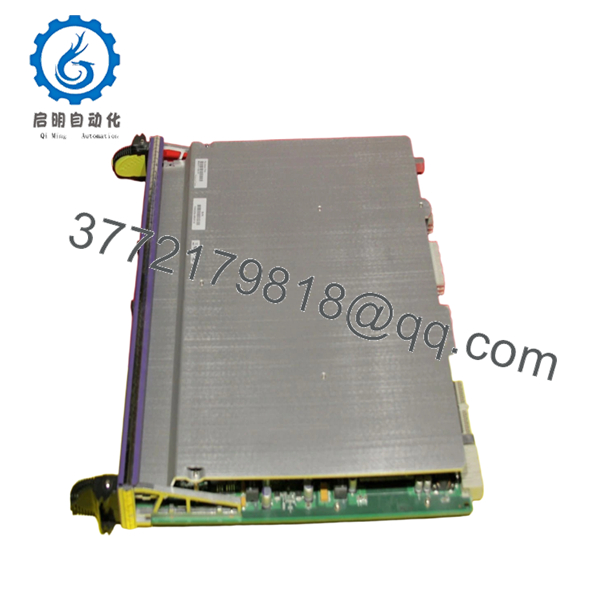
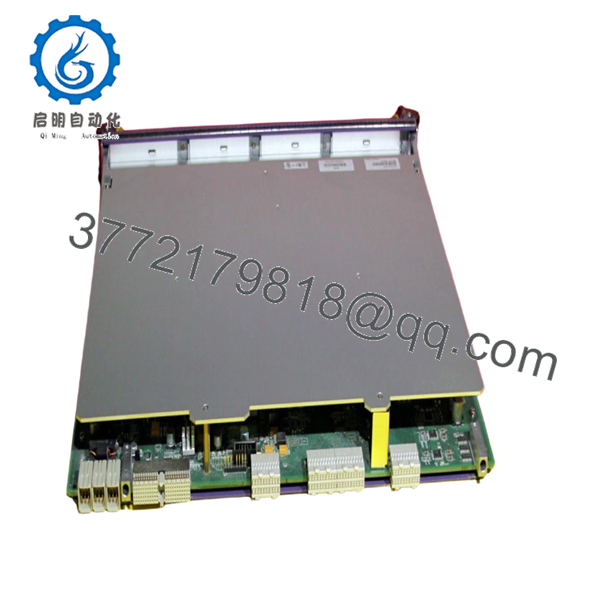
The Extreme Networks 8900-10G24X-c (PN: 41023) is a high-density 24-port 10 Gigabit Ethernet SFP+ input/output module designed for the BlackDiamond 8800 series chassis switching platforms. Engineered to handle large scale data aggregation, this module expands core chassis environments to support massive fiber distributions, linking edge wiring closets and server arrays directly to the central network fabric. Operating on the ExtremeXOS software platform, it implements low-latency Layer 2/3 switching, advanced policy-based routing, and resilient hardware protection protocols like EAPS to prevent data dropouts across critical operational rings.
Maintaining this specialized I/O blade as a Brand New Surplus unit is a vital risk management strategy for facilities relying on BlackDiamond hardware. Because this chassis family has crossed into End-of-Life (EOL) status, procurement teams face prolonged, high-cost stock-out incidents if a core interface blade fails. Turning to used or third-party refurbished hardware exposes the central infrastructure to immediate failure risks; worn ASIC logic chips and compromised backplane interface pins on second-hand cards frequently fail under heavy multi-VLAN traffic routing loads. Procuring factory-sealed, unused surplus cards ensures total hardware parity, zero operational hours on sensitive optical transceivers, and a significantly lower Total Cost of Ownership (TCO) compared to the disruptive cost of a forced, wholesale core migration.
Installation & Configuration Guide
Stage 1: Pre-Installation (Prep & Safety)
- Verify that the chassis power supplies (AC or DC modules) have sufficient available current to support the 145 W maximum draw of this blade.
- Fasten a grounded, anti-static ESD wrist strap securely to your arm and attach the clip to the grounding terminal of the BlackDiamond chassis.
- Access the primary management module (MSM) via console to execute a complete backup configuration download and verify that the active system software supports the 8900-series hardware family.
- Keep the integrated protective faceplate covers on the 24 SFP+ ports until physical fiber optic patching begins.
Stage 2: Removal
- Unlatch and remove all active optical transceivers or Twinax DAC cables connected to the faulty blade. Label each cable to ensure identical port restoration.
- Using a flathead or Phillips screwdriver, loosen the captive retaining screws on both the left and right sides of the module faceplate.
- Push the dual injector/ejector levers outward simultaneously to break the friction seal with the high-density backplane connection pins.
- Slide the module out of the chassis slot smoothly along the internal channel guides, maintaining a parallel alignment to protect adjacent blades. Slide the old card immediately into an ESD protection sleeve.
Stage 3: Installation (Clone & Seat)
- Extract the New Surplus 8900-10G24X-c card from its anti-static factory packaging within your ESD-safe workspace.
- Align the PCB edge precisely with the card guides of the assigned open slot in the BlackDiamond chassis frame.
- Slide the card smoothly into the bay until the ejector levers contact the chassis frame, then push both levers inward firmly until they lock flat against the faceplate to fully seat the backplane pins.
- Tighten the side captive retaining screws to torque specifications to prevent structural shifting.
Stage 4: Power-On & Testing
- Observe the front panel LEDs. The card’s status indicator will display amber during the power-on self-test (POST), then turn solid green once initialized by the active MSM management module.
- Re-insert the clean SFP+ transceivers and reconnect the labeled fiber paths to their correct ports.
- Enter the command
show slotvia the command-line interface to confirm that the operating system recognizes the blade as operational and displays its valid serial number. - Review interface diagnostics to verify proper optical light absorption levels and ensure error-free data packet forwarding across all 24 slots.

- 8900-10G24X-C
- 8900-10G24X-C
Firmware/Software Versions & Upgrade Notes
Operating Software Requirements
The 8900-10G24X-c interface module requires a baseline operating platform of ExtremeXOS (EXOS) Version 12.3 or higher. It also requires the presence of an 8900-series capable Management Switch Module, such as the MSM-960. Inserting this blade into a chassis using older software images will cause initializing faults, and the MSM will flag the slot as an un-routable device.
Software Configuration Hazards
- OS Patch Synchronization: If your BlackDiamond chassis utilizes an EXOS modular software patch (XMOD), check that the patch matches the base software layer before introducing the new I/O card. A version mismatch can cause the switch to drop the port routing tables under high load.
- Slot Configuration Clears: Before swapping an old blade with this New Surplus replacement, run the
unconfigure slot [slot_number]command if you need to wipe out stale port configurations. This ensures the clean 8900-series card inherits fresh, error-free macro policies from the management matrix.
Frequently Asked Questions (FAQ)
Q: Why should we source a New Surplus 8900-10G24X-c blade instead of a cheap used option?
A: Core chassis blades handle massive traffic aggregates, creating high continuous internal temperatures. Used cards pulled from decommissioned networks often exhibit microscopic cracks in the motherboard layers or worn copper backplane pins due to past heat stress. These flaws cause intermittent port dropouts and packet errors that disrupt facility communications. This New Surplus module has zero running hours, guaranteeing pristine factory physical integrity and reliable long-term service lifespans.
Q: Are these interface blades authentic Extreme Networks equipment, or are they third-party clones?
A: Every component we supply is 100% Brand New Surplus / Original New stock sourced directly from genuine OEM channels. They have never been deployed in an active production chassis, have never underwent component-level board repairs, and are completely untouched by third-party refurbishing companies. They arrive in original factory-sealed static protection packaging, opened only for strict internal quality control inspections.
Q: Does this module offer full wire-speed processing across all 24 ports simultaneously?
A: No. The 8900-10G24X-c utilizes a 4:1 oversubscribed architecture, grouping ports into internal switching clusters. It delivers optimal performance for standard aggregation environments, but if your application requires concurrent, un-throttled wire-speed throughput across every single port, you should allocate traffic distributions across multiple blades.
Q: Can this module accept older 1Gbps SFP optics, or is it strictly limited to 10Gbps SFP+ modules?
A: Yes. The SFP+ slots are backward compatible with standard 1Gbps SFP optical transceivers. However, when using a 1G transceiver, you must access the ExtremeXOS command line and manually configure the port speed setting to 1000 Mbps to override the default 10 Gbps configuration.
Q: Will long-term warehouse storage cause any configuration or firmware data loss on the blade?
A: No. This I/O module does not store system configuration logic or licenses on local battery-backed chips; all configuration parameters are managed by the central MSM module. The card can sit unpowered in a temperature-controlled tool crib for years without risk of data corruption or firmware degradation.
Q: What type of warranty protection is provided with this legacy component?
A: To match the high reliability of our New Surplus inventory, we back this module with an extended 1 year replacement warranty. If a hardware component fails within the warranty period, we will fast-track a replacement directly from our available stock to minimize your downtime.



