
 WhatsApp: +86 16626708626
 Email:
  Phone: +86 16626708626
Description
3. Key Technical Specifications
| Parameter | Value |
|---|---|
| Model | 8900-MSM128 |
| Manufacturer | Extreme Networks |
| Product Type | Management Switch Module |
| Platform | BlackDiamond 8900 Series Chassis |
| CPU | Dual-Core Processor |
| Operating System | ExtremeXOS |
| Primary Function | System management, routing control, switch fabric management |
| Management Interfaces | Console, Ethernet management, optional uplink modules |
| Optional Uplink Modules | 8-port 1G SFP (S-G8Xc), 1-port 10G XFP (S-10G1Xc) |
| Supported Features | Layer 2, Layer 3, MPLS, IPv4/IPv6 routing, QoS, VLANs |
| Redundancy | Supports redundant MSM deployment |
| Installation | Hot-standby supervisor configuration supported when properly configured |
| Chassis Compatibility | BlackDiamond 8900 Series chassis |
| Operating Software | Compatible with supported ExtremeXOS releases for 8900 platforms |
The 8900-MSM128 serves as the primary management module for the BlackDiamond 8900 Series and provides higher switching capacity and processing capability than earlier MSM generations. It supports distributed forwarding with compatible XL I/O modules and enables substantially larger routing and ARP tables when deployed in supported configurations.
4. Product Introduction
The Extreme Networks 8900-MSM128 is the central management switch module for the BlackDiamond 8900 Series modular Ethernet switch platform. It controls system initialization, routing processes, management services, and communication between installed I/O modules.
For enterprise campus cores, service provider aggregation, and large industrial Ethernet deployments, the 8900-MSM128 offers increased CPU performance, higher control-plane capacity, and support for advanced ExtremeXOS networking features. When paired with compatible BlackDiamond XL I/O modules, it also supports significantly larger routing and forwarding tables for large-scale deployments.

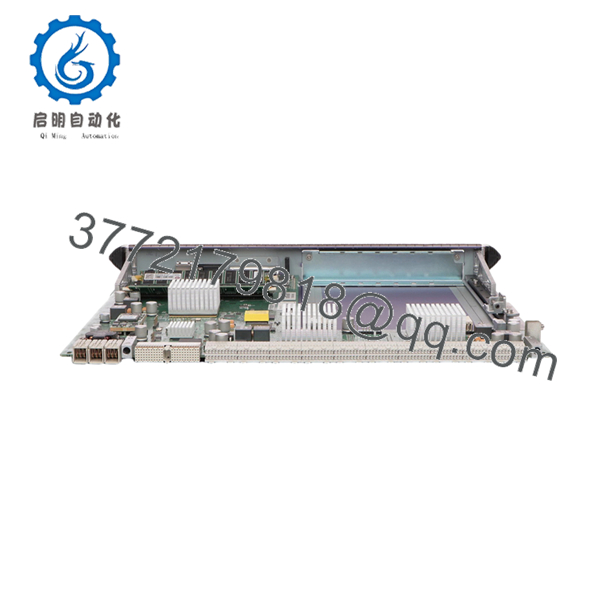
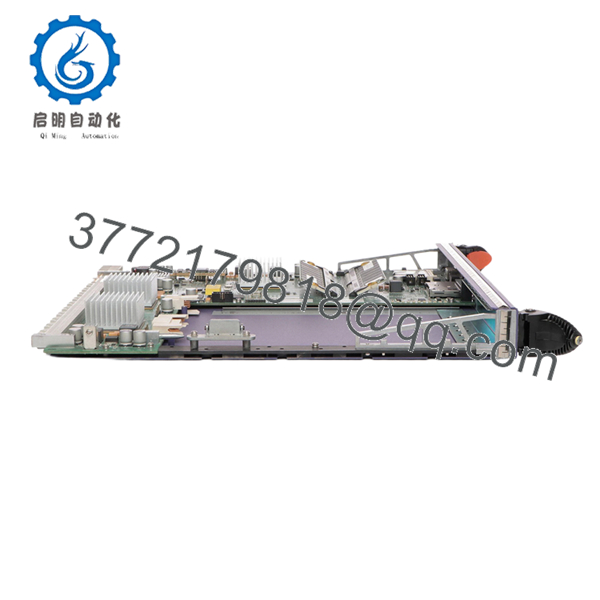
- 8900-MSM128
- 8900-MSM128
5. Installation & Configuration Guide
Stage 1 – Pre-Installation Preparation (10 minutes)
⚠️ Safety First
- Notify network operations of scheduled downtime.
- Save the running configuration.
- Back up the startup configuration.
- Verify redundant MSM status if installed.
- Power down the chassis if hot replacement is not supported by your deployment procedure.
Tools Required
- ESD wrist strap
- Phillips screwdriver
- Digital multimeter
- Flashlight
- Smartphone for documentation
- Console cable
Data Backup
- Save configuration files.
- Record current ExtremeXOS version.
- Photograph installed module positions.
- Record management IP configuration.
- Record boot partition information.
Stage 2 – Removing the Old Module (5 minutes)
- Disconnect the management cable.
- Remove retaining screws.
- Unlock extraction levers.
- Pull the module straight out.
- Inspect the backplane connector.
⚠️ Do not force the module. Bent connector pins can damage the chassis backplane.
Keep the original module available until the replacement has successfully booted.
Stage 3 – Installing the New Module (10 minutes)
- Wear an ESD wrist strap.
- Verify the replacement is 8900-MSM128.
- Confirm hardware revision compatibility.
- Insert the module evenly into the guide rails.
- Lock both ejector levers.
- Tighten retaining screws.
- Connect console and management Ethernet.
Installation Checklist
- ☑ Correct module installed
- ☑ Module fully seated
- ☑ Retaining screws tightened
- ☑ Console connected
- ☑ Backup configuration available
Stage 4 – Power-On & Testing (10 minutes)
Pre-Power Checks
- Verify chassis power supplies.
- Inspect cooling fans.
- Check for short circuits.
- Confirm redundant supervisor status.
Startup Procedure
- Power the chassis.
- Observe boot LEDs.
- Monitor console messages.
- Verify hardware detection.
- Confirm ExtremeXOS version.
- Verify routing protocols.
- Test management connectivity.
- Verify all installed line cards are recognized.
⚠️ Troubleshooting
- Red Fault LED: Check software compatibility.
- Line cards missing: Verify supported ExtremeXOS release.
- Routing not restored: Confirm startup configuration loaded successfully.
- Module boot loop: Inspect CompactFlash/storage and hardware compatibility before replacing additional components.
6. Frequently Asked Questions (FAQ)
Q1. Can the 8900-MSM128 be hot-swapped?
Not always. Although redundant supervisor configurations can reduce downtime, replacement procedures depend on your chassis configuration and software release. Follow the maintenance procedure recommended for your specific BlackDiamond deployment before removing the active management module.
Q2. Is the 8900-MSM128 obsolete?
Yes. The BlackDiamond 8900 platform is considered a legacy product. New Original surplus inventory still exists through specialized industrial networking suppliers, but availability is limited.
Q3. Which chassis supports this module?
The 8900-MSM128 is designed for Extreme Networks BlackDiamond 8900 Series chassis and is not interchangeable with every BlackDiamond management module. Always verify hardware compatibility before ordering.
Q4. Will replacing the module erase my switch configuration?
Normally no. Configuration files are retained in system storage or backups, but you should always export the running configuration before maintenance. Firmware compatibility should also be verified before booting the replacement supervisor.
Q5. Why are New Surplus units typically less expensive than OEM pricing?
Most New Surplus modules originate from canceled projects, excess enterprise inventory, or strategic spare-part stock. They are genuine OEM hardware but are no longer supplied directly by the manufacturer.
Q6. What should I verify before installation?
The most common issues involve:
- ExtremeXOS version compatibility
- Hardware revision compatibility
- Boot image support
- Redundant supervisor synchronization
- Installed BlackDiamond I/O module compatibility
Document the software version before replacing the supervisor. A firmware mismatch can prevent the chassis from recognizing installed line cards or restoring routing services correctly. I’ve seen maintenance windows extended for hours simply because the replacement supervisor shipped with a different software release than the production chassis. Matching software versions before installation is one of the most effective ways to avoid unnecessary downtime.



