
 WhatsApp: +86 16626708626
 Email:
  Phone: +86 16626708626
Description
3. Key Technical Specifications
| Parameter | Value |
|---|---|
| Power Output | 1000-1400W |
| Input Voltage | 100-240V AC |
| Airflow Direction | Front-to-Back |
| Designed For | ERS 5900 Series PoE models |
| Redundancy | Supports 1+1 redundant configuration |
| Hot-Swappable | Yes, in supported chassis |
| Efficiency | High-efficiency design |
| Connector Type | IEC C14 inlet |
| Operating Temperature | 0°C to 50°C (system dependent) |
| Status Indicators | Power and fault LEDs |
4. Product Introduction
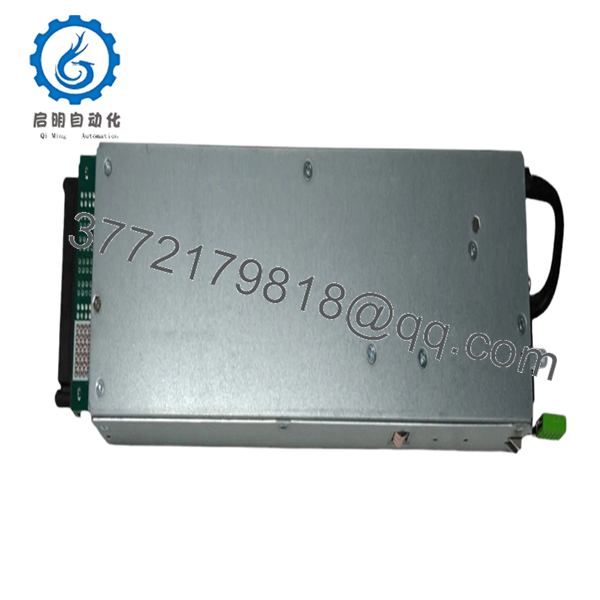
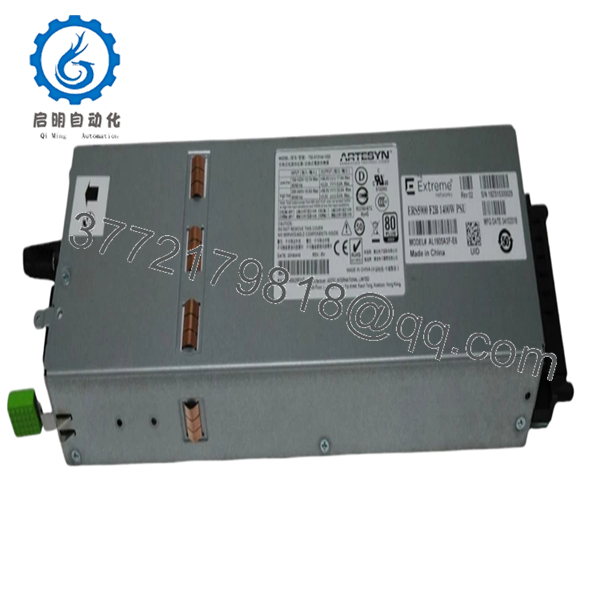
The Extreme Networks AL1905A3F-E6 is a 1000-1400W AC power supply module for the Ethernet Routing Switch 5900 Series. It delivers reliable power to PoE-enabled switches in high-density wiring closet and access layer deployments.
This front-to-back airflow unit supports redundant configurations and field replacement, minimizing downtime during maintenance. It is the standard choice for ERS 5928 and similar models requiring full PoE budget across multiple ports while maintaining wire-speed performance.

- AL1905A3F-E6
- AL1905A3F-E6
5. Troubleshooting Quick Reference
| Symptom | Possible Cause | Relevance to this Part | Quick Check Method | Recommendation |
|---|---|---|---|---|
| Power LED off / No output | No AC input or failed PSU | High | Verify input cord and outlet voltage with multimeter (100-240V) | Replace with known-good unit |
| Fan not spinning / Overheat alarm | Airflow blocked or fan failure | Medium | Check intake/exhaust vents clear; listen for fan operation | Clean filters, reseat PSU, or replace |
| Intermittent power or fault LED | Loose connection or marginal input | Medium | Inspect power cord and inlet; monitor input voltage stability | Secure connections and verify site power quality |
| PSU not recognized in redundant pair | Firmware or seating issue | Low | Check show power in CLI for status | Reseat module and review chassis logs |
| Reduced PoE budget | Single PSU operation or partial failure | High | Confirm both PSUs online via CLI | Install second matching PSU for full redundancy |
If the unit fails basic power-on tests after verifying input power and seating, contact support with chassis model, serial numbers, and diagnostic output.
6. Frequently Asked Questions (FAQ)
Is the AL1905A3F-E6 hot-swappable? Yes. You can replace it while the switch is running in a redundant setup. However, reduce PoE load on the affected power domain first to avoid port shutdowns during the brief transition.
What is the difference between F and B airflow versions? The AL1905A3F-E6 uses front-to-back airflow. Match it to your rack’s cooling design. Mixing airflow directions in the same chassis can cause overheating—stick to one direction throughout.
Will this work in non-PoE ERS 5900 models? It is rated for PoE models but physically compatible. Non-PoE switches may use lower-wattage supplies. Confirm your specific switch model requirements before ordering.
How much PoE budget does one of these supplies provide? Up to 1400W output supports substantial PoE+ or higher across ports, depending on the exact ERS 5900 model and software configuration. Check the switch datasheet for maximum per-port and total budgets.
Is this New Original stock? Yes, these are new original units pulled from sealed inventory or new surplus. They come with full testing on an ERS 5900 chassis and a 1-year warranty.
Can I mix this with older power supplies? For best results and full redundancy, use matching AL1905A3F-E6 units. Different revisions or airflow types can cause issues with load sharing and thermal management.
What input power is required at full load? Expect higher current draw at 100V input versus 240V. Size your circuits and PDUs accordingly and leave headroom for inrush and redundancy. Always follow local electrical codes.



