
 WhatsApp: +86 16626708626
 Email:
  Phone: +86 16626708626
Description
Key Technical Specifications
| Parameter | Value |
| Manufacturer | Extreme Networks |
| Model / MPN | BDXB-100G4X-XL |
| Part Number | 48062 |
| Interface Ports | 4 x 100GBASE-X CFP2 ports |
| Port Flexibility | Can break down or adapt configurations via specific optical transceivers |
| Scale Variant | XL-Series (Enhanced Layer 2/3 and TCAM scale up to ~1 Million entries) |
| Chassis Compatibility | BlackDiamond X8 Framework (Slots 1 through 8) |
| Backplane Interconnect | Orthogonal direct-mating architecture |
| Supported OS | ExtremeXOS (EXOS) |
| Forwarding Profile | Wire-speed non-blocking switching |
| Airflow Profile | Front-to-Back Airflow (AFO) |
Product Introduction & Supply Chain Strategy
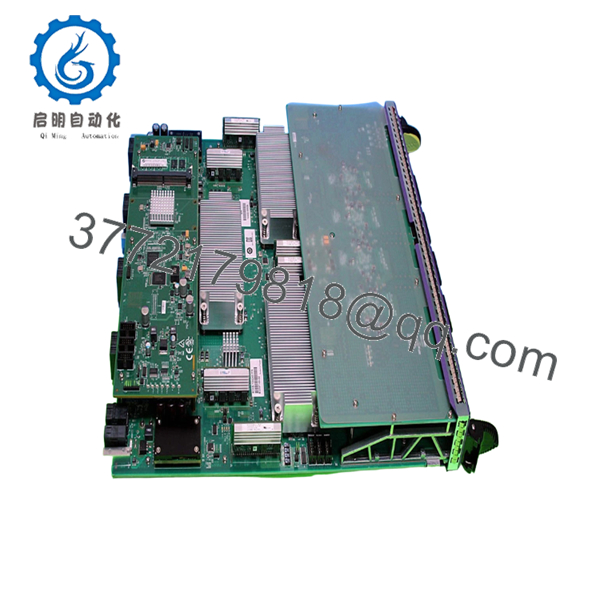
The Extreme Networks BDXB-100G4X-XL (Part Number 48062) is an ultra-high-scale 4-port 100 Gigabit Ethernet CFP2 switch module engineered explicitly for the BlackDiamond X8 architecture. As part of the premium “XL” series, this card provides an expanded TCAM allocation supporting up to 1 million Layer 2/3 forwarding entries, making it suitable for inter-datacenter links, cloud carrier cores, and dense industrial automation backbones. It translates high-volume orthogonal backplane switching capacity into high-speed fiber uplinks, ensuring non-blocking wire-speed data flows.
From an inventory asset management perspective, acquiring this line card as a New Surplus asset optimizes your facility’s Total Cost of Ownership (TCO). Since the BlackDiamond X8 platform is a discontinued legacy system, reliance on factory-direct procurement is no longer possible. Sourcing a factory-sealed, unused module minimizes the risk of catastrophic core fabric stock-outs. Keeping 1–2 of these line cards on-site as buffer stock avoids the physical degradation, thermal stress fractures, and shortened lifespans common in refurbished networking alternatives.

- BDXB-100G4X-XL
Installation & Configuration Guide
Stage 1: Pre-Installation (Prep & Safety)
- Verify that the active BlackDiamond X8 chassis has functional switch fabric modules (SFM) capable of allocating bandwidth to the newly populated slot.
- Secure an approved anti-static ESD grounding wrist strap and connect its terminal clip to the designated ESD chassis jack.
- Log into the management console to confirm the operational status of the chassis power bays and record active port layouts.
- Remove the blank faceplate panel covering the target I/O slot, ensuring the guide tracks are free of physical debris.
Stage 2: Removal
- Unlatch and disconnect all high-speed CFP2 fiber optic transceiver assemblies from the front panel. Secure protective dust caps onto the fiber ends.
- Loosen the integrated captive retaining thumbscrews on the left and right edges of the module faceplate using a flat-head driver.
- Pull the integrated ejector levers simultaneously outward to disengage the internal orthogonal connectors from the chassis midplane.
- Smoothly pull the card out of the chassis along the guide rails, supporting its heavy weight from beneath. Place the old card into an ESD-safe protective shielding bag.
Stage 3: Installation (Clone & Seat)
- Extract the new BDXB-100G4X-XL module from its original OEM anti-static shipping materials.
- Inspect the rear edge orthogonal connector pins to confirm that no physical alignment tracks or contact pins are bent or damaged.
- Align the line card with the empty slot guidance rails and slide it into the chassis until the ejector levers touch the outer frame.
- Press the ejector levers firmly inward to drive the orthogonal contacts into the midplane receptacle. Fully tighten the captive faceplate screws.
Stage 4: Power-On & Testing
- Reinsert your CFP2 optics into the designated front-panel ports and reconnect your verified high-capacity optical fiber runs.
- Observe the module status LEDs during the boot cycle. The power indicator should transition to a steady green light, and the amber error indicator must remain dark.
- Connect to the ExtremeXOS console and run standard system inquiries to verify that the slot registers the module as online, showing the proper “XL” variant scaling.
- Check the port link lights to confirm that 100 Gbps auto-negotiation and link alignment have successfully occurred with upstream switches.
Firmware/Software Versions & Upgrade Notes
- Platform Baseline Requirements: The BDXB-100G4X-XL module requires compatible versions of ExtremeXOS (EXOS) designed to manage the high-scale TCAM profiles of XL-series cards. Verify your master management software level before insertion.
- Compatibility Caveats: Attempting to run this high-scale line card on basic or outdated switch operating system images can cause initialization failure, invalid slot diagnostic states, or a reduction in total forwardable routing entries.
- Swap Protocol Safeguards: Never trigger a global chassis software update, configuration rewrite, or master management switch processor reload while a hardware swap window is actively open. Ensure that the card has completed its power-on self-test (POST) sequence before executing configuration tasks.
Frequently Asked Questions (FAQ)
What is the specific difference between an “XL” and a “Non-XL” Extreme Networks module?
The “XL” designation indicates that the BDXB-100G4X-XL features a significantly upgraded TCAM table memory capacity over standard line cards. While standard modules are suited for local leaf aggregation, XL-series modules support up to approximately 1 million Layer 2/3 forwarding entries. This scale makes them suitable for handling large, complex data routing tables across inter-datacenter links and core enterprise backbones without suffering table overflows.
Why choose a New Surplus 48062 card over a used or seller-refurbished option?
Our New Surplus inventory consists entirely of unused, pristine equipment that has never been deployed in active production networks. Refurbished 100G high-performance cards often carry hidden liabilities like microscopic solder stress fractures from thermal cycles, degraded port cage spring clips, or internal ASIC degradation from years of operation in hot environments. Sourcing New Surplus maximizes operational reliability and protects your facility from unexpected downtime.
Is the BlackDiamond X8 series still actively supported by Extreme Networks?
No, the BlackDiamond X8 chassis platform and related line components like the BDXB-100G4X-XL have reached their formal End-of-Life (EOL) status. Because factory fulfillment channels are closed, maintaining critical spares on-site is an essential supply-chain strategy to prevent premature, costly forklift upgrades of your entire network core.
Does this high-scale card support hot-swapping inside a running chassis?
Yes, the BlackDiamond X8 switch framework separates its control and data planes, allowing you to hot-swap all I/O cards. You can physically replace the BDXB-100G4X-XL without powering down the main switch chassis or resetting neighboring active cards. However, any active 100G data streams running through this specific slot will drop immediately during the physical replacement process.
How do you verify that this module is an authentic, genuine product?
Every BDXB-100G4X-XL module goes through strict inbound quality tracking. We verify the genuine Extreme Networks tracking barcodes, cross-check the internal 48062 part numbers, and perform detailed physical audits of the delicate orthogonal rear contacts. Your hardware is shipped in high-duty ESD-safe materials and includes our verified quality control documentation.



