
 WhatsApp: +86 16626708626
 Email:
  Phone: +86 16626708626
Description
3. Key Technical Specifications
| Parameter | Value |
|---|---|
| Ports | 24 x 10/100/1000BASE-T (PoE+) |
| Uplink Ports | 4 x 1000BASE-X SFP (unpopulated) |
| Switching Capacity | 56 Gbps |
| Forwarding Rate | 41.7 Mpps |
| PoE Budget | Up to 370W (802.3at) |
| CPU | 400 MHz |
| Memory | 256 MB |
| Dimensions (HxWxD) | 1.75 x 17.31 x 10.25 inches |
| Weight | Approx. 10 lb (4.5 kg) |
| Operating Temperature | 0°C to 45°C |
| Power Supply | Internal AC PSU, IEC 320 C14 |
| Management | ExtremeXOS CLI, web interface, SNMP |
4. Product Introduction
The Extreme Networks X430-24p is a 1RU Summit series switch with 24 Gigabit Ethernet ports that deliver IEEE 802.3at PoE+ power plus 4 dedicated 1000BASE-X SFP uplink ports. It provides reliable connectivity and power for VoIP phones, wireless access points, and IP cameras in enterprise and industrial networks.
Field deployments in mid-size access layers show this model handles mixed traffic loads without issue when properly stacked or managed through ExtremeXOS. It gives you a straightforward upgrade path from older Fast Ethernet infrastructure while keeping power draw and rack space under control.
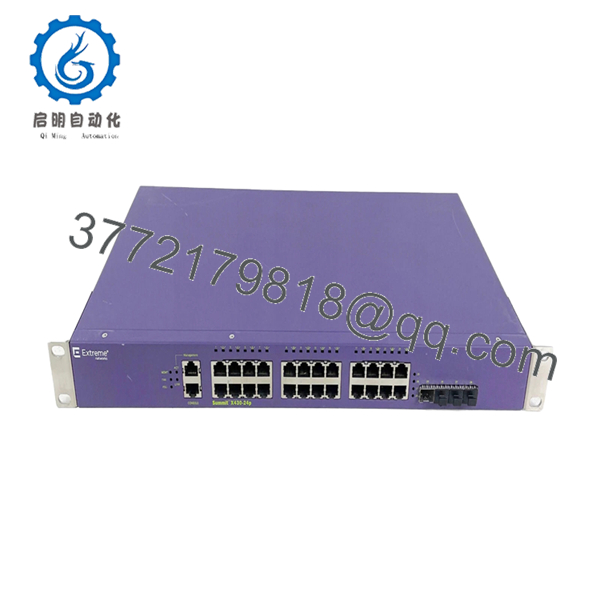
- X430-24p
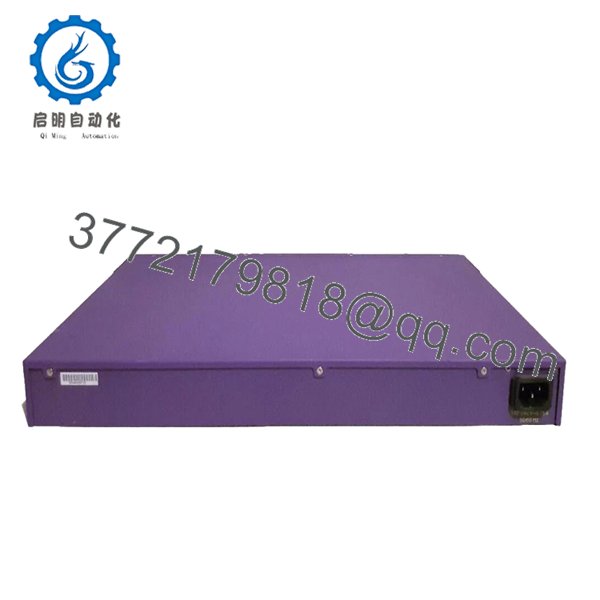
- X430-24p
5. Troubleshooting Quick Reference
| Symptom | Possible Cause | Relevance to this Part | Quick Check Method | Recommendation |
|---|---|---|---|---|
| No power to switch | Failed AC input or PSU | ✅ High | Measure 110-240V AC at IEC inlet with multimeter | Verify outlet and cord before replacement |
| Ports show no link lights | Cable or negotiation failure | ✅ High | Check cable with tester; run “show ports” in CLI | Confirm speed/duplex match on both ends |
| PoE devices not powering | Budget exceeded or port disabled | ✅ High | Run “show power” and “show inline-power” commands | Check total draw and enable PoE on port if needed |
| SFP ports not linking | Wrong transceiver or dirty fiber | ✅ Medium | Inspect SFP module compatibility; clean connectors | Use Extreme-approved SFPs and verify “show port” status |
| High CPU or slow response | Configuration loop or broadcast storm | ❌ Low | Run “show cpu-process” and “show log” | Review STP settings and clear logs |
| Fans loud or switch hot | Airflow blocked or fan failure | ✅ Medium | Check intake/exhaust vents; monitor temp in CLI | Clean filters and ensure 2RU clearance |
Contact technical support with CLI output from “show tech-support” plus photos of the unit and cabling if these checks do not resolve the issue.
6. Frequently Asked Questions (FAQ)
Is the X430-24p still supported? Extreme Networks issued end-of-sale notice years ago for the X430 series. It still runs current supported ExtremeXOS versions in many installed bases. Verify your required firmware against the latest Extreme compatibility matrix before deployment.
Can I hot-swap this switch in a live stack? No. Power down the unit first. Hot-swapping in a stack requires specific stacking configuration and matching hardware revisions. Plan a short maintenance window to avoid unexpected stack master changes.
How much PoE power is actually available? The switch supports up to approximately 370W of PoE+ budget depending on configuration. Always calculate total connected device draw and leave headroom. Run “show inline-power” after installation to confirm remaining capacity.
Will my existing SFP transceivers work? Only if they are 1G 1000BASE-X compatible and on the Extreme approved list. Many third-party modules function but may throw warnings in the logs. Test one port first.
Is this new surplus or refurbished? This unit is New Original / New Surplus stock. It comes sealed from original manufacturing with full traceability. We perform full power-on and port testing before shipment.
Does it retain configuration during a power cycle? Yes, when properly saved to NVRAM with “save configuration”. Always back up your config before any hardware swap using “show configuration” or Extreme management tools.
What warranty do you provide? We offer a 1-year warranty on this New Surplus unit covering functional defects. Test videos and serial number photos are available upon request before shipment.



