
 WhatsApp: +86 16626708626
 Email:
  Phone: +86 16626708626
Description
Key Technical Specifications
| Parameter | Value |
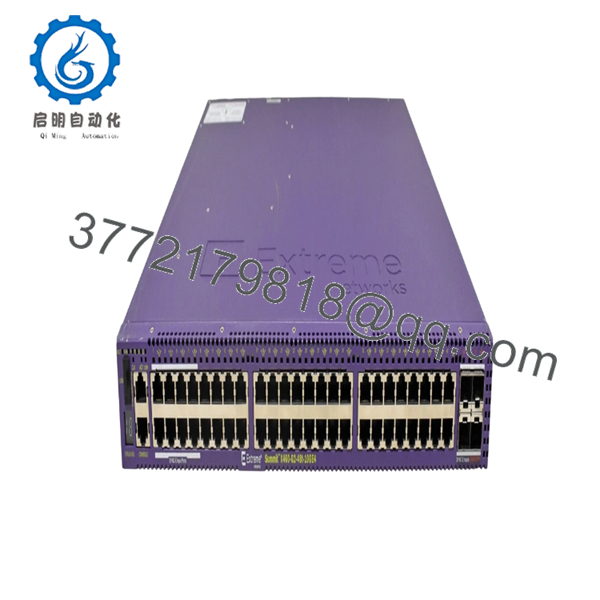
| Port Configuration | 24 x 10/100/1000BASE-T PoE+ ports, 2 x 10GBASE-X SFP+ unpopulated ports |
| Switching Capacity | 88 Gbps aggregated bandwidth |
| Forwarding Rate | 65 Mpps frame forwarding rate |
| PoE Standards | IEEE 802.3af (PoE) and IEEE 802.3at (PoE+) |
| Max Packet Size | 9,216 Byte (Jumbo Frame support) |
| Forwarding Tables | 16K MAC addresses, 1K L2 Multicast groups, 32 IPv4 LPM entries |
| CPU / Memory | Single Core 500 MHz CPU, 512 MB ECC DRAM, 512 MB Compact Flash |
| Operating Temperature | 0 to 45°C (32 to 113°F), 10% to 95% RH non-condensing |
| Form Factor | 1RU rack-mountable, 17.4 x 10.0 x 1.73 inches (44.1 x 25.4 x 4.4 cm) |
| Weight | 9.8 lbs (4.475 kg) |
Product Introduction & Supply Chain Strategy
The Extreme Networks X440-24p-10G is a fixed-configuration enterprise edge switch designed to integrate industrial, maritime, or building automation devices with a high-capacity fiber backbone. Operating on the ExtremeXOS operating system, this hardware delivers predictable Layer 2/4 switching performance alongside native Power over Ethernet Plus (PoE+) to power IP cameras, wireless access points, and remote telemetry units directly over standard Ethernet cabling. Its dual 10G SFP+ uplinks prevent localized data bottlenecks, ensuring real-time telemetry transit across complex processing networks.
Because this specific Summit series module is an End-of-Life asset, securing New Surplus units is a critical risk-mitigation strategy for keeping production facilities running. Relying on refurbished network components introduces severe technical vulnerabilities, including degraded internal power supplies and localized port burnouts that pass cosmetic visual checks but fail under full PoE load. Acquiring factory-sealed, un-deployed inventory lowers your Total Cost of Ownership by guaranteeing full operational lifespans and preventing multi-day network failures that can quickly trigger tens of thousands of dollars in emergency expediting fees.

- X440-24p-10G
- X440-24p-10G
Installation & Configuration Guide
Stage 1: Pre-Installation (Prep & Safety)
- Enforce strict lock-out/tag-out procedures on connected down-link devices if necessary, and completely isolate power feeds to the network enclosure.
- Put on a grounded, anti-static wrist strap and attach it to the bare metal surface of the equipment rack to prevent Electrostatic Discharge damage.
- Access the existing switch CLI via the console port and run the
show configurationandshow version detailcommands; save the complete text file output to secure your configuration backups and license keys. - Take high-resolution photographs of all physical patch cables and the fiber uplink arrangement to ensure precise port mapping during the hardware swap.
Stage 2: Removal
- Unplug the AC or DC power cords from the rear panel of the chassis. If an External Power Supply (EPS) or redundant power system is connected, decouple it completely before proceeding.
- Carefully unlock and extract all SFP+ fiber transceivers from the 10G uplink slots; store them inside static-shielded bags.
- Disconnect all RJ-45 copper patch cables from ports 1 through 24.
- Support the weight of the chassis, unbolt the mounting screws from the front rack ears, and pull the unit straight forward out of the rack to avoid scratching adjacent hardware or bending backplane mounting brackets.
Stage 3: Installation (Clone & Seat)
- Unbox the New Surplus X440-24p-10G on an ESD-safe workbench. Inspect the chassis, RJ-45 ports, and rear power receptacles for shipping defects.
- Align the switch with the open 1RU slot in the equipment rack and secure the front rack ears to the rails using standard cage nuts and screws.
- Re-insert the SFP+ transceivers into the designated 10G uplink slots until they click firmly into place.
- Reconnect all RJ-45 copper patch cables into their respective ports based on the photographs taken during Stage 1.
Stage 4: Power-On & Testing
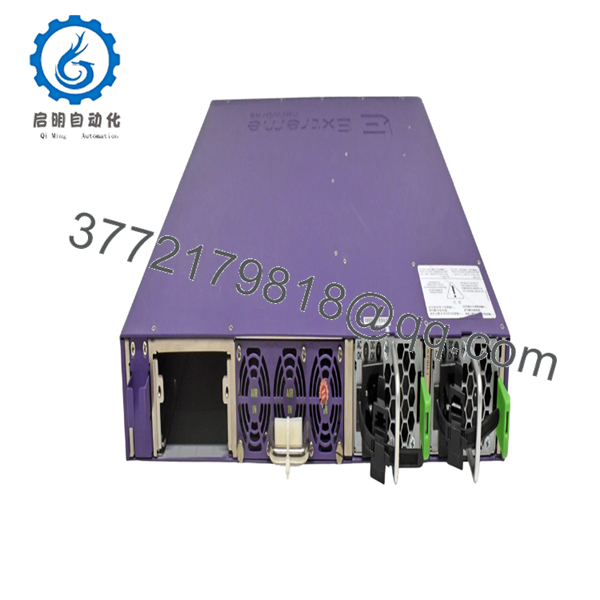
- Reconnect the primary AC power cord and any secondary redundant power cables to the rear panel.
- Observe the System Status LEDs on the front panel; verify that the “Mgmt”, “Fan”, and “Power” indicators illuminate steady green without showing an amber error status.
- Connect a laptop to the console port using an RJ-45 to DB-9 serial cable. Open a terminal emulator set to 9600 baud, 8 data bits, 1 stop bit, no parity.
- Log into the ExtremeXOS prompt and verify initial boot diagnostics. Use the TFTP or SCP protocol to transfer your saved configuration file back onto the switch, or manually paste the backed-up command lines to restore routing tables, VLAN structures, and PoE allocations.
Firmware/Software Versions & Upgrade Notes
The Extreme Networks Summit X440-24p-10G runs on ExtremeXOS (EXOS) firmware. For this hardware generation, installing a stable, mature release such as EXOS 16.2.x is recommended to balance modern security patching with the physical memory limitations of the 512 MB onboard compact flash.
⚠️ CRITICAL FIRMWARE INTEGRATION WARNING: > Do not attempt to force install EXOS versions past 22.x on this specific hardware platform. Versions 22.3 and higher alter internal programmable logic component allocations (FPGA and PLD) that are optimized exclusively for X440-G2 hardware revisions. Forcing an unsupported firmware update can saturate the onboard Compact Flash partition, cause protocol timeouts on your 10G fiber handshakes, or permanently brick the system’s BootROM. Always match the active software partition version with your surviving stack members prior to connecting stacking cables.
Frequently Asked Questions (FAQ)
Why is this New Surplus switch priced higher than a refurbished model, but lower than OEM list prices?
Our pricing directly reflects the scarcity and supply chain value of verified, un-deployed inventory. While a refurbished switch carries high operational risk due to hidden component degradation from prior thermal environments, this unit provides OEM-level longevity and zero previous runtime hours. It costs slightly more than a repaired gamble but sits well below active list prices, offering structural reliability without an inflated budget impact.
Is the Extreme Networks X440-24p-10G fully obsolete, and how should I manage its lifecycle?
Yes, this switch model is officially designated as End-of-Life (EOL) by the original manufacturer. Because it is no longer supported with standard factory replacements, our current recommendation for high-criticality production environments is to maintain a 1-to-1 or 1-to-2 unit backup buffer on-site. This structural safety stock allows your maintenance team to bypass lengthy supply chain searches and execute immediate physical swap-outs during unexpected downtime events.
Are these units truly brand new, or are they pulled from working environments?
These switches are 100% genuine New Surplus assets. They have never been deployed in an active production network, nor are they pulled from decommissioned data centers. Every single switch remains in its original packaging and is opened exclusively by our internal engineers to execute quality control verification, cross-reference serial numbers, and complete functional self-tests before shipping out.
What are the dangers of hot-swapping network switches in a live industrial environment?
Hot-swapping structural switches without preparing configuration routing can disrupt automated industrial operations. Sudden disconnection of the 10G uplinks will instantly interrupt Modbus/TCP or EtherNet/IP telemetry strings, driving down-link logic controllers into safe-state faults and triggering immediate emergency shutdowns. Always schedule a controlled maintenance window to swap networking core hardware safely.
Will this switch retain my existing network configuration if it loses primary power?
Yes. The X440-24p-10G saves its running and boot configuration files onto internal, non-volatile Compact Flash memory. A total loss of power will not erase your configured IP interfaces, port descriptions, access control lists, or VLAN settings. Once primary power returns to the 24V rails or internal AC supply, the switch executes its power-on self-test and automatically applies the saved parameters.
What warranty terms are provided with this hardware?
Every New Surplus product page item includes a comprehensive 1-to-2 year operational reliability warranty. If any integrated component or physical port experiences an internal failure under normal operating parameters during this protection window, we will provide an expedited replacement unit to secure your automation architecture against prolonged plant outages.



