
 WhatsApp: +86 16626708626
 Email:
  Phone: +86 16626708626
Description
3. Key Technical Specifications
| Parameter | Value |
|---|---|
| Product Model | X450-G2-48P-GE4-BASE |
| Manufacturer | Extreme Networks |
| Product Family | ExtremeSwitching X450-G2 Series |
| Product Type | Layer 2/Layer 3 Managed Ethernet Switch |
| Access Ports | 48 × 10/100/1000Base-T IEEE 802.3af/802.3at PoE+ |
| Uplink Ports | 4 × 1000BASE-X SFP |
| Stacking | 2 × 21 Gbps SummitStack-V84 stacking ports |
| Switching Capacity | 188 Gbps |
| Forwarding Performance | 139.9 Mpps |
| Latency | Less than 4 μs (64-byte packets) |
| VLAN Capacity | Up to 4,096 VLANs |
| MAC Address Table | Up to 68,000 MAC addresses |
| Jumbo Frame Support | Up to 9,216 bytes |
| Operating System | ExtremeXOS (EXOS) |
| Management | CLI, SSH, SNMP, Web, ExtremeCloud IQ |
| Power Supply | Dual modular PoE power supply slots (ordered separately on BASE model) |
| Cooling | Hot-swappable fan module (ordered separately on BASE model) |
| Mounting | 1U Rack Mount |
Compatibility Note: The BASE version ships without populated PoE power supplies and fan modules. These components must be specified separately before deployment. Manufacturing revision 23 and later requires EXOS 30.4.1 or newer because of an updated PoE controller. Earlier revisions have different software requirements. Always verify the hardware revision with the
show versioncommand before replacing an installed switch.
4. Product Introduction
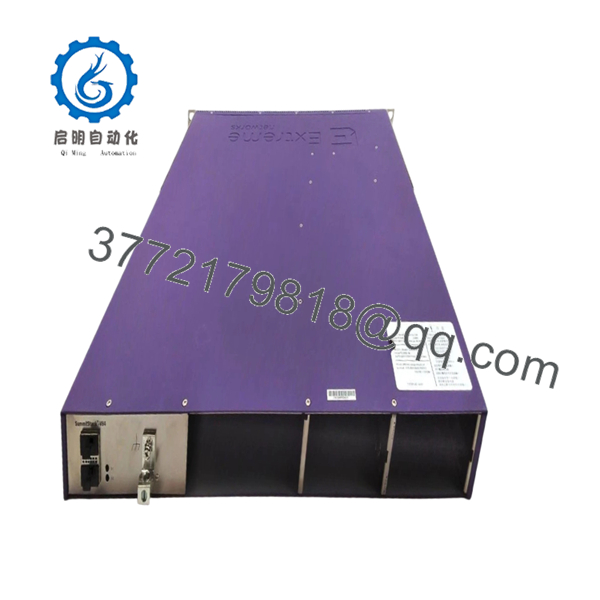
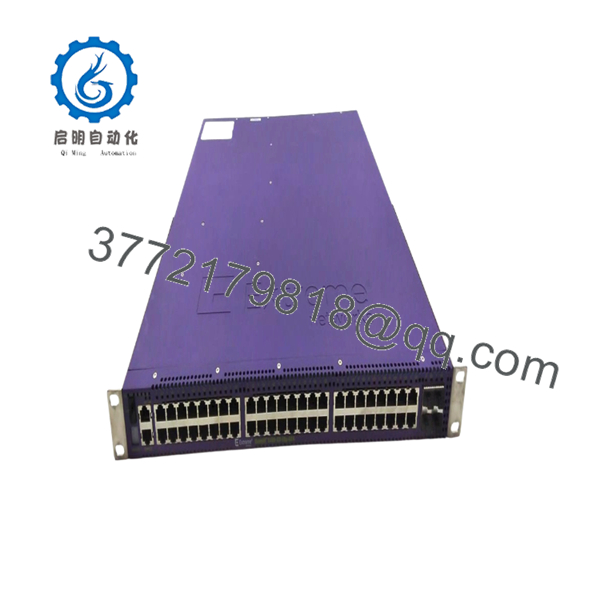
The Extreme Networks X450-G2-48P-GE4-BASE is a managed Gigabit Ethernet switch designed for campus, industrial, and enterprise access-layer deployments requiring PoE+, Layer 3 routing, and hardware stacking. It provides forty-eight Gigabit PoE+ access ports, four SFP uplink interfaces, and dedicated SummitStack-V84 stacking ports running the ExtremeXOS operating system.
This model remains common in manufacturing plants, hospitals, universities, and utility facilities because it supports incremental network expansion without replacing the existing switching architecture. Before installation, verify the hardware revision, EXOS software version, installed power supplies, and fan modules to avoid unnecessary commissioning delays.

- X450-G2-48P-GE4-BASE
- X450-G2-48P-GE4-BASE
5. Installation & Configuration Guide
Stage 1 – Pre-Installation Preparation (Estimated Time: 10 Minutes)
⚠️ Safety First
- Notify operations of the scheduled maintenance window.
- Verify connected PLC, SCADA, HMI, and VoIP systems can tolerate network downtime.
- Lock out and tag out the AC power source.
- Disconnect power and wait 5 minutes for internal capacitors to discharge.
Tools Required
- Grounded ESD wrist strap
- PH1 screwdriver
- Fluke 115 digital multimeter
- Fiber cleaning kit
- Cable labels
- Smartphone for documentation
Data Backup
- Save both the running and startup EXOS configuration.
- Record:
- EXOS software version
- Manufacturing revision
- Management IP address
- VLAN configuration
- Routing configuration
- PoE allocation
- Stacking configuration
- Photograph all cable connections.
- Record installed SFP modules.
Stage 2 – Removing the Old Switch (Estimated Time: 10 Minutes)
- Disconnect AC input power.
- Label every Ethernet and fiber cable.
- Remove SFP modules carefully.
- Disconnect console and management cables.
- Remove rack mounting hardware.
- Slide the switch straight out.
⚠️ Do not remove the switch by pulling on installed fiber modules or network cables.
Inspect the power supply bays, fan module slot, and SFP cages for bent contacts or contamination.
Retain the original switch until the replacement has completed production testing successfully.
Stage 3 – Installing the New Switch (Estimated Time: 10 Minutes)
- Wear a grounded ESD wrist strap.
- Verify the model number exactly matches X450-G2-48P-GE4-BASE.
- Confirm the correct PoE power supplies and fan module are installed.
- Compare the hardware manufacturing revision.
- Install the switch into the rack.
- Reinstall SFP modules after cleaning fiber connectors.
- Restore the saved EXOS configuration.
- Reconnect all network cables.
Self-Checklist
- Model verified
- Hardware revision checked
- Fan module installed
- Power supplies installed
- Configuration restored
- SFP modules installed
- Rack hardware tightened
Stage 4 – Power-On & Testing (Estimated Time: 15 Minutes)
Pre-Power Check
- Measure AC input voltage.
- Verify protective grounding.
- Confirm PoE power supplies are fully seated.
Power-On Steps
- Apply power to the switch.
- Observe Power, Fan, and Status LEDs.
- Connect through the console interface.
- Verify:
- EXOS version
- Hardware revision
- VLAN database
- Routing table
- PoE status
- Stacking status
- Test connectivity with connected automation devices.
- Verify PoE operation on powered endpoints.
⚠️ Troubleshooting Note
System boots but PoE does not operate
- Check the hardware manufacturing revision.
- Verify EXOS 30.4.1 or later for newer PoE controller revisions.
- Confirm PoE power supplies are installed correctly.
Stack members fail to join
- Verify identical EXOS versions.
- Check stacking cable orientation.
- Confirm stack IDs are configured correctly.
Engineering Notes from Field Experience
❗ Firmware Revision Mismatch
This is the issue I encounter most frequently with X450-G2 replacements. A switch may boot normally but fail to initialize PoE or stacking because the replacement has a newer hardware revision than the installed software supports. Before removing the original unit, run show version, record the manufacturing revision, and compare it with the replacement. I’ve seen maintenance teams spend an entire shift troubleshooting hardware that only needed an EXOS upgrade.
❗ BASE Model Hardware
The BASE version often surprises buyers. Unlike fully configured systems, it may be delivered without PoE power supplies and without a fan tray. Verify exactly what is included before scheduling a maintenance window. I’ve seen installations delayed simply because the switch arrived without the required power modules.
❗ Stacking Configuration
Replacing one switch in a SummitStack environment is straightforward only if every member runs a compatible EXOS release. Check stack priorities, stack IDs, and software versions before reconnecting stacking cables.
❗ PoE Power Budget
Forty-eight PoE+ ports can draw substantial power when wireless access points, IP cameras, and VoIP phones all request full power simultaneously. Calculate the total PoE load and maintain at least a 20% reserve to prevent unexpected power allocation failures.
❗ Electrostatic Discharge (ESD)
I once watched an engineer install a replacement switch after walking across a carpeted office without an ESD strap. The switch booted normally, but two SFP ports later developed intermittent faults that were nearly impossible to diagnose. Always use a grounded wrist strap and handle optical modules only by their housings.
Keep these checks in mind and you’ll avoid most of the rework that turns a 30-minute replacement into an all-day outage.
6. Frequently Asked Questions (FAQ)
Q1. Can I hot-swap the X450-G2-48P-GE4-BASE?
No. Although the platform supports redundant network designs, the switch itself should not be removed while powered. Shut down the unit before replacement to avoid hardware damage and network instability.
Q2. Is this model still supported?
The X450-G2 family remains supported by current EXOS software, but software requirements depend on the hardware manufacturing revision. Newer PoE controller revisions require EXOS 30.4.1 or later. Always verify the revision before upgrading or replacing hardware.
Q3. Why doesn’t my replacement switch provide PoE after installation?
The most common causes are:
- Incorrect EXOS version for the hardware revision.
- Missing PoE power supplies on the BASE model.
- PoE budget exceeded.
- Unsupported hardware revision.
Start by checking show version and confirming the installed power supply modules.
Q4. Will replacing the switch erase my configuration?
Yes. Configuration is not transferred automatically to replacement hardware. Export both the running and startup configurations before maintenance and restore them after installation.
Q5. Why is New Surplus inventory usually less expensive than OEM pricing?
New Surplus equipment typically comes from canceled projects, distributor overstock, or unused maintenance inventory. The hardware has not been commissioned but may have been stored for several years. Verify serial numbers, inspection reports, and functional test documentation before installation.
Q6. What inspections should be completed before shipment?
A documented quality process should include:
- OEM serial number verification and traceability.
- Anti-counterfeit inspection.
- Visual inspection for corrosion, scratches, UV discoloration, and repair marks.
- Installation into a compatible EXOS test environment.
- Power-on self-test.
- Management interface verification.
- PoE functionality testing.
- Ethernet and SFP communication testing.
- Continuous operation under load for more than 24 hours.
- Insulation resistance testing, firmware documentation, QC approval, ESD packaging, protective cushioning, and heavy-duty export boxing.
Test reports, startup photographs, and power-on videos should be available upon request before shipment.



