
 WhatsApp: +86 16626708626
 Email:
  Phone: +86 16626708626
Description
Key Technical Specifications
| Parameter | Value |
| Device Type | Portable Handy File Controller / Floppy Drive Reader |
| Interface Keys | 42 tactile membrane key switches |
| Display Matrix | Segmented LED text/status display |
| Connectivity Interface | Dual-port configuration (Serial RS-232 / I/O link channels) |
| Data Media Compatibility | 3.5-inch floppy disk configurations (sub-model dependent) |
| Enclosure Rating | Industrial handheld casing with integrated protective gaskets |
| Operating Input Voltage | Derived via interface cable from FANUC host controller |
| Operating Temperature | 0 to +50 °C (32 to 122 °F) |
| Storage Temperature | −20 to +70 °C (−4 to +158 °F) |
Product Introduction & Supply Chain Strategy
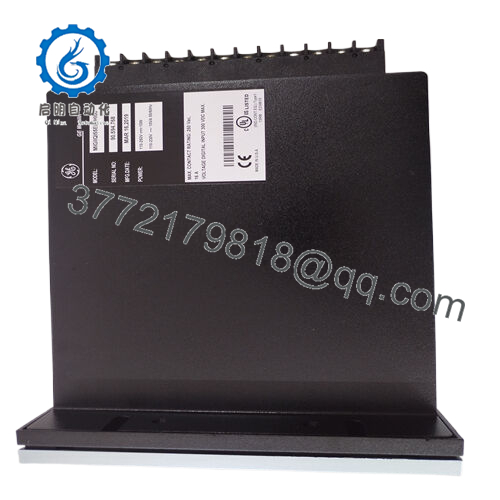
The FANUC A13B-0159 product series comprises the foundational hardware units for the specialized FANUC Handy File ecosystem, including the A13B-0159-B001 handheld interface terminal and the companion A13B-0159-B111 internal floppy disk assembly. This portable subsystem acts as a localized data management terminal for machine tools and robotic cells running mature FANUC control platforms. By connecting directly to the host control station via standard serial ports, the 42-key interface enables manufacturing personnel to rapidly archive, upload, or adjust part program files, macro parameters, and system offsets on the plant floor.
From a long-term supply chain and inventory standpoint, keeping this specialized hardware operational is difficult due to its legacy status. When a file terminal degrades or suffers mechanical switch failure, machine setups grind to a halt because operators cannot inject part programs safely. Procuring this part as a Brand New Surplus unit provides a massive operational advantage over used components. It ensures a zero-hour terminal housing, uncompromised membrane keys, and unblemished communication lines. Keeping a new surplus unit inside your safety stock removes high lead time variability and safeguards your older CNC lines against unexpected production locks.

- A13B-0159-B001
Installation & Configuration Guide
Stage 1: Pre-Installation (Prep & Safety)
- Verify the host FANUC CNC or robotic controller is powered down or that its serial interface port is in a stable, idle state.
- Ensure you are wearing an ESD-safe wrist strap connected to a reliable industrial earth ground before handling the communication leads.
- Check the cable routing paths to make sure the interface wire is free of kinks, cuts, or heavy contamination from cooling lubricants.
Stage 2: Removal
- Unthread the thumb-screws securing the serial interface line to the old handheld terminal base or internal drive frame.
- Detach the connector body straight out from the port housing. Do not yank the cable cord at an acute angle to prevent fracturing internal copper lines.
- Unclamp or lift the failed handheld terminal out of its machine frame mount.
Stage 3: Installation (Clone & Seat)
- Unpack the new surplus A13B-0159 unit from its anti-static packaging shell. Inspect the front 42-key keypad layout and the communication port pins for absolute alignment.
- Mount or hang the terminal into its protective frame sleeve inside the operator workstation layout.
- Align the male pin paths of the interface harness to the dual-port chassis sockets on the new unit. Push the connector inward evenly until it seats firmly against the gasket face, then lock down the securing screws.
Stage 4: Power-On & Testing
- Power up the main FANUC control station to energize the serial interface lines.
- Look at the segment LED indicators on the face of the Handy File. The display should cycle through an initialization routine and drop into a standard standby prompt.
- Initiate a sample test program transfer from the CNC controller to the Handy File terminal. Check the status readouts to confirm the data transmission rate is clean and no framing or parity errors occur.
Firmware/Software Versions & Upgrade Notes
The A13B-0159 operational architecture relies on embedded microcode chips burned into the internal logic boards during production. These units are hardware-bound and do not utilize downloadable software updates or field flash tools.
When changing variations between older or newer system builds within the A13B-0159 range, double-check that your host FANUC controller’s baud rate, stop bits, and XON/XOFF handshake parameters match the factory defaults of the new terminal device. A sudden change in hardware revisions can cause a mismatched transfer speed, resulting in data truncation or error loops on the CNC terminal screen during text file uploads.
Frequently Asked Questions (FAQ)
What is the exact difference between the -B001 and -B111 model suffixes?
The -B001 suffix generally specifies the handheld operator terminal containing the 42-key membrane keypad and display system used directly by the operator. The -B111 suffix identifies the supporting internal drive or controller board assembly that reads and writes the underlying non-volatile program storage media. Both work in tandem to construct the complete Handy File data transfer station.
Why should we choose a New Surplus unit over a cheaper refurbished or used option?
Refurbished handheld terminals are typically used equipment that have spent thousands of hours covered in shop grease and coolant mist. The internal membrane contacts beneath the keys degrade quietly from oil ingress, causing keys to intermittently stick or fail entirely during data input. A verified new surplus unit provides a fresh, pristine assembly that guarantees total button responsiveness and optimal signal transmission without hidden wear.
Does this device require an independent external power cable?
No. The A13B-0159 device receives its low-voltage DC logic power directly from the host FANUC controller through the dedicated communication link cable. No secondary wall adapters or auxiliary lines are required, keeping the handheld assembly completely portable within the operating envelope of the machine tool.
Can this unit be used with modern USB flash drives out of the box?
No. The original A13B-0159 architecture is legacy hardware configured specifically for serial communications and traditional disk formats. If your facility requires USB flash storage integration, you must install an external third-party floppy-to-USB emulator drive module into the drive frame housing, or stick with authentic legacy media to ensure uncompromised compliance with older CNC systems.
What should I do if the LED display displays a communication timeout warning?
A timeout warning indicates that the handheld terminal is not receiving a clear handshake response from the host system. First, check that the communication cord is locked tightly into both the device and the CNC chassis port. Next, go to the CNC parameter page and verify that the I/O channel allocation, baud rate settings, and cable configurations line up exactly with the input parameters required by the Handy File system.



