
 WhatsApp: +86 16626708626
 Email:
  Phone: +86 16626708626
Description
Key Technical Specifications
| Parameter | Specification |
|---|---|
| Full Part Number | A20B-2902-0412 |
| Alternative Sub-ID | A20B-2902-0412/01A, /02A |
| Memory Capacity | 2MB Static RAM (SRAM) |
| Interface Format | Custom High-Density SIMM Gold-Pin Edge Connector |
| Primary Function | System parameters, tool offsets, pitch error data, and part program storage |
| Host System Compatibility | FANUC Series 16i-MA/TA, 18i-MA/TA, 21i-MA/TA, 16i-MB, 18i-MB |
| Mainboard Socket | CPU Mainboard DRAM/SRAM Slot |
| Data Retention | Sustained via Main CPU Lithium Backup Battery (3V) |
| Operating Temperature | 0°C to 55°C (32°F to 131°F) |
| Dimensions | Standard FANUC Small Form-Factor Plug-in Daughtercard |
Product Introduction & Supply Chain Strategy
The FANUC A20B-2902-0412 is a 2MB SRAM daughterboard module designed to plug directly into the main CPU board of FANUC Series 16i, 18i, and 21i CNC controls. It acts as the core memory bank holding critical machine tool parameters, custom macro variables, pitch error compensation tables, and execution program files.
This product is a Brand New Surplus unit. It is not used, not pulled from a decommissioned plant, and not refurbished. All modules undergo rigorous quality verification to ensure OEM-level reliability.
Securing this module as New Surplus provides an essential Total Cost of Ownership (TCO) safety net for facility maintenance teams. Refurbished memory modules carry high risks of micro-fractured traces or oxidized gold edge pins from past insertions, which can lead to intermittent memory loss and system boot failures. Saving 200 on a used memory stick can cost 50,000 in unplanned downtime when a corrupted SRAM board wipes out unbacked-up machine parameters. We recently saw a precision machine shop purchase a used SRAM card to fix a memory error. The card had worn edge contacts that lost connection under machine vibration, corrupting the entire system parameter table and halting production for four days. Our pricing reflects the true cost of acquiring pristine New Surplus inventory, providing 100% data integrity and operational security.
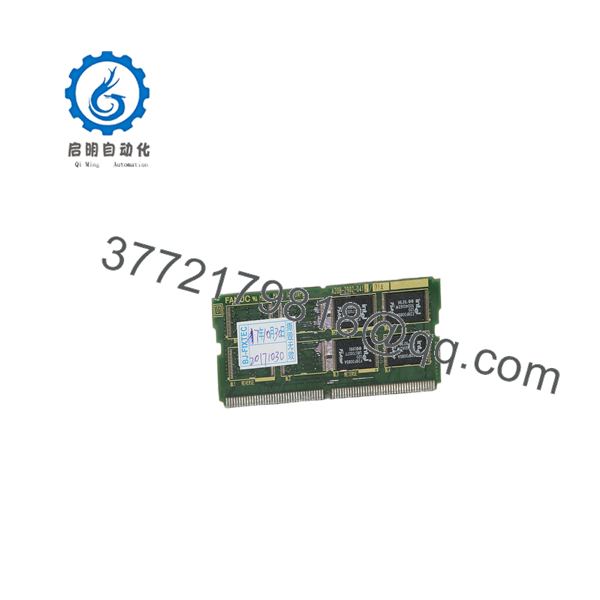
A20B-2902-0412
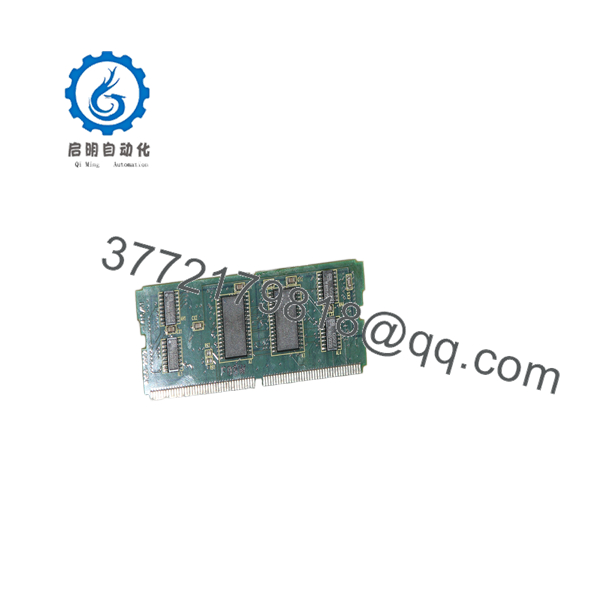
A20B-2902-0412
Installation & Configuration Guide
- Stage 1: Pre-Installation (Prep & Safety) Perform a complete SRAM backup (SYSTEM DATA SAVE) to a PCMCIA card before servicing the CNC unit. Turn off the main machine power. Wear a grounded ESD wrist strap before touching the control chassis. Take photos of the main CPU motherboard layout to confirm the designated SRAM module socket location.
- Stage 2: Removal Locate the existing memory daughterboard on the mainboard. Gently spread the plastic retaining clips on both ends of the SIMM socket outwards. Pivot the old module to a 45-degree angle and lift it straight out of the slot, avoiding friction against adjacent motherboard components.
- Stage 3: Installation (Clone & Seat) Align the notch on the New Surplus A20B-2902-0412 edge connector with the key in the mainboard SIMM socket. Insert the card firmly at a 45-degree angle until the gold contacts seat completely, then push the card downward until the metal/plastic side latches snap shut securely.
- Stage 4: Power-On & Testing Power on the CNC unit while holding the
RIGHT ARROWorDELETE + RESETkeys if an SRAM restoration is required. Verify that the boot loader menu recognizes the 2MB SRAM space, check that no memory parity alarms (e.g., System Alarm 930 or 950) occur, and restore system parameters from your PCMCIA card.
Firmware/Software Versions & Upgrade Notes
- System Compatibility Baseline: The A20B-2902-0412 is matched to FANUC i-Series controls (Model A and Model B). Verify that the host CPU mainboard supports 2MB expansion (such as A16B-3200-0420 or similar mainboards).
- Parity & Size Matching: Swapping from a smaller 1MB module (e.g., A20B-2902-0410) to a 2MB module requires initializing the SRAM memory via the System Boot Screen. Failure to perform an SRAM clear and restore during a size upgrade will cause immediate boot loop alarms.
- Modification Warning: Never insert or remove the module while the CNC control power or backup battery circuit is active. Removing the module under power will permanently corrupt stored parameter blocks and can destroy the memory bus controller on the CPU board.
Frequently Asked Questions (FAQ)
- Q: Is this FANUC memory card genuine new surplus?
A: Yes, this is a 100% Brand New Surplus unit. It is not used, not pulled from a decommissioned machine, and not refurbished. The gold connector pins are completely unblemished with zero socket wear marks.
- Q: Will installing this memory card erase my existing CNC parameters?
A: Replacing the physical SRAM module removes the stored data contained on the old board. You MUST back up your machine parameters, pitch error tables, and PMC ladder to a SRAM card or PCMCIA flash card before removing the old hardware, then reload them after installing the new module.
- Q: Why avoid buying a cheaper refurbished or pulled memory module?
A: Used memory modules often suffer from degraded solder joints on tiny surface-mount chips and worn edge contacts. An intermittent fault on an SRAM card will corrupt your parameters mid-machining cycle, crashing the tool spindle and causing thousands of dollars in mechanical damage.
- Q: How can I verify that my mainboard supports the ?
A: Check your CNC controller manual or CPU board layout. The 16i/18i/21i series mainboards feature dedicated SIMM slots labeled for SRAM/DRAM. Match the part number on your existing board or consult the hardware options list for your control model.
- Q: What warranty coverage is provided with this module?
A: We supply this New Surplus unit with a complete 1-year replacement warranty, giving your plant complete operational security compared to standard short-term warranties on used components.



