
 WhatsApp: +86 16626708626
 Email:
  Phone: +86 16626708626
Description
3. Key Technical Specifications
| Parameter | Value |
|---|---|
| Part Number | A20B-8100-0430 |
| Function | PROFIBUS-DP Master |
| Compatible Controls | Fanuc Series 16i, 18i, 21i (and related) |
| Board Type | Option / expansion PCB |
| Interface | PROFIBUS-DP |
| Mounting | Secondary slot on control riser |
| Typical Application | Factory network / machine-to-machine communication |
| Form Factor | Standard Fanuc option board |
4. Product Introduction
The FANUC A20B-8100-0430 is a PROFIBUS-DP Master PCB designed for Fanuc Series 16i, 18i, and 21i CNC controls. It installs in a secondary slot on the control riser and enables the CNC to act as a PROFIBUS-DP master, communicating with remote I/O, drives, or other PROFIBUS slave devices on the factory network.
This board is used when the machine requires PROFIBUS connectivity beyond the standard I/O Link. Confirm the control model, available option slots, and required software parameters before installation. After mounting, the PROFIBUS configuration must be set correctly in the CNC parameters.
5. Troubleshooting Quick Reference
| Symptom | Possible Cause | Relevance to this Part | Quick Check Method | Recommendation |
|---|---|---|---|---|
| PROFIBUS communication failure | Board not recognized or faulty | ✅ High | Check CNC diagnostics for bus/option board alarms | Reseat board; verify slot and power |
| No PROFIBUS master function | Missing or incorrect parameters | ✅ High | Review PROFIBUS-related CNC parameters | Load correct configuration and cycle power |
| Intermittent bus errors | Poor seating, cable, or termination | ✅ Medium | Inspect edge connector and PROFIBUS cable | Clean contacts; check termination resistors |
| Control boots but no network | Wrong board revision or software mismatch | ✅ High | Compare part number and software version | Match exact board and control software |
| Alarm after board installation | Slot conflict or power issue | ❌ Medium | Verify available option slots and power supply | Confirm hardware compatibility |
| Remote devices not seen | Configuration or baud rate mismatch | ✅ High | Check PROFIBUS network settings on CNC and slaves | Align baud rate, station addresses, and GSD files |
If issues persist, record the exact alarm codes, note the CNC model and software version, and photograph the board nameplate and installation slot.
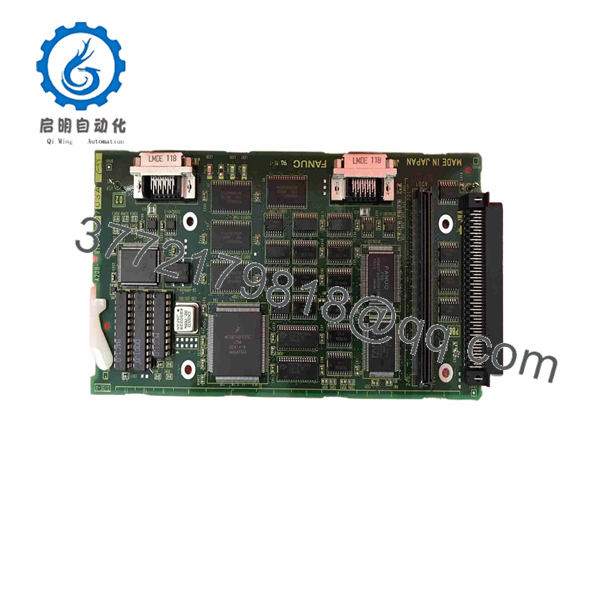
A20B-8100-0430
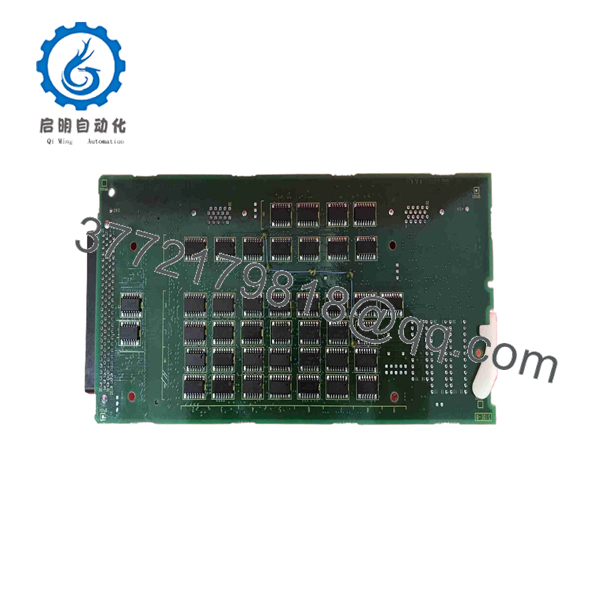
A20B-8100-0430
6. Frequently Asked Questions (FAQ)
Q: What does this board do?
A: It adds PROFIBUS-DP Master capability to compatible Fanuc CNC controls, allowing the CNC to control and communicate with PROFIBUS slave devices on the network.
Q: Which controls is the A20B-8100-0430 compatible with?
A: Primarily Fanuc Series 16i, 18i, and 21i controls (including related model A/B variants). Confirm available option slots and software support on your specific control.
Q: Does the board require special software or parameters?
A: Yes. After installation, the CNC must be configured with the correct PROFIBUS parameters (baud rate, station address, etc.). Incorrect settings are a common cause of communication failures.
Q: Can I hot-swap this board?
A: No. Always power down the control completely before installing or removing option boards. Residual voltage can damage the board or the main control.
Q: How do I know if I need the Master version?
A: Use the Master board when the CNC must act as the PROFIBUS master (controlling remote devices). Slave-function boards are different part numbers. Match the original board function exactly.
Q: What should I check before ordering a replacement?
A: Photograph the existing board nameplate (including any revision), note the control model and software version, and confirm the physical slot location. This prevents ordering an incompatible revision.
Q: Is this board still in production?
A: No. It is a discontinued option board. Available units are new surplus or carefully tested refurbished stock.



