
 WhatsApp: +86 16626708626
 Email:
  Phone: +86 16626708626
Description
Key Technical Specifications
- Processor: Motorola MC68030
- Clock Speed: 25 MHz
- Memory: 16 MB shared DRAM
- Bus Interface: 32-bit VMEbus
- Revision: Rev. 3 (also Rev. 4 known)
- Part References: 5998-01-389-6664, 5998-01-392-7063, CPU-30ZBE/C20
- Product Category: VME CPU board / Processor board assembly
- Availability: Discontinued by manufacturer; surplus/Tested stock
- Warranty: Radwell 2-year warranty (example seller)
- Weight: ~0.38 kg (0.84 lb)
Product Introduction
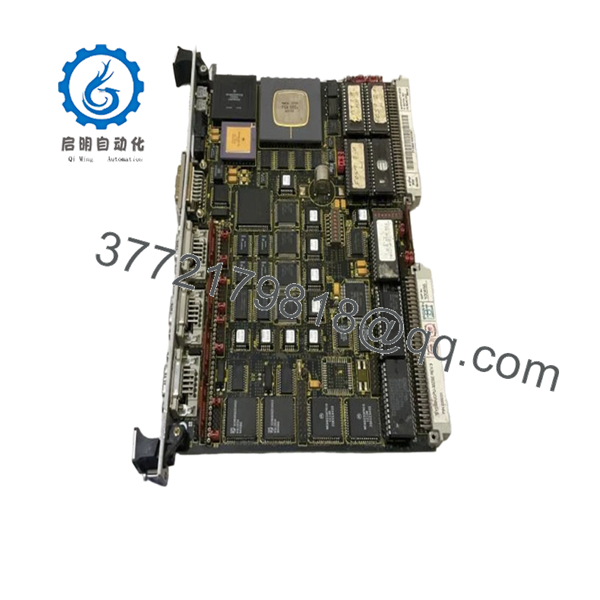
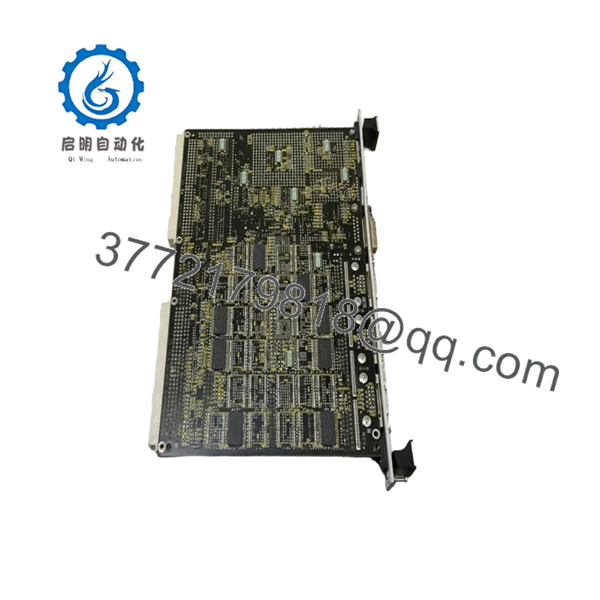
Force SYS68K CPU-30ZBE is a Force Computers VME CPU board built on the SYS68K platform with a Motorola MC68030 processor at 25 MHz and 16 MB system RAM. It is used in legacy VME-based industrial control, embedded automation, and test equipment racks where exact hardware match matters.
This board is typically chosen for direct replacement in older SYS68K installations. Stock is limited to discontinued/surplus channels, and most listings are refurbished or used-tested with a seller warranty (e.g., Radwell 2-year). Confirm revision (Rev. 3 vs Rev. 4) and firmware before ordering.

- SYS68K CPU-30ZBE
- SYS68K CPU-30ZBE
Troubleshooting Quick Reference
| Symptom | Possible Cause | Relevance to this Part | Quick Check Method | Recommendation |
|---|---|---|---|---|
| No boot activity at power-up | Missing backplane power, failed board, or bad VME slot | ✅ High | Measure rack supply rails and check board LEDs/status before swap | Verify 5 V and backplane seating first |
| Boots but application fails | Firmware mismatch, memory fault, or configuration error | ✅ High | Read firmware version and diagnostic buffer in control software | Match firmware range to installed system |
| VME bus errors | Slot contact issue, backplane fault, or address conflict | ✅ High | Reseat board, inspect edge connector, verify address map | Check rack integrity and jumper/strap settings |
| Intermittent crashes or reboots | Thermal issue, aging DRAM, or power instability | ✅ High | Monitor board temperature and test with stable rack power | Treat as likely board-level failure |
| No peripheral response | Cable/termination issue or port hardware fault | ✅ Medium | Check cables, termination, and console settings; run loopback | Fix external side first, then suspect board |
Contact technical support with photos of the board, connectors, LEDs, and any diagnostic or console logs if the fault is unclear.
Frequently Asked Questions (FAQ)
Q: Is the SYS68K CPU-30ZBE still in production?A: No. It is an obsolete Force Computers part, discontinued by the manufacturer. Supply is limited to surplus, refurbished, or used-tested stock.
Q: Can I use this as a direct replacement for another CPU-30 variant?A: Only if the processor, clock speed, memory size, revision, and firmware match your installed system. Verify the exact rack, revision (Rev. 3 vs Rev. 4), and firmware version before ordering.
Q: Is it hot-swappable?A: No. Power down the rack before removal. Pulling a VME CPU live can damage the board or the backplane.
Q: Will my existing configuration survive a swap?A: Not guaranteed. If your system stores configuration or boot parameters on the board or in local firmware, back them up first and match jumpers/straps and firmware versions on the replacement.
Q: What condition should I expect?A: Most stock is refurbished or used-tested. Some sellers offer “never used” surplus with original packaging, but factory warranty may not apply; a seller warranty (e.g., 2-year Radwell) typically covers the item.
Q: Why is the price so high (e.g., ~CAN$4,500–5,700)?A: It is legacy hardware with limited availability and no factory support. The price reflects age, scarcity, and the testing/refurbishment effort, not a premium feature set.
Q: What should I check before installing a replacement CPU-30ZBE?A: Match the revision, inspect the edge connector, verify backplane power, and photograph every jumper/strap on the original board before removal.



