
 WhatsApp: +86 16626708626
 Email:
  Phone: +86 16626708626
Description
Key Technical Specifications
| Parameter | Specification / Value |
| Part Number | P0922AE (Standard), P0926AJ (Redundant option) |
| Input Channels | 8 discrete input channels |
| Input Type | Voltage-free contact sensing or solid-state switch inputs |
| Field Voltage | 24 V DC internal or external field power supply |
| Channel Isolation | 1,000 V AC optical isolation between channels and bus |
| Filter Time | Configurable contact bounce filtering (1 ms to 255 ms) |
| Power Dissipation | 2.5 W maximum at nominal 24 V DC operating conditions |
| Operating Temperature | −20 to +70 °C (−4 to +158 °F) |
| Relative Humidity | 5 to 95% non-condensing |
| Baseplate Compatibility | Fits 2-position, 4-position, or 8-position Foxboro baseplates |
Product Introduction & Supply Chain Strategy
The Foxboro FBM213 (P0922AE) fieldbus module interfaces up to 8 discrete input channels from field devices directly to the I/A Series DCS backplane. It processes digital signals from pushbuttons, limit switches, and relay contacts in continuous process operations across chemical, oil and gas, and power Generation facilities.
Maintaining FBM213 units as New Surplus provides a crucial buffer stock against emergency plant downtime without paying OEM list prices. Sourcing genuine new units eliminates the failure risks associated with degraded internal components in used market alternatives, maintaining full system integrity and reducing your Total Cost of Ownership (TCO).
Installation & Configuration Guide
Stage 1: Pre-Installation (Prep & Safety)
- Execute full Lock-out/Tag-out (LOTO) procedures on connected 24 V DC field power circuits.
- Put on a grounded ESD wrist strap before handling the replacement module.
- Photograph all existing field terminal wiring, baseplate position tags, and redundant bus connections for physical reference.
Stage 2: Removal
- Unscrew the two module retention screws located at the top and bottom of the installed FBM213.
- Pull the module release levers outward simultaneously to unseat the module from the baseplate connectors.
- Slide the card straight out of the baseplate slot without tilting to protect backplane pin alignment.
Stage 3: Installation (Clone & Seat)
- Verify the replacement FBM213 part number matches P0922AE exactly.
- Align the module card edges with the baseplate guide rails.
- Slide the module inward until the backplane connectors touch, then press firmly on the center bezel until seated. Tighten both retention screws to 0.5 Nm torque.
Stage 4: Power-On & Testing
- Restore 24 V DC system power and verify the power supply rail reads between 23.5 V DC and 24.5 V DC.
- Observe the front panel status LEDs: confirm the POWER LED lights solid green and the FAIL LED turns off.
- Toggle test field contacts and verify channel input status changes accurately inside the Foxboro I/A Series control system software.
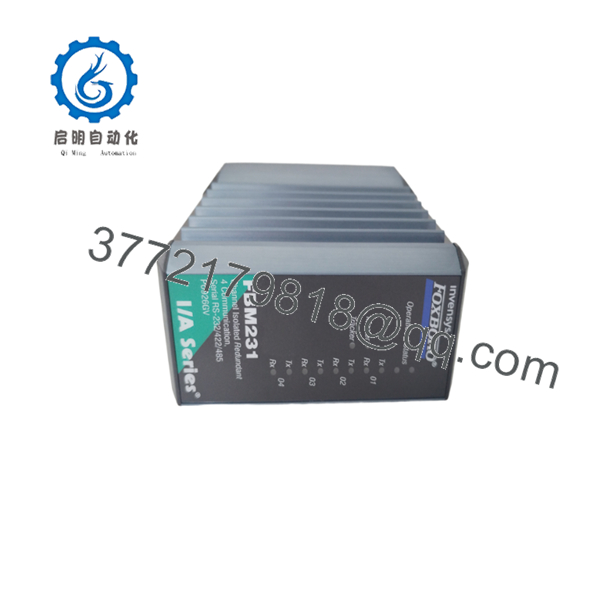
- FBM213

- FBM213
Firmware/Software Versions & Upgrade Notes
- Recommended Version: Compatible with Foxboro I/A Series System Software V8.x and EcoStruxure Foxboro DCS V9.x environments.
- Backward Compatibility: Fully backward compatible with legacy Foxboro baseplates (P0926HF, P0926KE series) running firmware V3.0 or higher.
- Upgrade Warnings:
- Do not downgrade system software below V7.1 while running revision P0922AE hardware, as driver mismatch will drop channel communication.
- Always verify that baseplate address switches match your software system configurator before initiating a online module download.
Frequently Asked Questions (FAQ)
Why is this New Surplus module priced lower than OEM factory list price?
We source unused surplus inventory directly from system integrators, canceled projects, and industrial reserves globally. This allows us to offer genuine OEM factory hardware at substantial savings while maintaining 100% component life expectancy.
Are these modules completely unused or refurbished?
These are strictly New Surplus / Original New units. They have never seen live industrial service, have zero backplane pin wear, and come in original protective anti-static packaging. We maintain a zero-tolerance policy for second-hand or repaired electronics.
Can I hot-swap the module while the system is powered?
Yes, the Foxboro supports hot-swapping under live power on powered baseplates. However, you must ensure that connected field wiring for that specific slot is safe and free of short circuits before inserting the new module.
Does the retain its configuration settings when removed from power?
The receives its channel configuration parameters (filter times, signal inversion, and mapping) directly from the Field Control Processor (FCP) upon boot-up. No onboard non-volatile setup or DIP switch changing is required during replacement.
What warranty coverage comes with this New Surplus unit?
Every module includes a comprehensive 1-year replacement warranty backed by our complete functional test procedure (power-on self-test, backplane handshake, and 8-channel signal verification).



