
 WhatsApp: +86 16626708626
 Email:
  Phone: +86 16626708626
Description
Key Technical Specifications
| Parameter | Value |
|---|---|
| Model | FBM216B (P0927AJ) |
| Manufacturer | Foxboro (Schneider Electric) |
| Product Type | Redundant HART Communication Input Module |
| Series | Foxboro Evo™ / I/A Series® |
| Input Channels | 8 individually isolated analog input channels |
| Input Signal | 4–20 mA with HART FSK communication |
| HART Versions | Version 5, Version 6, Version 7 |
| Redundancy | FBM-level Master/Tracker redundant pair |
| Communication | Point-to-point, asynchronous, half-duplex, 1200 baud |
| HART Polling Rate | Up to 2 messages per second per device |
| A/D Conversion | 15-bit Sigma-Delta |
| Input Update Rate | 100 ms |
| Maximum Field Wiring Distance | Up to 3,030 m (10,000 ft) |
| Internal Loop Supply | 18.5 VDC minimum @ 20.5 mA |
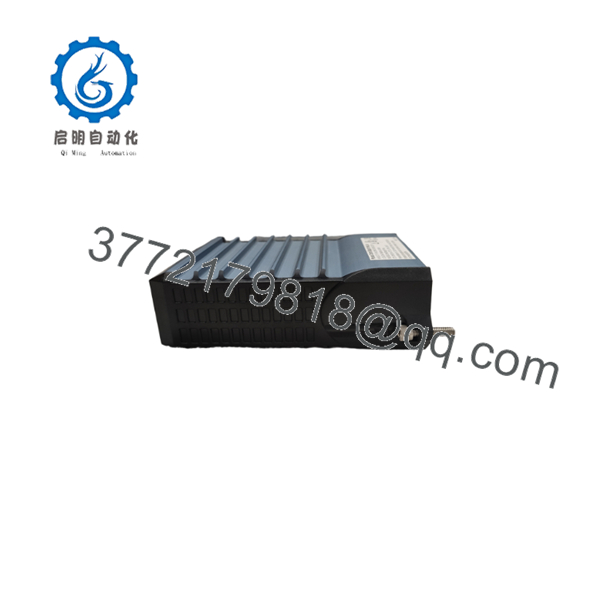
| Module Dimensions | 102 × 45 × 104 mm |
| Approximate Weight | 284 g |
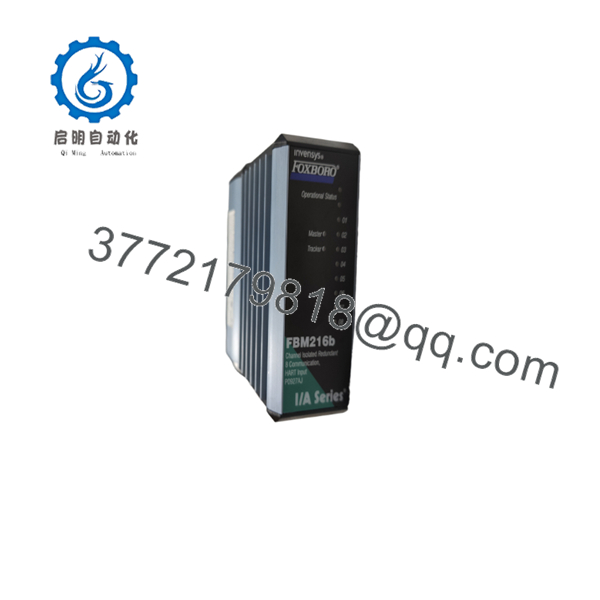
The FBM216B provides eight independently isolated HART input channels. Each channel supports simultaneous acquisition of the analog 4–20 mA process signal and digital HART communication, while redundant module pairs improve availability in critical process applications.
Product Introduction
The Foxboro FBM216B P0927AJ is a redundant HART communication input module designed for the Foxboro Evo™ and I/A Series distributed control systems. It interfaces directly with intelligent field transmitters, collecting conventional 4–20 mA measurements while exchanging HART diagnostic and configuration data over the same wiring pair.
Unlike conventional analog input modules, the FBM216B supports FBM-level redundancy. A pair of modules operates in a Master/Tracker configuration, allowing continuous acquisition of field data if one module is removed or experiences a hardware fault. This architecture makes the module suitable for refinery, chemical, power generation, pharmaceutical, and other continuous-process applications where downtime must be minimized.
Installation & Configuration Guide
Stage 1 – Pre-Installation Preparation (10 Minutes)
⚠️ Safety First
- Notify plant operations of the planned maintenance.
- Perform Lock-Out/Tag-Out (LOTO).
- Isolate cabinet power.
- Wait at least 5 minutes before handling the module.
Required Tools
- ESD wrist strap
- Phillips screwdriver
- Digital multimeter
- Wire identification labels
- Smartphone for wiring documentation
Before Removal
- Back up the Foxboro control database.
- Record the installed module revision.
- Photograph all field wiring.
- Record HART device tag numbers and addresses.
- Verify the redundant partner module is healthy before replacing either unit.
Stage 2 – Removing the Existing Module (5 Minutes)
- Label every field cable.
- Disconnect the termination assembly.
- Release the module locking mechanism.
- Pull the module straight from the baseplate.
⚠️ Keep the original module available until commissioning has been completed successfully.
Inspect for:
- Bent connector pins
- Corrosion
- Dust accumulation
- Damaged baseplate contacts
- Loose termination hardware
Stage 3 – Installing the New FBM216B (10 Minutes)
- Wear an ESD wrist strap.
- Confirm the replacement part number is P0927AJ.
- Verify compatibility with the installed baseplate and termination assembly.
- Install the module until fully seated.
- Reconnect the termination assembly.
- Verify all field wiring against installation records.
Installation Checklist
- ✔ Correct model number
- ✔ Module fully seated
- ✔ Wiring secured
- ✔ Ground connection verified
- ✔ Redundant partner online
Stage 4 – Power-On & Functional Testing (10 Minutes)
- Verify the 24 VDC supply.
- Restore cabinet power.
- Observe the module status LEDs.
- Connect using Foxboro engineering software.
- Confirm communication with all HART transmitters.
- Compare live analog values with calibrated field instruments.
- Verify redundancy synchronization between the Master and Tracker modules.
⚠️ Common Startup Issues
No HART communication
- Verify loop resistance.
- Confirm HART transmitter compatibility.
- Check field wiring polarity.
Redundancy alarm
- Verify both FBMs are identical hardware revisions.
- Check redundant adapter installation.
- Confirm engineering database configuration.
Incorrect analog readings
- Verify transmitter calibration.
- Inspect loop current.
- Confirm correct channel assignments.

- FBM216B P0927AJ
- P0927AJ
Frequently Asked Questions (FAQ)
Q1. What is the difference between the FBM216 and ?
The is the updated B-revision of the redundant HART communication input module. It maintains compatibility with the Foxboro Evo™ and I/A Series architecture while supporting current HART device revisions and updated hardware designs. Always verify hardware revision compatibility before replacement.
Q2. How many HART transmitters can one support?
One supports eight individually isolated HART input channels, with each channel communicating independently with a field instrument.
Q3. Can the module continue operating if one FBM fails?
Yes. When installed as a redundant pair, one module serves as the Master while the other functions as the Tracker. If one module is removed or fails, the remaining module continues processing field inputs, reducing process interruption.
Q4. Which HART protocol versions are supported?
The supports field devices compliant with HART Versions 5, 6, and 7, allowing integration with most modern intelligent transmitters.
Q5. Is the hot-swappable?
Online replacement depends on the overall Foxboro system configuration and the plant’s maintenance procedures. Although the redundant architecture can reduce downtime, replacement should only be performed according to Schneider Electric’s maintenance guidelines and after verifying redundancy status.
Q6. What should I verify before purchasing a replacement ?
Confirm the following before ordering:
- Exact part number (P0927AJ)
- Hardware revision
- Baseplate compatibility
- Termination assembly type
- Foxboro Evo™ or I/A Series software version
- Existing redundancy configuration
These checks help avoid commissioning delays and unexpected compatibility issues.



